Trello vs Repsona
Both tools let a team move work across a board. They part ways once you need a schedule. If you want a Gantt chart with dependencies without upgrading or choosing a Power-Up, look at Repsona. If your work lives on boards and you want Power-Ups and automation to shape them, Trello is the better fit.
Which one fits your team
Repsona fits teams that
- want a Gantt chart from the start, on the free plan
- need dependencies drawn as lines, with successors that move when a task slips
- would rather have the Gantt chart, board and notes in one tool than choose and combine Power-Ups
- want to track the ball (who acts next) separately from the assignee
Trello fits teams that
- work mainly on Kanban boards and want several of them for free (the Free plan allows up to 10 boards and 10 collaborators per Workspace)
- want to extend boards with Power-Ups and run routine steps with automation rules and buttons
- need custom fields on cards, or SAML single sign-on
Features side by side
Rows where Repsona has nothing to offer are listed as they are.
 Trello
A Gantt chart on the free plan
In Trello, the Gantt-style view is the Timeline view. It is available on Premium and Enterprise, not on Free or Standard, and Trello's help says "There are no current plans to make the Timeline view available to free Workspaces." Premium has a 14-day free trial if you want to try it.
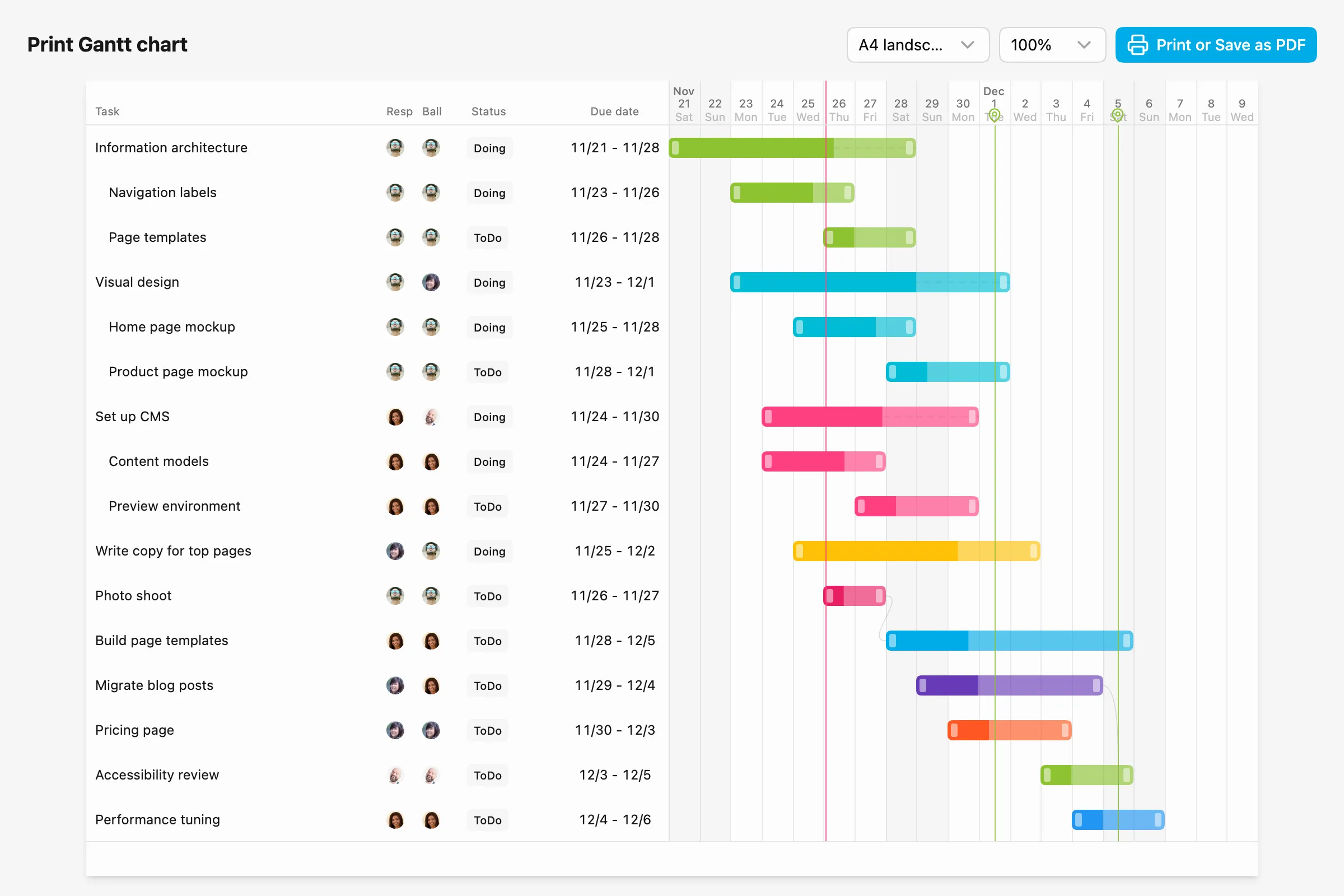
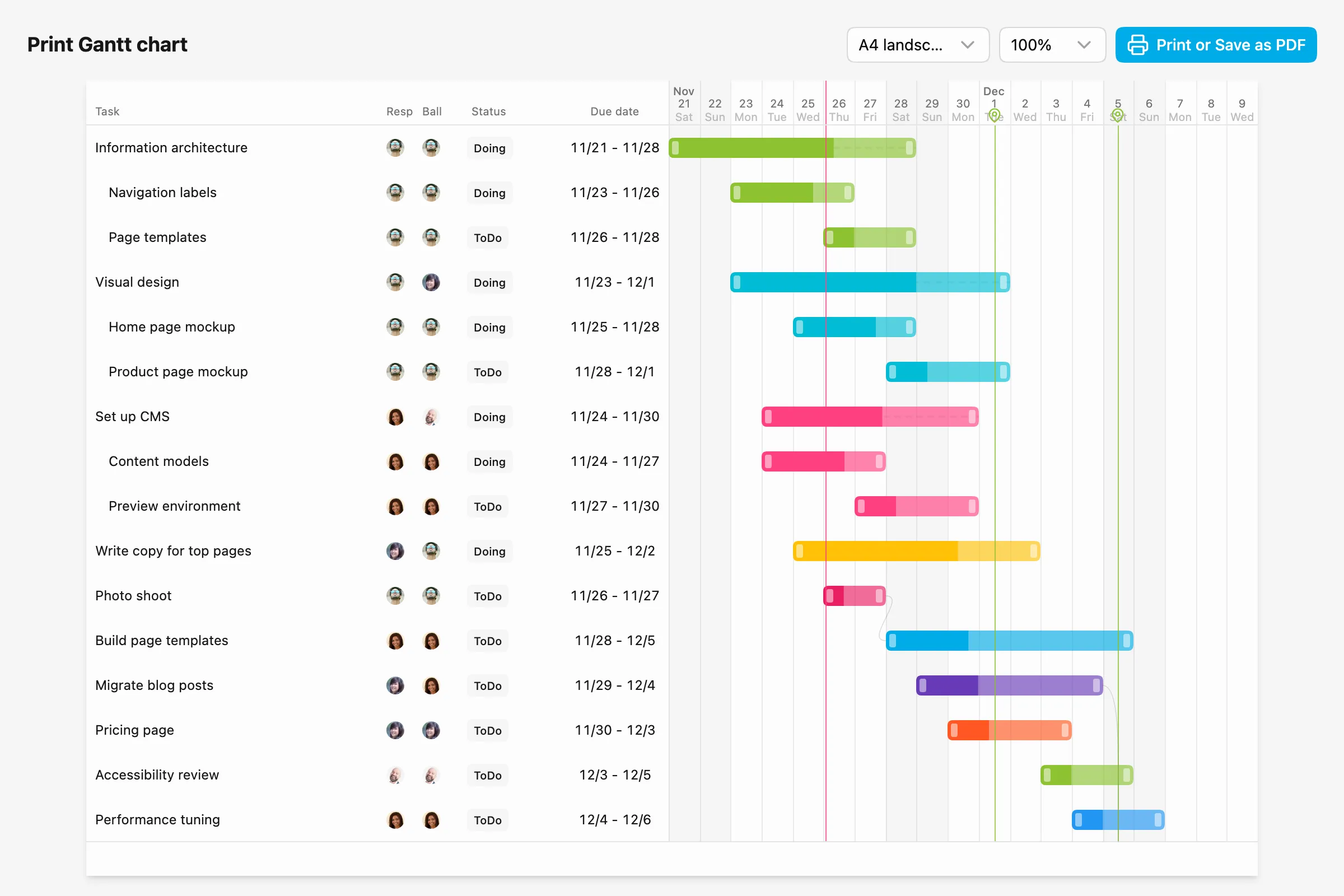
Repsona's Gantt chart is part of the free plan. Drawing a bar, moving it and stretching it work the same on every plan.
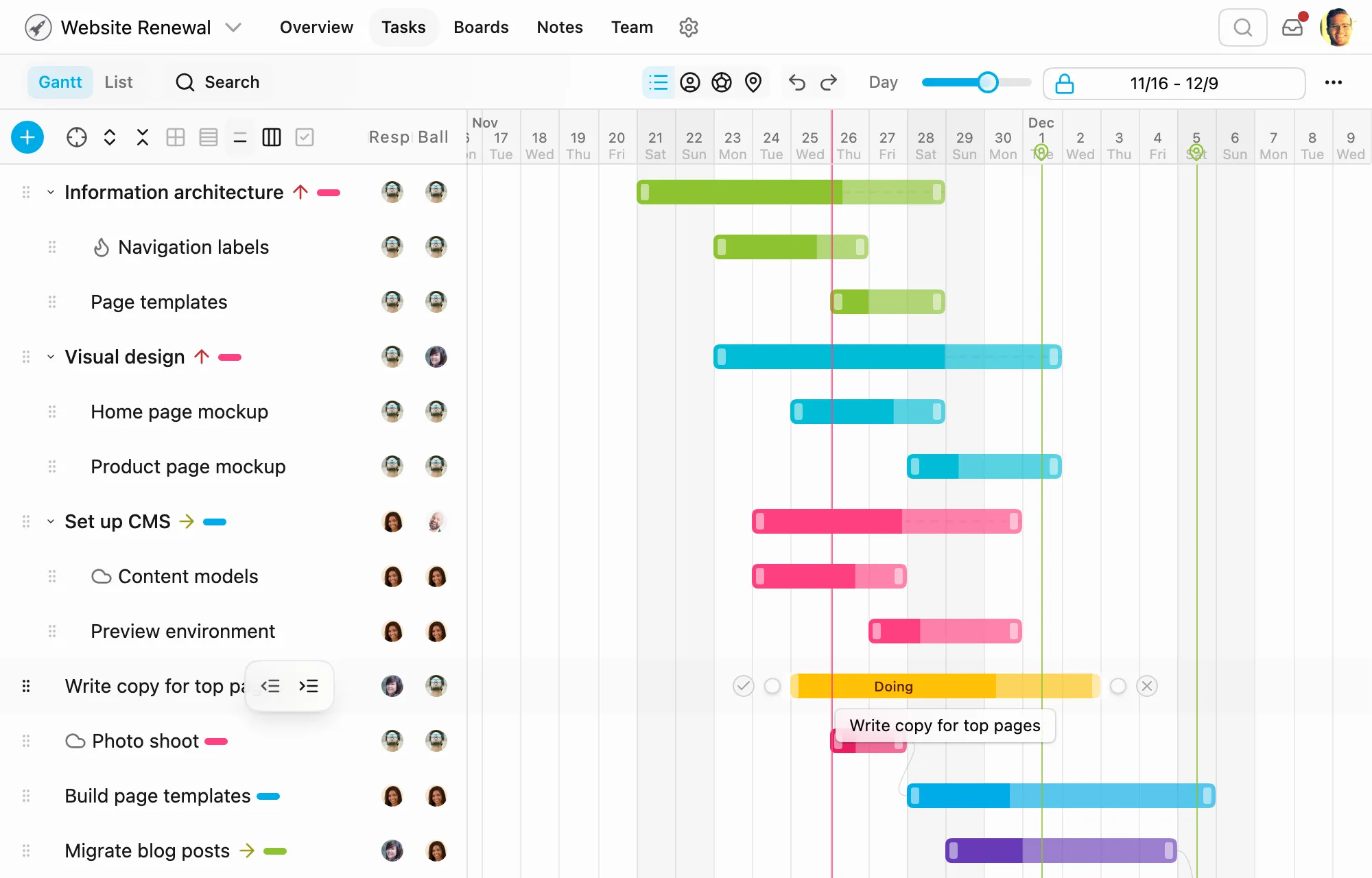
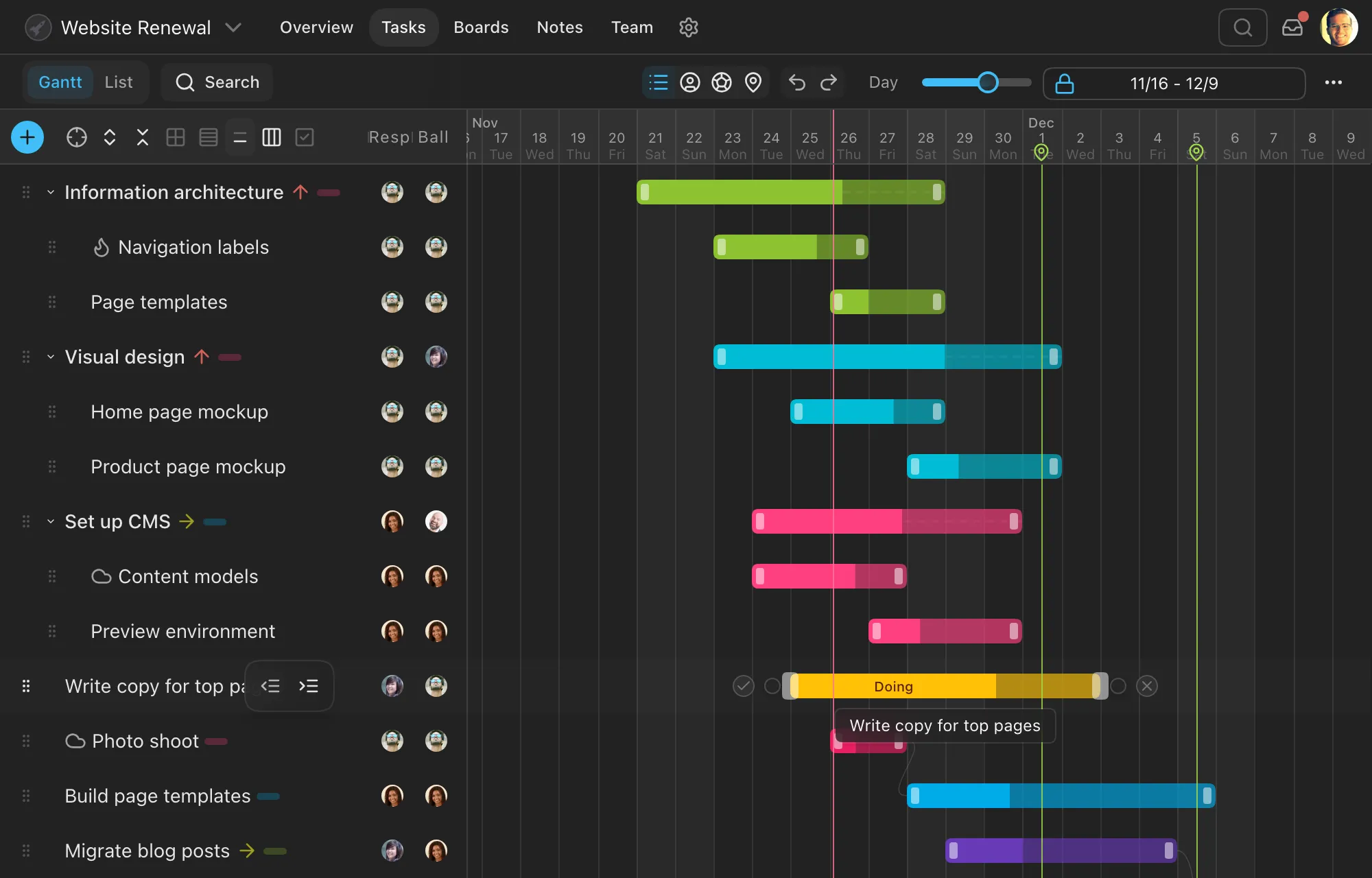
No Power-Up to pick before you can plan
To get a Gantt chart on Trello's Free plan, you add a Power-Up. Power-Ups can be added on every plan, Free included. Atlassian's blog points to Planyway, TeamGantt and Projects by Placker as Power-Ups for Gantt charts.
Each of them is made by a company other than Trello. Some Power-Ups are free and others carry costs set by their developers, so what you get, and for how much, is something to check per Power-Up.
In Repsona the Gantt chart is built in. Grouping by assignee or by milestone needs nothing extra.
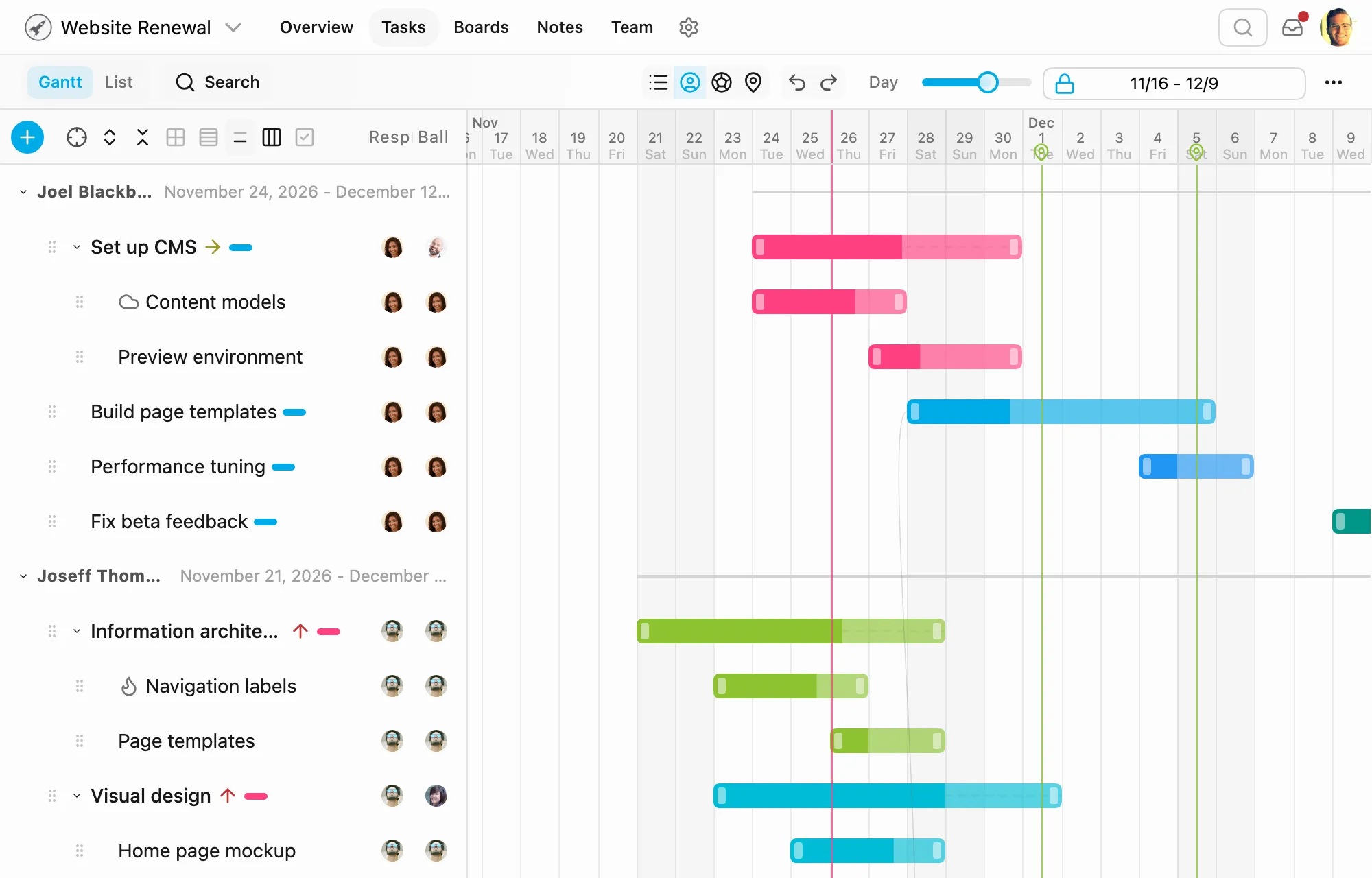
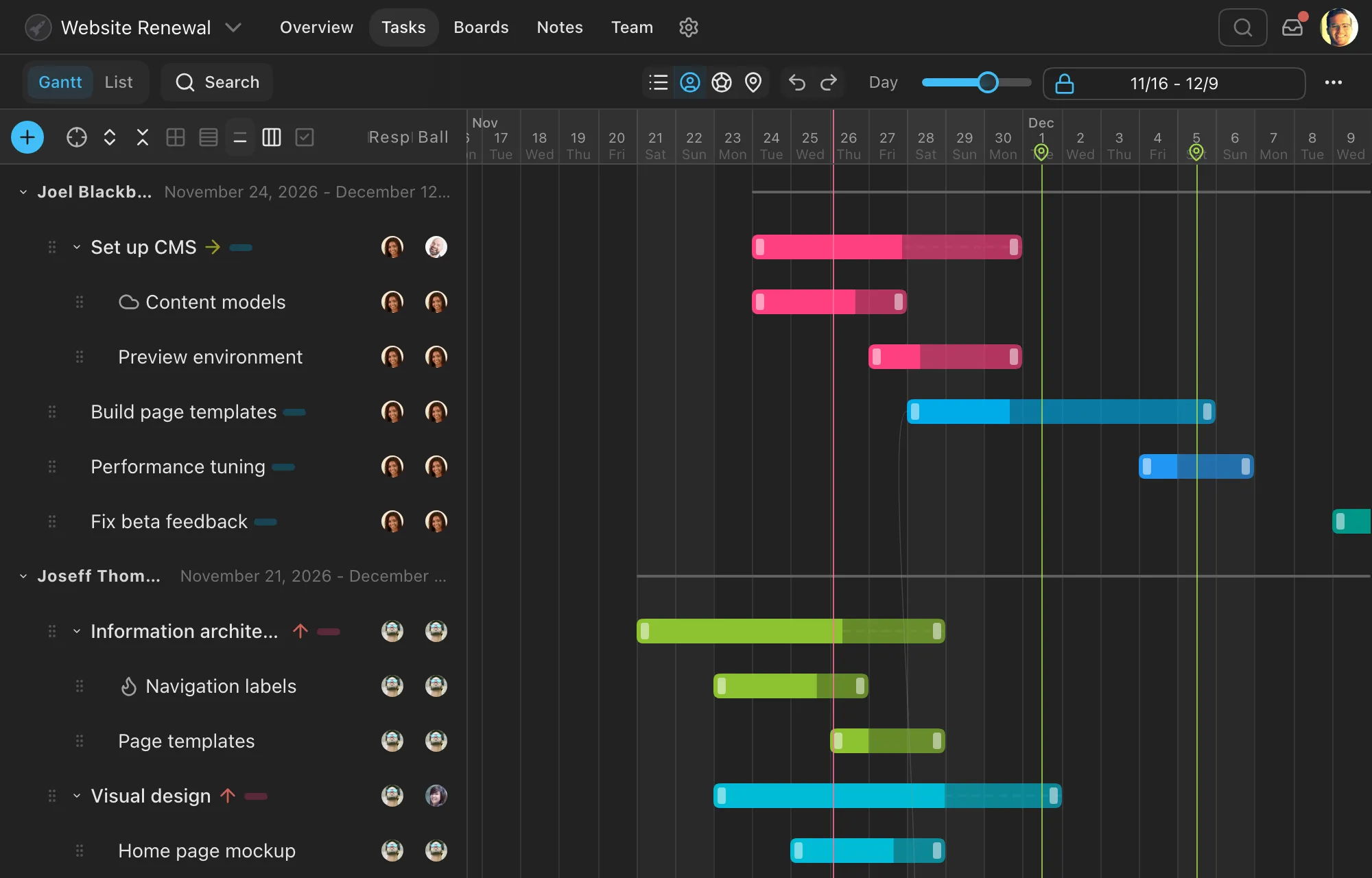
Dependencies drawn as lines
In Repsona you drag from one bar to another to link a predecessor and a successor. The line turns red when the successor starts on or before the predecessor's due date. With "Move together" on, moving a task moves its successors too.
Trello's help says "Trello doesn't have a built-in task dependency management, but you can use such elements as checklists and link attachments to represent and manage task dependencies." It goes on to suggest automation rules to move dependent cards along. The Power-Up directory also lists third-party Power-Ups for card dependencies.
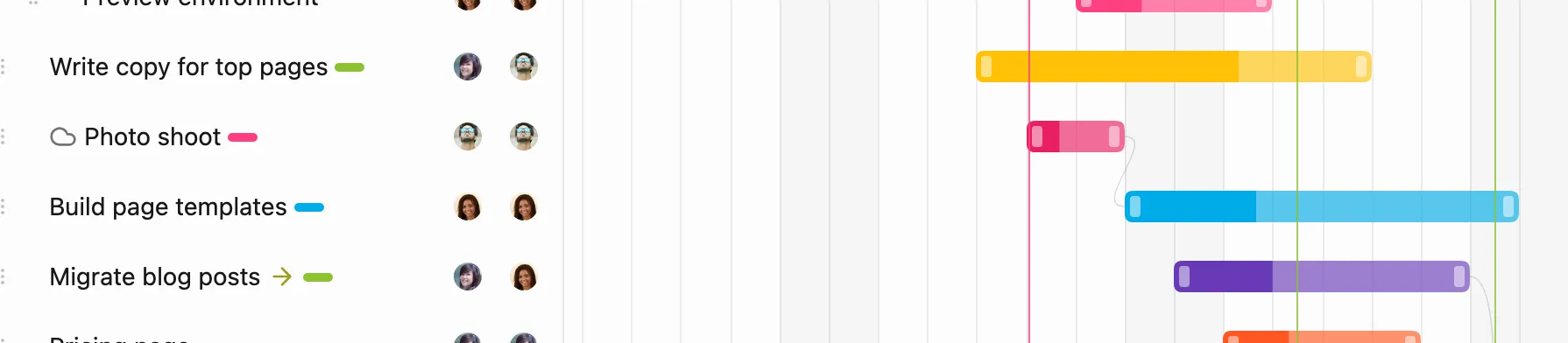
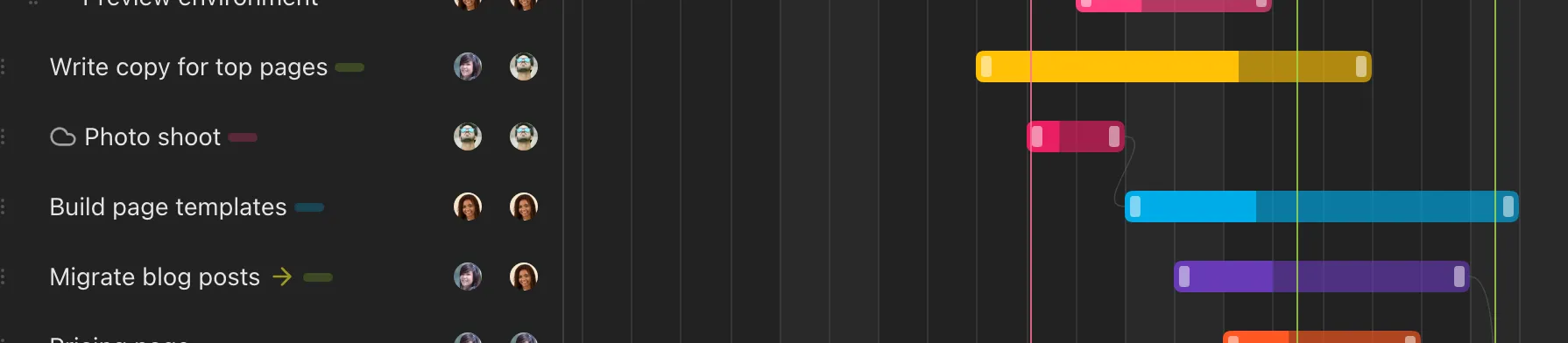
A board that also shows whose turn it is
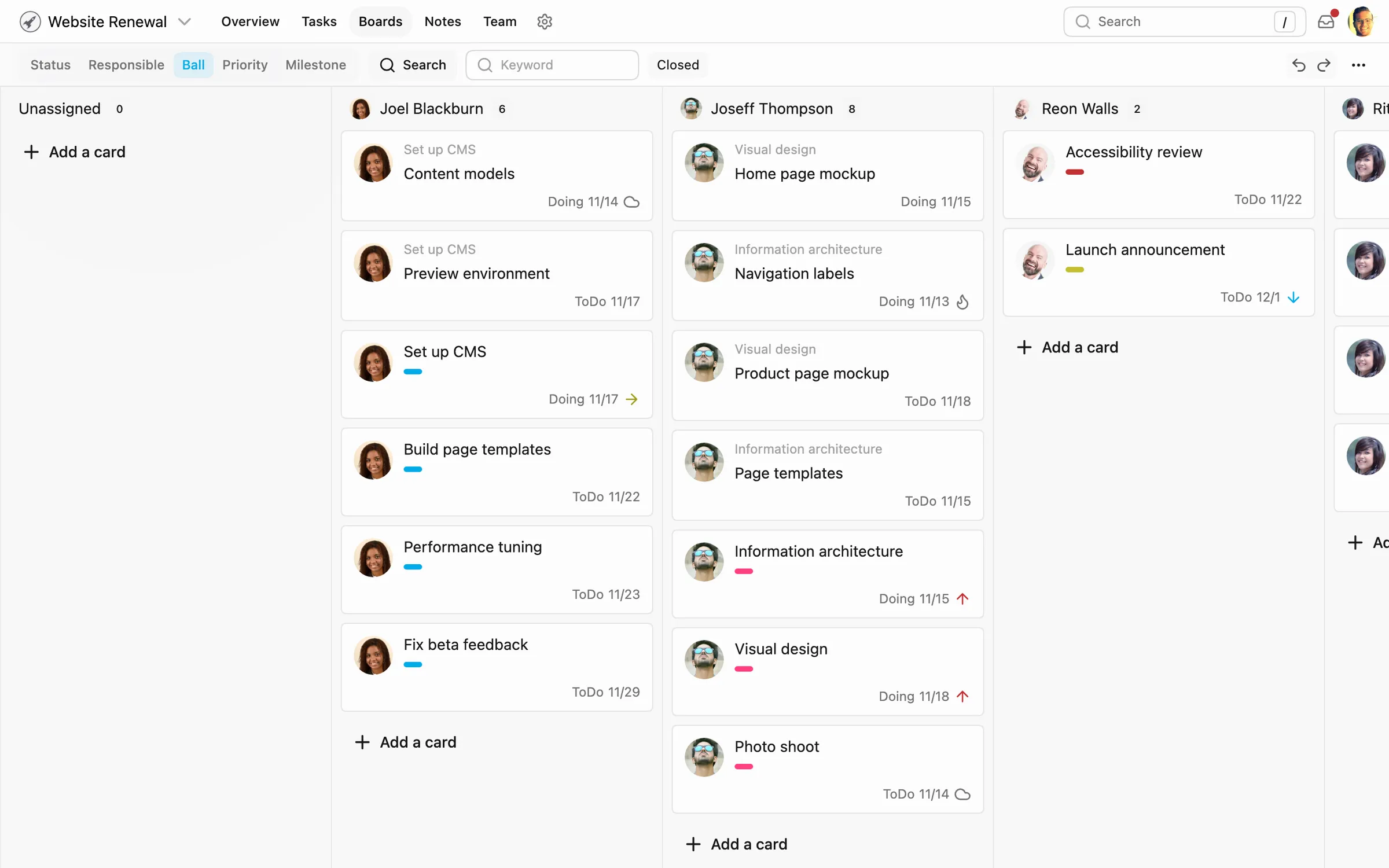
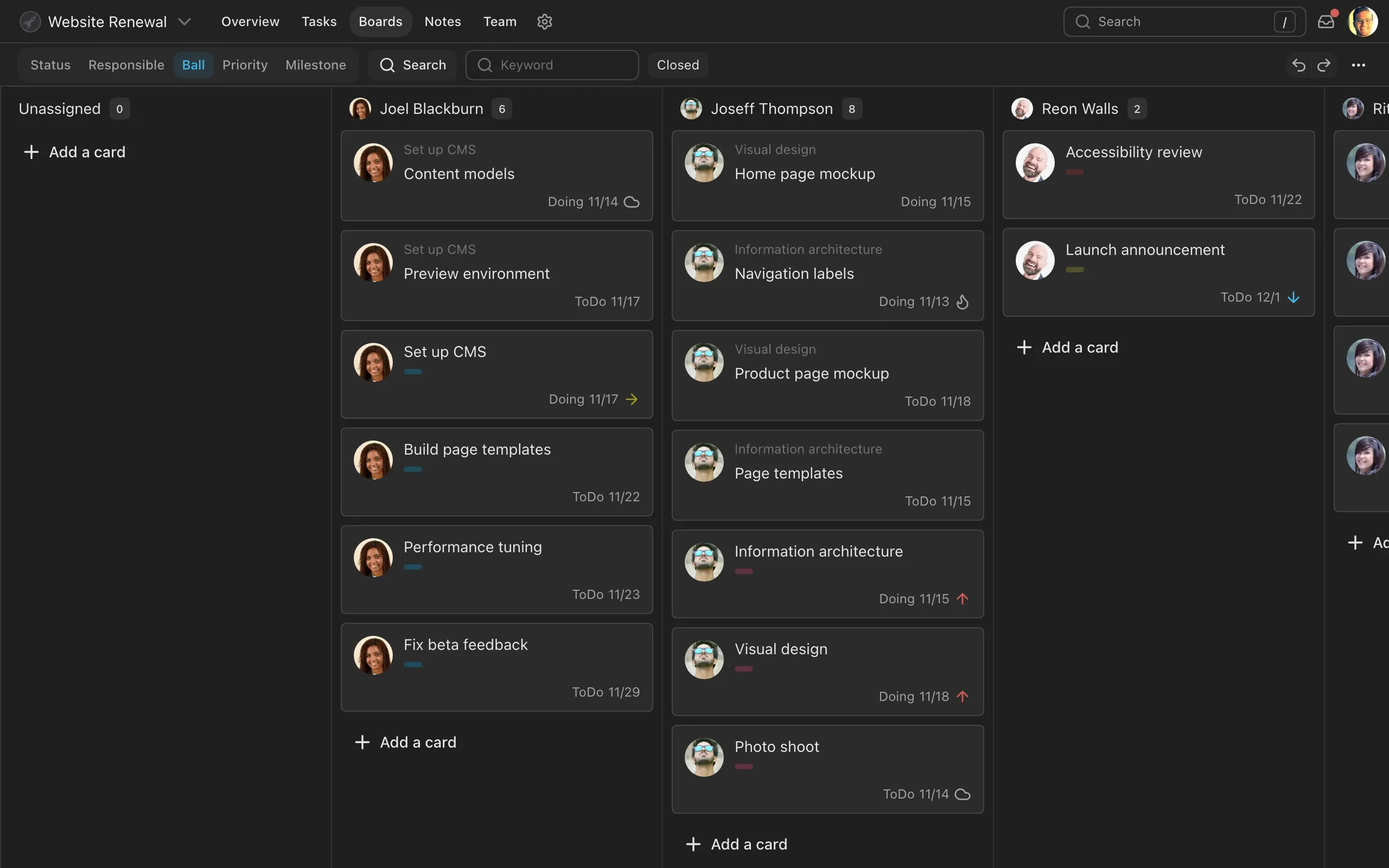
Repsona has a Kanban board too. You can switch it between status, assignee, ball holder, priority and milestone.
The ball is Repsona's name for who acts next. It sits on a task alongside the assignee, so the owner stays the same while the ball passes to whoever has to review, answer or approve.
A Trello card can have several members. A separate field for who acts next is not described in Trello's help or plan table.
Export to Excel and PDF
In Trello, any board member can export a board as JSON, and boards in Premium Workspaces can be exported as CSV. Printing covers a whole board (the front of each card) or a single card. An Excel or PDF export of the Timeline view is not described in Trello's help or plan table. The Power-Up directory lists third-party Gantt Power-Ups that say they export the chart to PDF or Excel.
Repsona exports the Gantt chart to Excel (XLSX), and its print view saves to PDF. Both are available on the free plan.
An interface anyone can pick up
Buttons, settings and customization are kept to a minimum. Anyone can tell what to do just by looking at the screen, and get started right away. It feels natural to use, and screens open and save quickly, so a heavy tool never slows you down.

Small touches that make work more fun
Repsona is full of small touches, built around people, that make work more fun. It isn't only about getting the pile of tasks in front of you done faster. It's about building a team where people connect and smile.
What Trello has that Repsona doesn't
Beyond the rows in the table, Trello offers the following. Repsona has none of them.
- Power-Ups that connect boards to 200+ apps and tools, on every plan including Free (some partner Power-Ups charge their own fee)
- Map view and Calendar view for cards (Premium and up)
- Create cards by sending an email to a board's own address
- AI features that generate checklists and whole boards (Standard and up)
- Card mirroring: view and edit one card from several boards (Standard and up)
- Desktop apps for macOS and Windows
Pricing
Both tools charge per person on paid plans. On Trello, the Timeline view starts at Premium, so that is the plan to look at if a Gantt-style view is what you need. Check Trello's official site for its prices.
TrelloMoving from Trello
Repsona has no automatic migration tool for Trello. You can move cards by CSV in three steps.
- In Trello, export the board as CSV (Premium and up; on Free and Standard the export format is JSON)
- Rearrange the columns into Repsona's import order. Row 1 is a header, followed by 14 columns in this order: ID, task name, description, assignee, ball holder, start date, due date, status, milestone, parent task ID, tags, planned, actual, sort order
- In Repsona, choose "Import from CSV" from the menu on the Gantt chart or the List
Assignees and statuses have to exist in Repsona under the same names before you import, and the file has to be UTF-8. The column details and a sample file are in the help article Exporting and Importing Tasks. Trello's help notes that "Comments aren't included in the CSV export." Repsona's CSV import doesn't take comments or attachments.
Repsona is a team workspace, so you need an account, and the free plan is enough to try one board as one project. If you only want to draw a quick chart without signing up, Gantt-san is a separate free Gantt chart tool from the same team. It is not what this page compares.
FAQ
- Does Trello have a Gantt chart?
- Trello's built-in equivalent is the Timeline view, which is available on the Premium and Enterprise plans. Free and Standard don't include it. On those plans, a Gantt chart means adding a third-party Power-Up from Trello's Power-Up directory.
- Is there a free Gantt chart in Trello?
- Not a built-in one. Trello's help says "There are no current plans to make the Timeline view available to free Workspaces." You can add Power-Ups on the Free plan, and some third-party Gantt Power-Ups charge their own fee. Repsona includes its Gantt chart on the free plan.
- Which Power-Ups add a Gantt chart to Trello?
- Atlassian's blog points to Planyway, TeamGantt and Projects by Placker. Each is made by a company other than Trello, so pricing and what you get for free differ from one Power-Up to the next.
- Does the Trello Timeline view support dependencies?
- Trello's help says "Trello doesn't have a built-in task dependency management, but you can use such elements as checklists and link attachments to represent and manage task dependencies." For linked bars you would add a third-party Power-Up. In Repsona you draw a line from one bar to another on the Gantt chart.
- Can I use the Trello Timeline view on my phone?
- Trello's help says the Timeline view is available in the web browser and the desktop app, not on mobile devices. Repsona's Gantt chart opens in its iOS and Android apps.
- Can I move my Trello cards to Repsona?
- Repsona has no automatic migration tool for Trello. Any board member can export a Trello board as JSON, and boards in Premium Workspaces can be exported as CSV. Repsona imports CSV with its columns in a fixed order, so you rearrange the columns first and then import.
- Does Repsona have Power-Ups or automation rules?
- No. If you want to extend boards with Power-Ups, or run routine steps with rules and buttons, Trello is the better fit.
- Which one costs less?
- Both charge per person on paid plans. On Trello, the Timeline view starts at Premium. Repsona includes the Gantt chart on its free plan. Which is cheaper depends on your team size and on which plan has the features you need. Check Trello's official site for its prices.
What this page says about Trello was checked against its official pages. Features and prices may change.