Smartsheet and Repsona, compared
Both keep a team's plan in one place, but they start from different shapes. Smartsheet is a spreadsheet you build into a project system, with formulas, forms, automated workflows and portfolio reporting. Repsona is a task manager that opens with a Gantt chart, boards and notes already in place, and it has a free plan.
Which one fits your team
Repsona fits teams that
- want a free plan to stay on, not a 30-day trial
- want a Gantt chart, boards and a wiki that work as soon as the project is created, without designing sheets
- want to draw the schedule by dragging bars and connecting them with lines
- want to track the ball (who acts next) separately from the person responsible
Smartsheet fits teams that
- want to run large plans in a spreadsheet grid, with cell, column and cross-sheet formulas
- need forms for intake, automated workflows, and dashboards and reports built from many sheets
- manage a portfolio of projects, or plan people's capacity with the Resource Management add-on
- need four dependency types with lag, baselines, or a critical path on the Gantt view
- are a large organization that needs SAML-based single sign-on, directory integrations and user account provisioning
Features side by side
What Repsona does not have is listed as it is.
 Smartsheet
A free plan, not a trial
Smartsheet has no free plan. New users start with a 30-day free trial. When the trial ends, the sheets you created become read-only, and you upgrade to a paid plan to keep using Smartsheet.
Repsona has a Free plan with no time limit. The Gantt chart is part of it, with the same dragging, dependencies and export as the paid plan. The member and project limits are on the pricing page.
Repsona itself needs an account. If you only want to draw a Gantt chart without signing up, Gantt-san is a separate free tool from the same team.
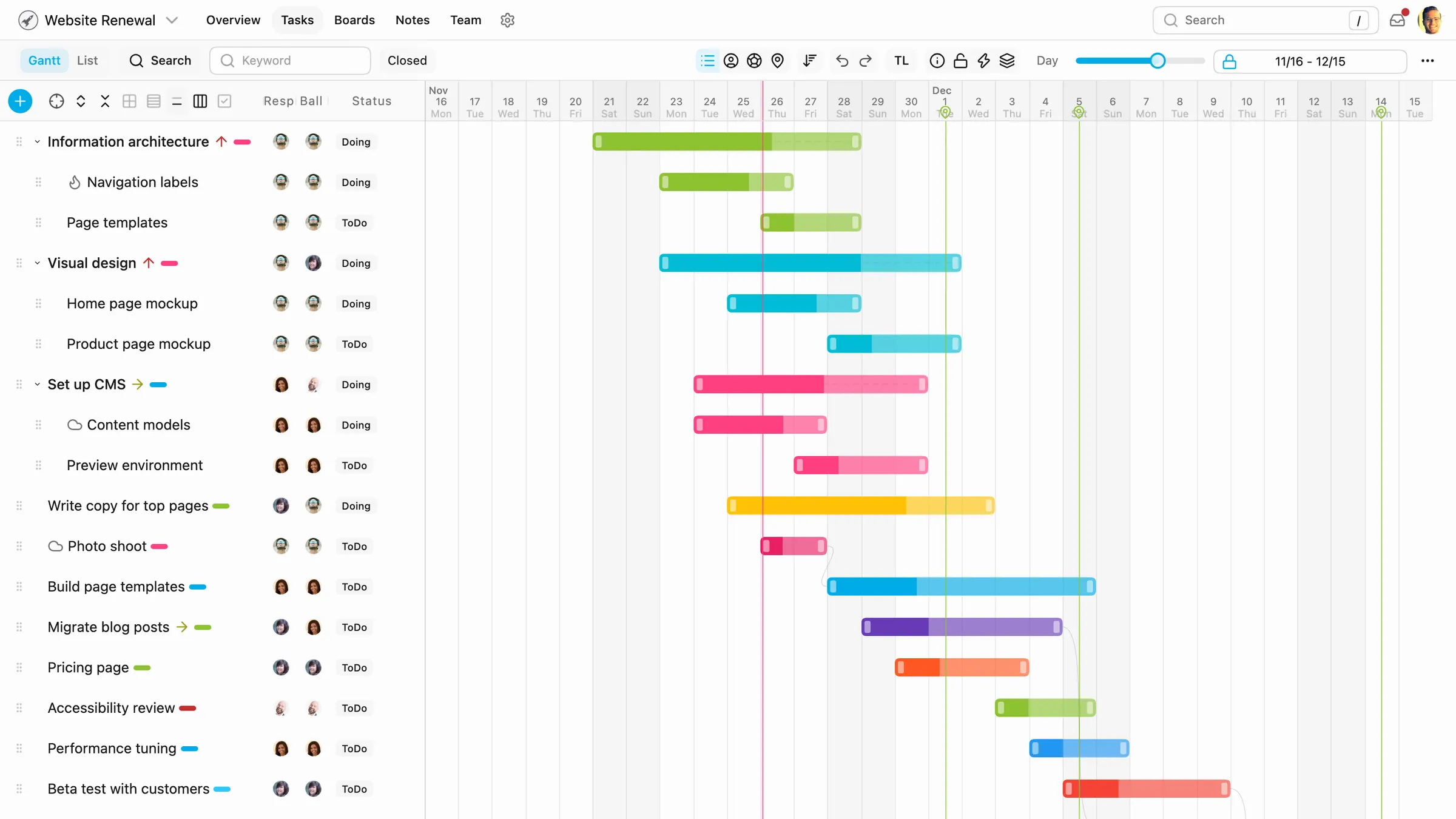
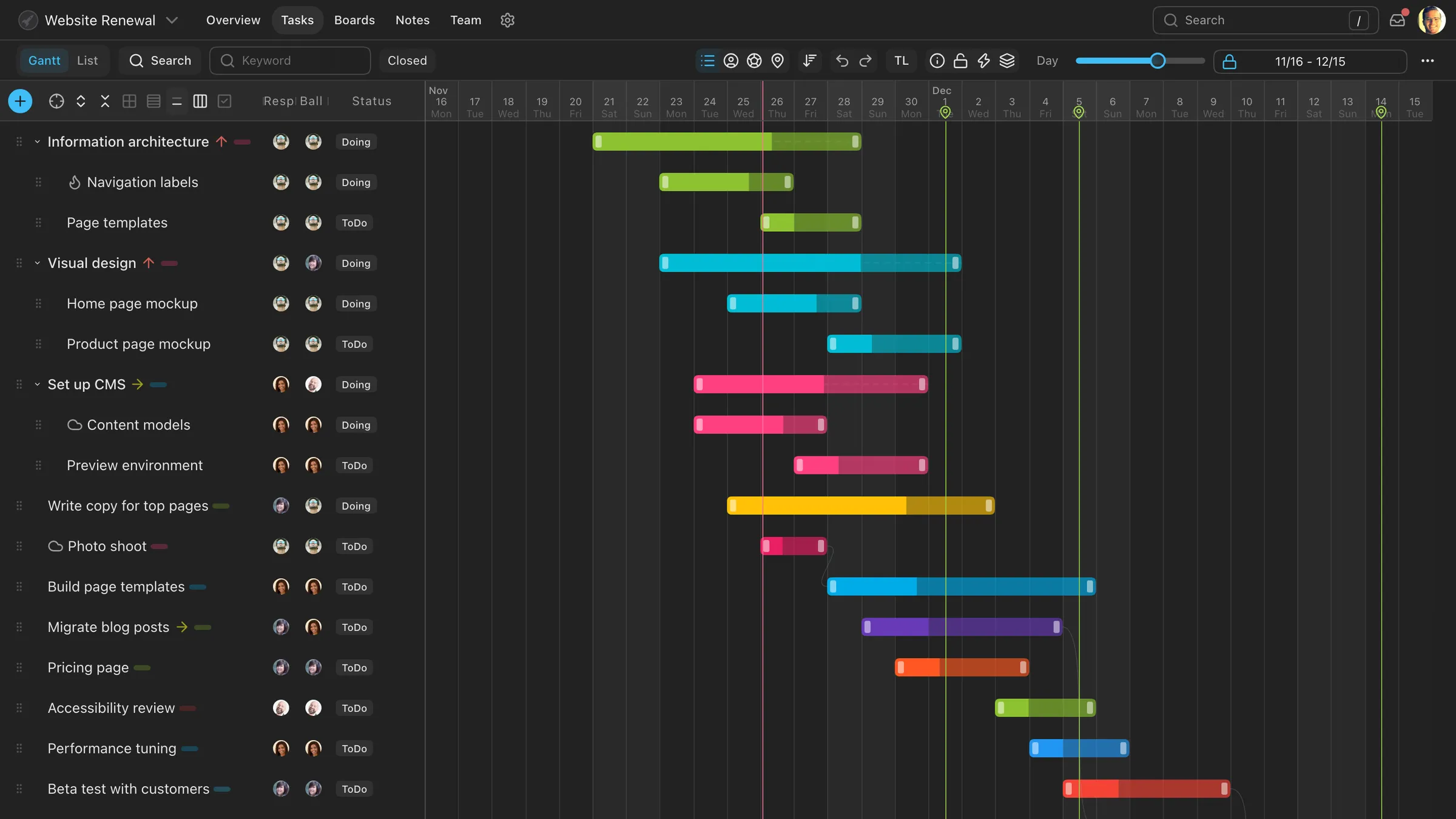
A Gantt chart that is there when you open the project
In Smartsheet, the Gantt view is one of the views of a sheet, next to the grid, board and calendar views. The sheet needs at least two date columns before the Gantt view can be used, and the columns and formulas are yours to design. That is what lets a sheet hold many kinds of plans.
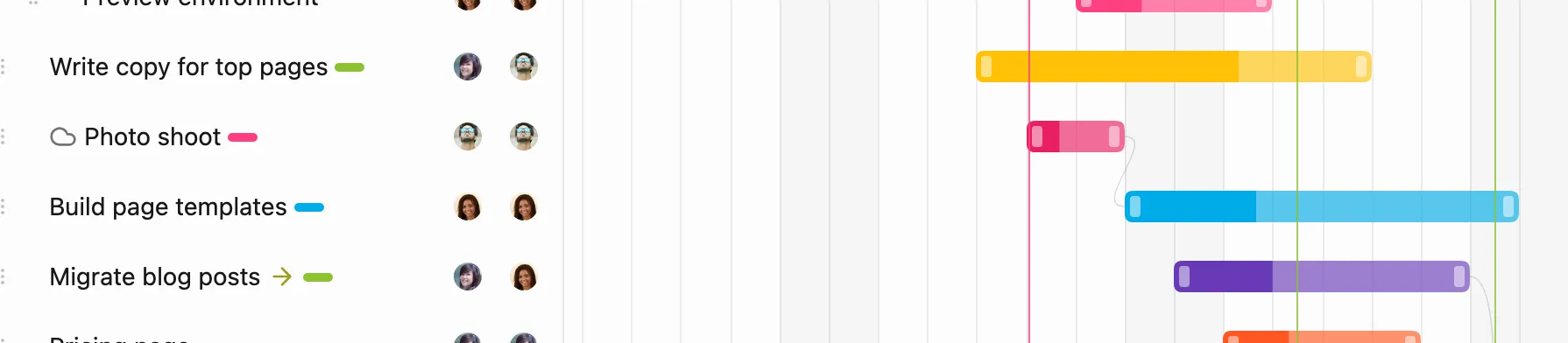
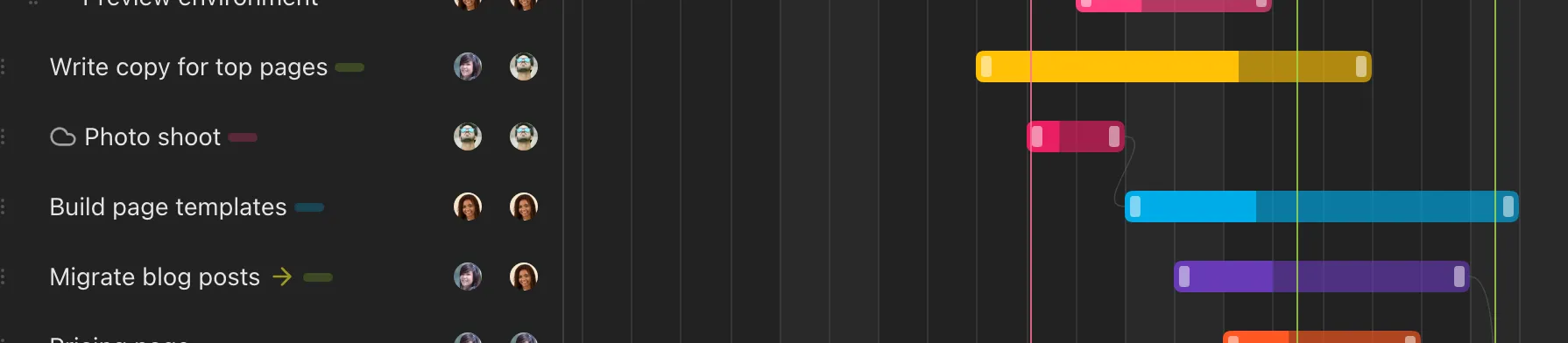
In Repsona, the Gantt chart is a screen of every project. Drag across an empty row and the range becomes the start date and due date. Drag a bar to move it, or drag its end to make it longer or shorter. There is nothing to set up first.
Both let you drag bars to reschedule. The difference is where you begin: with a sheet you shape yourself, or with a chart that is already laid out.
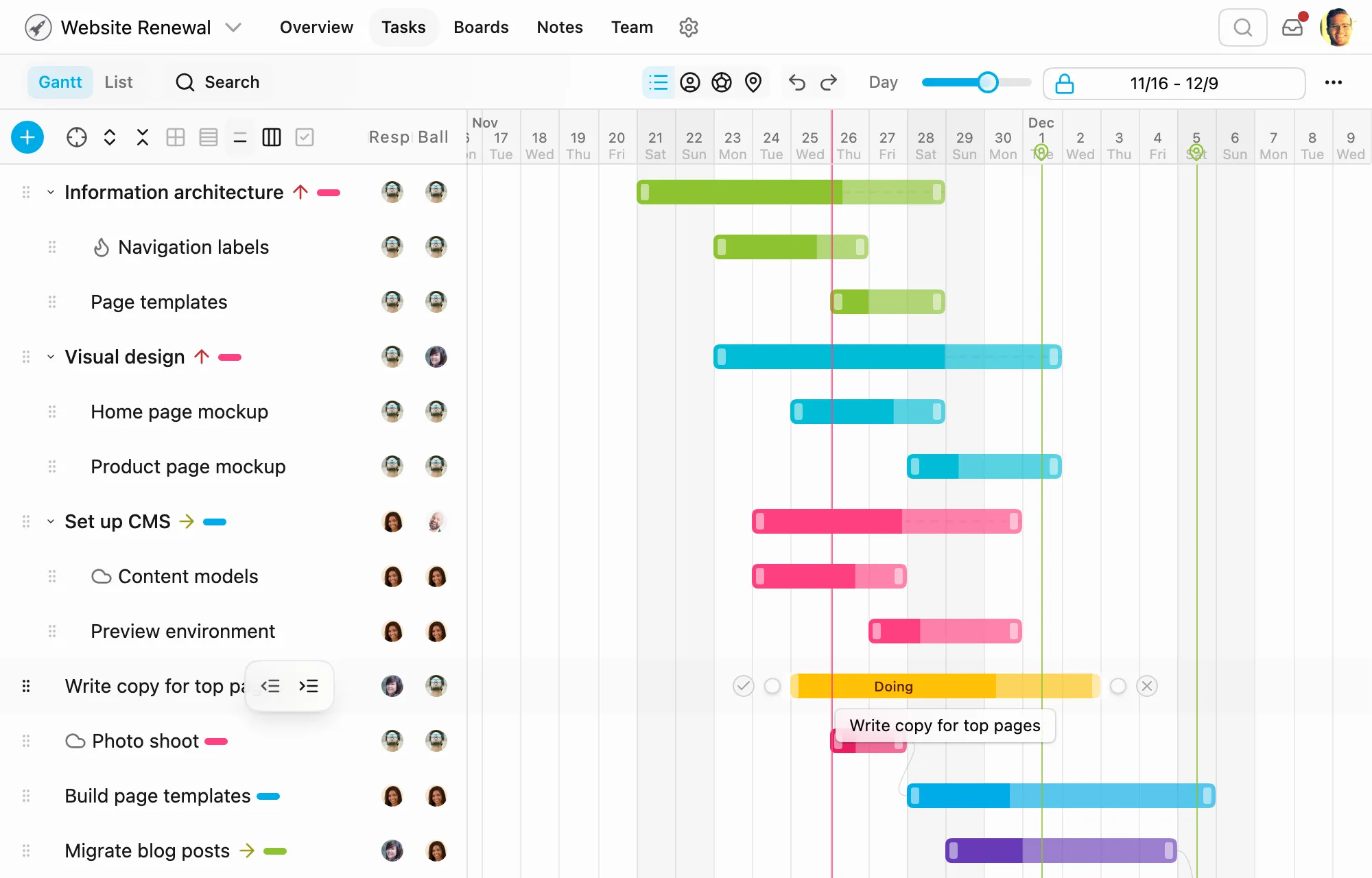
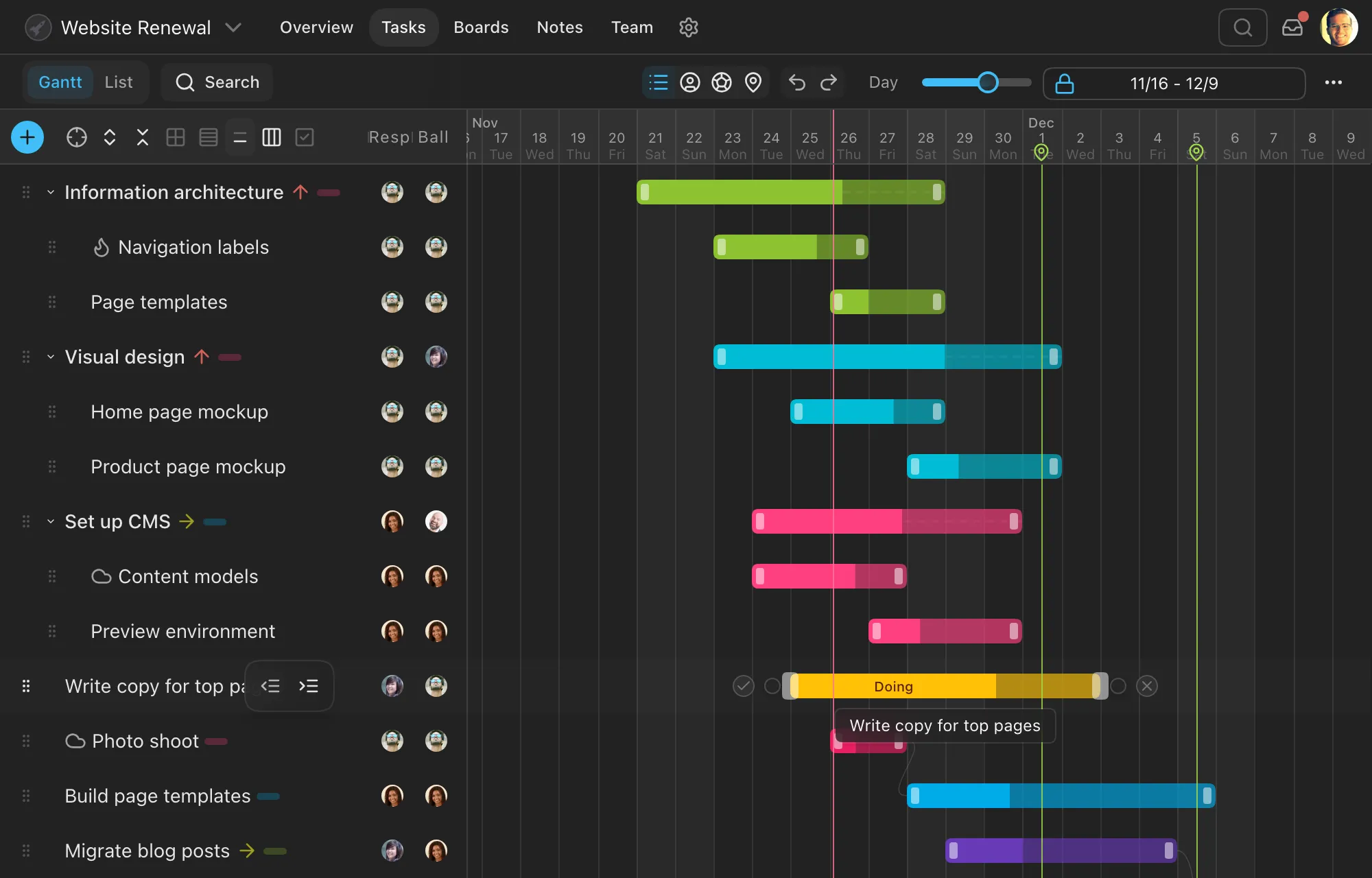
Dependencies: draw a line, or fill in a column
In Repsona, hover over a bar, then drag the small circle at its side to another bar. The two tasks are linked. If the successor starts on or before the predecessor's due date, the line turns red. With "Move together" on, moving a task moves its successors too.
In Smartsheet, the sheet's Owner or an Admin turns dependencies on in the sheet settings. Duration and Predecessors columns are then required, and you link tasks by typing a row number in the Predecessors column. The new Gantt view also suggests tasks and lets you search by task name.
Smartsheet goes further here. It has four dependency types (Finish to Start, Start to Start, Start to Finish, Finish to Finish) with lag time, and baselines on the Business plan and up. Repsona has one type: the successor starts after the predecessor finishes.
Who acts next, built in
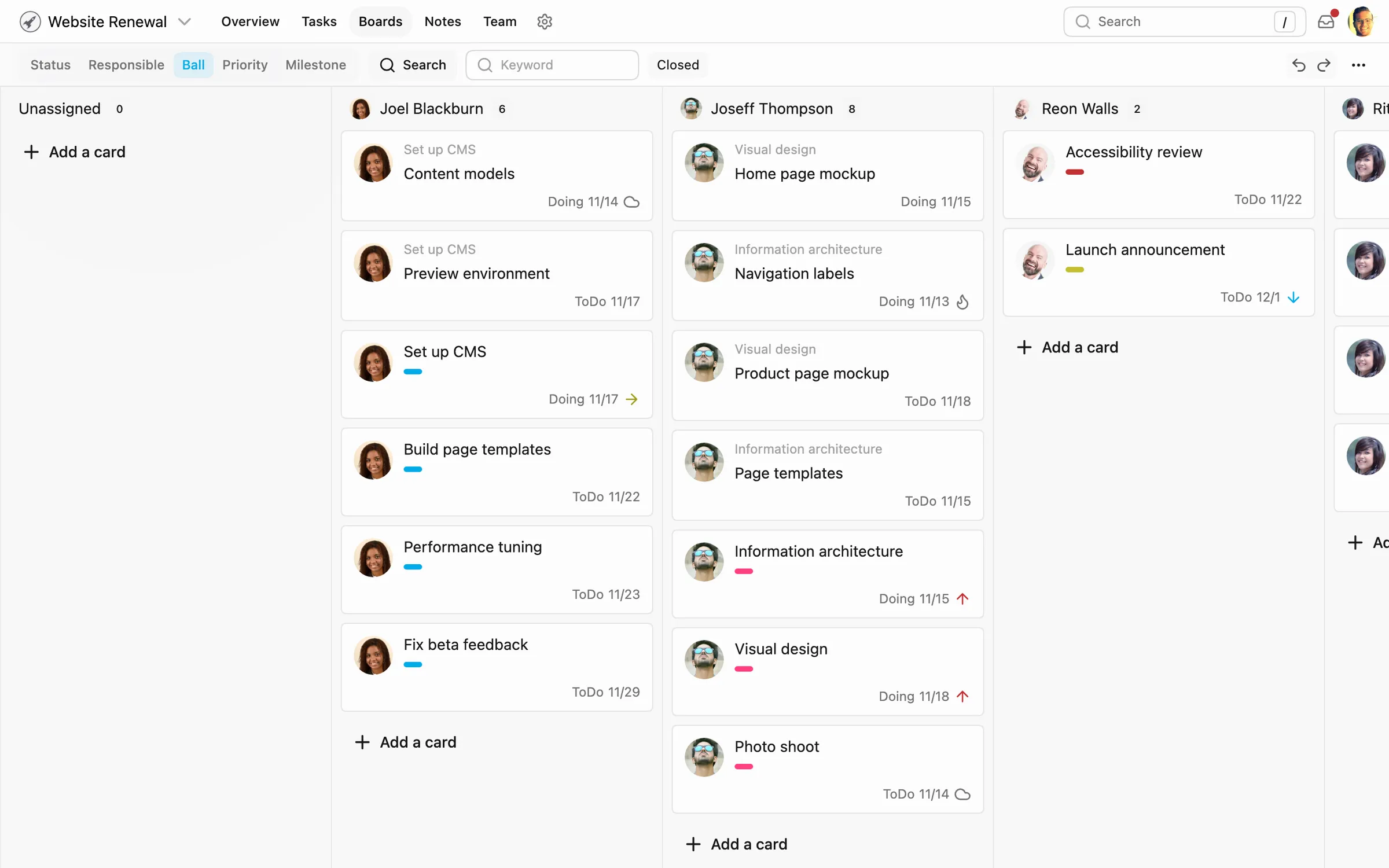
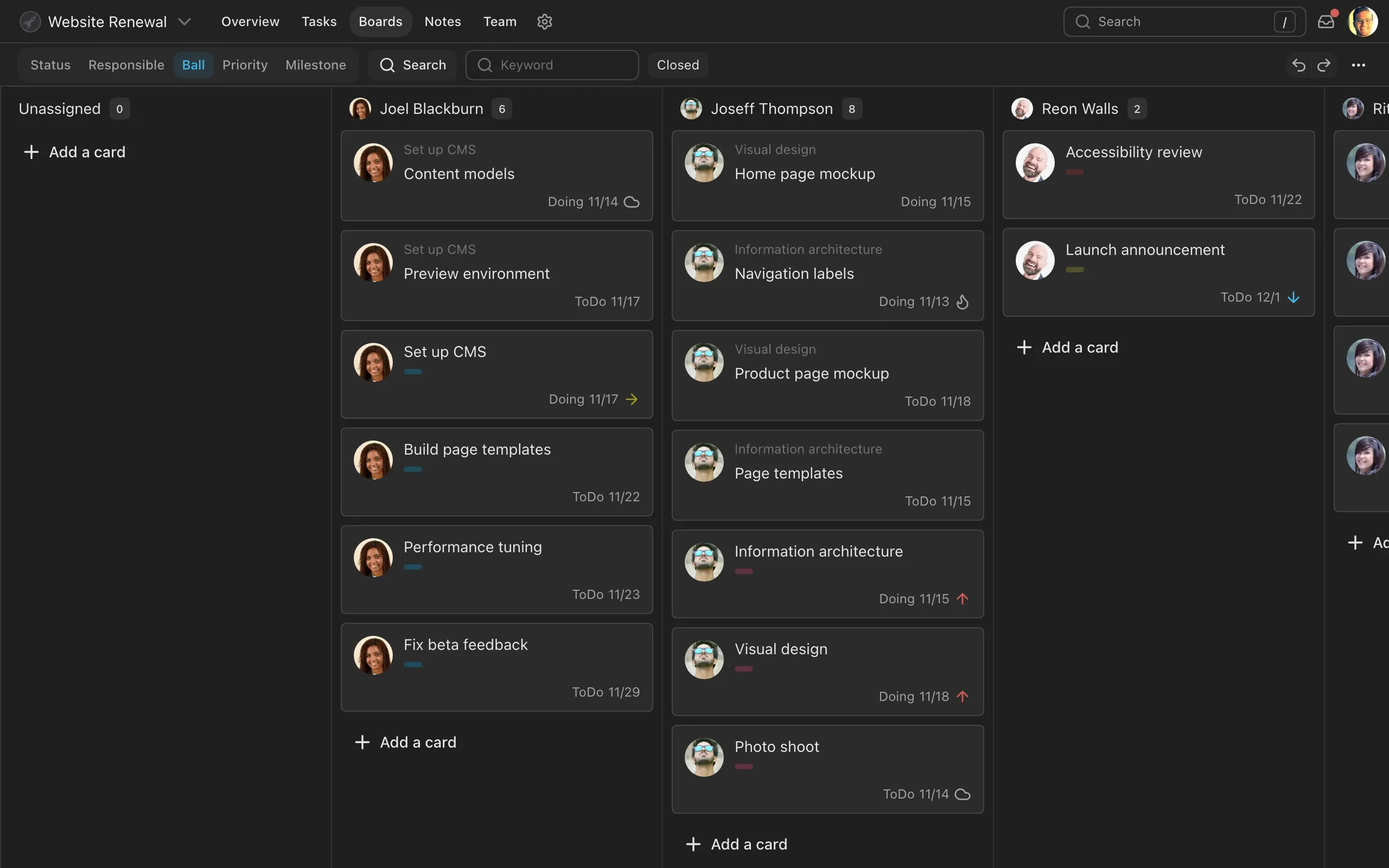
Every Repsona task has two people: the person responsible, and the ball holder. The ball is who has to act next. The responsible person stays the same while the ball moves, for a review or an answer, and comes back. The board grouped by ball holder shows where work is waiting.
Smartsheet's help does not describe a built-in field for this. You assign people with a Contact List column, and a sheet can have more than one. So you can add a second column for the next person to act, and group the board view by it if the column holds one contact per cell. You build and maintain it yourself.
Notes next to the tasks
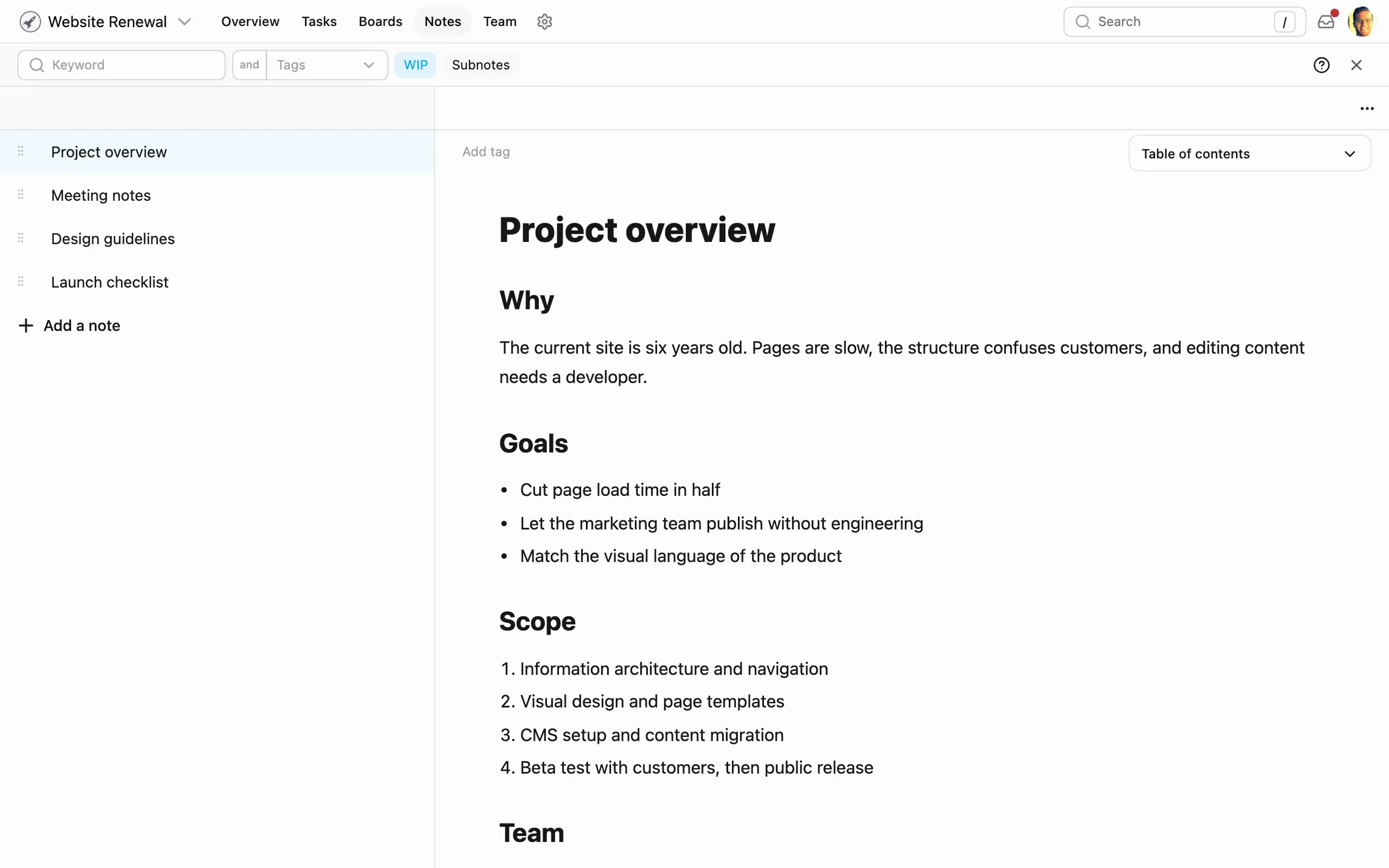
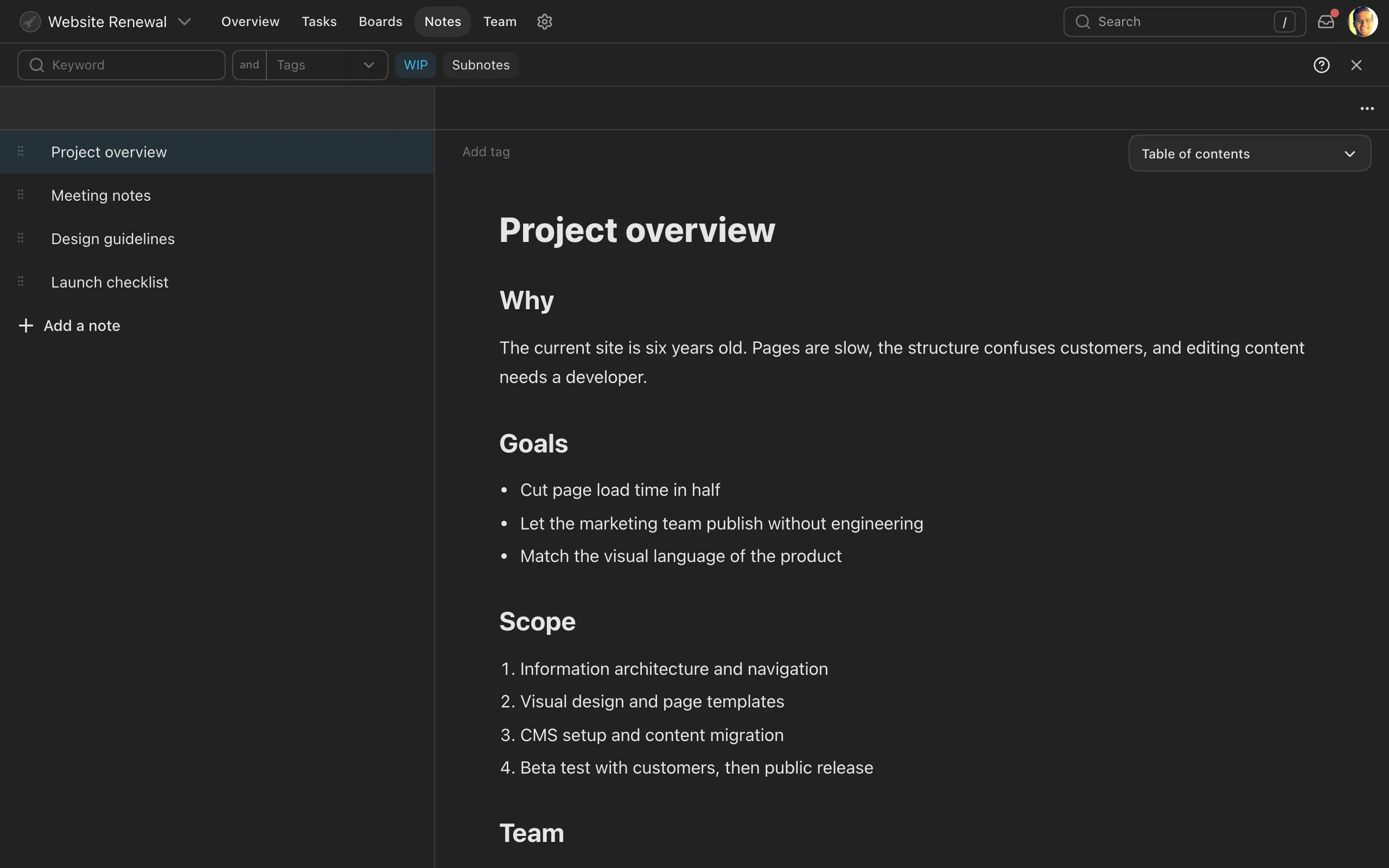
Repsona has notes in every project: a wiki for specs, meeting notes and checklists. Several people can edit the same note at the same time.
Smartsheet's official help and plan feature table do not list a wiki or a document editor. Document Builder, on the Business plan and up, generates PDFs from sheet data, and text can go in rich text widgets on dashboards.
An interface anyone can pick up
Buttons, settings and customization are kept to a minimum. Anyone can tell what to do just by looking at the screen, and get started right away. It feels natural to use, and screens open and save quickly, so a heavy tool never slows you down.

Small touches that make work more fun
Repsona is full of small touches, built around people, that make work more fun. It isn't only about getting the pile of tasks in front of you done faster. It's about building a team where people connect and smile.
What Smartsheet has that Repsona does not
Beyond the rows in the table, Smartsheet offers these. Repsona does not have them.
- Cell, column and cross-sheet formulas on every plan
- Forms that add each response to the sheet as a new row; anyone with the link can submit
- Dashboards you build from widgets (metric, chart, report, rich text and more)
- Four dependency types (Finish to Start, Start to Start, Start to Finish, Finish to Finish) with lag time
- Baselines that compare planned and actual dates (Business and up)
- Portfolios on Enterprise plans; Advanced Portfolios with Advanced Work Management or as an add-on
- Resource Management add-on for capacity planning, forecasting and time tracking (Business and Enterprise)
- Proofing of images and video (Business and up)
- Import Microsoft Project files (.mpp, .mpx, .mspdi, .xml), Excel, Google Sheets and Trello boards into a new sheet
- Enterprise administration: directory integrations, user account provisioning, and add-ons such as customer-managed encryption keys
Pricing, and who counts as a paid user
Both charge per person on paid plans. The question with Smartsheet is who counts.
- Members are the paid seats. The Pro plan takes 1 to 10 Members and is only available to new customers. The Business plan starts at 3 Members.
- Contributors are free. They can view what is shared with them and, with Commenter permissions, comment.
- Guests are free external users who can edit and comment on what is shared with them. They are on Business and Enterprise plans, not on Pro.
- An internal user who edits without a paid seat becomes a Provisional Member, with full access until the end of the billing cycle. By default they are then downgraded to a free seat. If a System Admin has turned on auto-upgrade, they become paid Members, and when no Member seats are free the cost of the extra seats is added to the next bill.
Smartsheet also has an optional consumption pricing model (a base platform fee plus credits), and customers contact Smartsheet to move to it.
For Smartsheet's prices, see its official site. Repsona's paid plan is Standard, priced per member, and its prices below are in US dollars.
SmartsheetMoving from Smartsheet
There is no automatic migration tool. You can move tasks through a file:
- In Smartsheet, export the sheet with File > Export > Export to Microsoft Excel
- Open the file and rearrange the columns into the order Repsona's import reads. It takes 14 columns in a fixed order (
id,name,description,responsibleUser,ballHoldingUser,startDate,dueDate,status,milestone,parent,tags,planned,actual,sortOrder), by position and not by header name. Keep one header row, leave a column empty when you have nothing for it, write dates as YYYY-MM-DD, and save the file as CSV in UTF-8 - In Repsona, open the menu on the Gantt chart or List and choose "Import from CSV"
The responsible person and the status must already exist in Repsona under the same names. To keep parent and child rows, fill in the id and parent columns. The full column list and a sample file are in the help article Exporting and Importing Tasks.
Some things do not come across. Smartsheet's Excel export does not preserve formulas and does not include attachments. Repsona's CSV has no column for dependencies or comments, so connect the dependencies again on the Gantt chart.
A good first step is to move one project to the Free plan and see how the Gantt chart feels with your own tasks.
FAQ
- Does Smartsheet have a free plan?
- No. New users start with a 30-day free trial and then choose a paid plan. Repsona has a Free plan with no time limit, and it includes the Gantt chart.
- How does Smartsheet count paid users?
- Smartsheet charges per Member. Members are the paid seats. Contributors are free and can view, and comment when shared with Commenter permissions. Guests are free external users on Business and Enterprise plans. An internal user who edits without a paid seat becomes a Provisional Member until the end of the billing cycle, and is then downgraded to a free seat by default, or upgraded to a paid Member if a System Admin has turned on auto-upgrade.
- Is Repsona a spreadsheet like Smartsheet?
- No. Repsona has no formulas, no custom columns and no forms. Tasks have a fixed set of fields, and the Gantt chart, boards and notes are ready when you create a project. If your work depends on formulas across sheets, intake forms or automated workflows, Smartsheet is the better fit.
- Can I see several projects on one Gantt chart?
- In Smartsheet, a report can pull rows from many sheets and be shown in Gantt view. That needs the Business plan or higher, because reports on the Pro plan use one source sheet. In Repsona, Cross-project on the Standard plan shows the Gantt chart across projects.
- Can I move my sheets from Smartsheet to Repsona?
- There is no automatic migration tool. Smartsheet exports a sheet to Microsoft Excel, and Repsona imports CSV. Repsona's import reads 14 columns in a fixed order, so you rearrange the columns, save the file as CSV, and import it. Formulas, attachments and dependencies do not come across.
- Can I host Repsona on my own server?
- No. Repsona is a cloud service. Smartsheet's security whitepaper also describes a cloud service built on AWS and Google Cloud, and lists no on-premises version.
What this page says about Smartsheet was checked against its official pages. Features and prices may change.