Notion vs Repsona
Notion is a workspace for docs and databases, and you build a Gantt chart or a task tracker on top of a database. Repsona is a task management tool where the Gantt chart, boards and task list are there from the first project. This page shows how far Notion's timeline view goes as a Gantt chart, and where the two differ.
Which one fits your team
Notion fits teams that
- work mainly in docs and shared knowledge, and want tasks next to meeting notes, specs and the wiki
- want to design their own database: properties, formulas, relations and views shaped to their process
- want conditional colors, forms for incoming requests, or database automations
- need SAML single sign-on
Repsona fits teams that
- want a Gantt chart, boards and a task list that work without building or configuring anything
- want milestones, a burndown chart and a progress line on the plan from the start
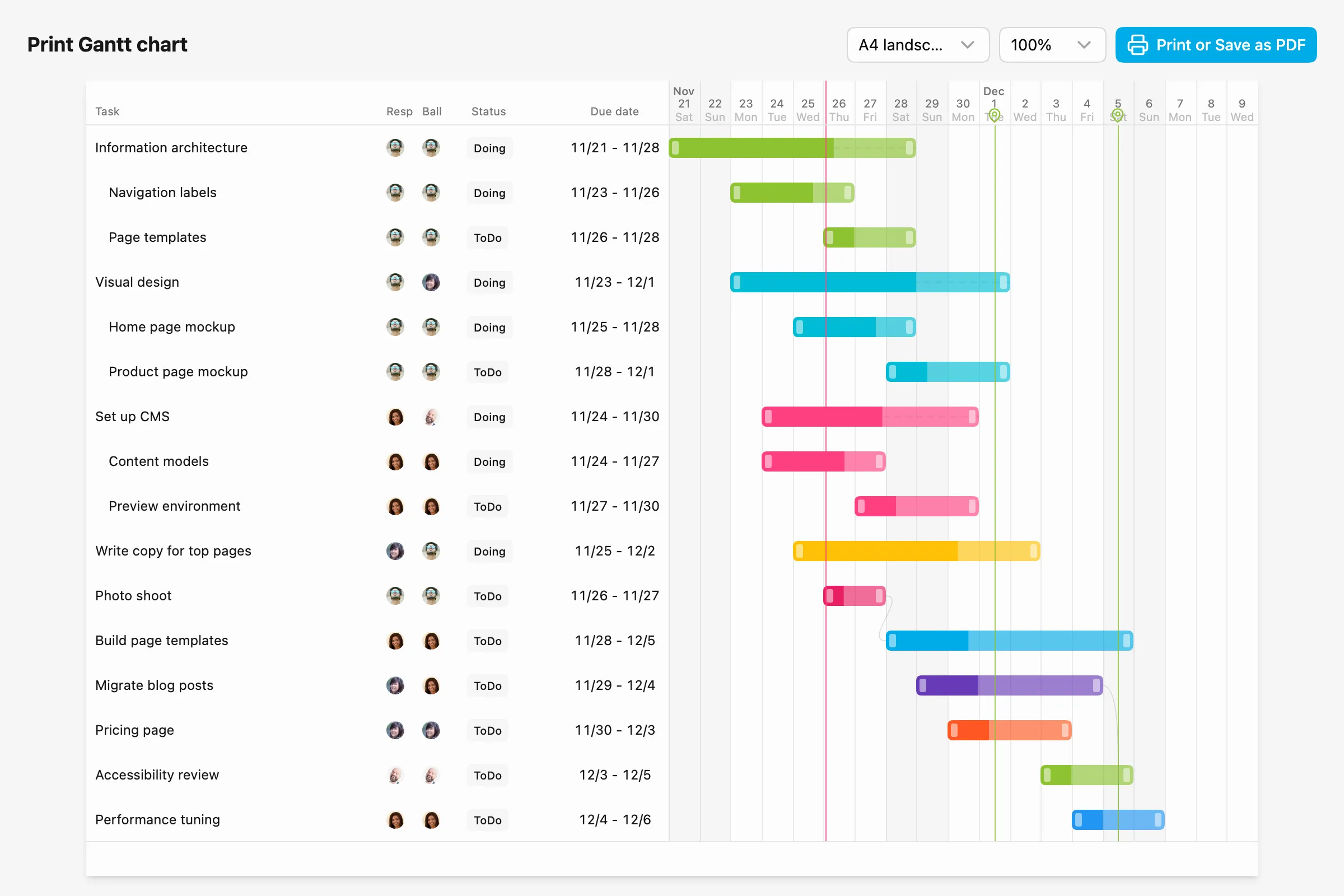
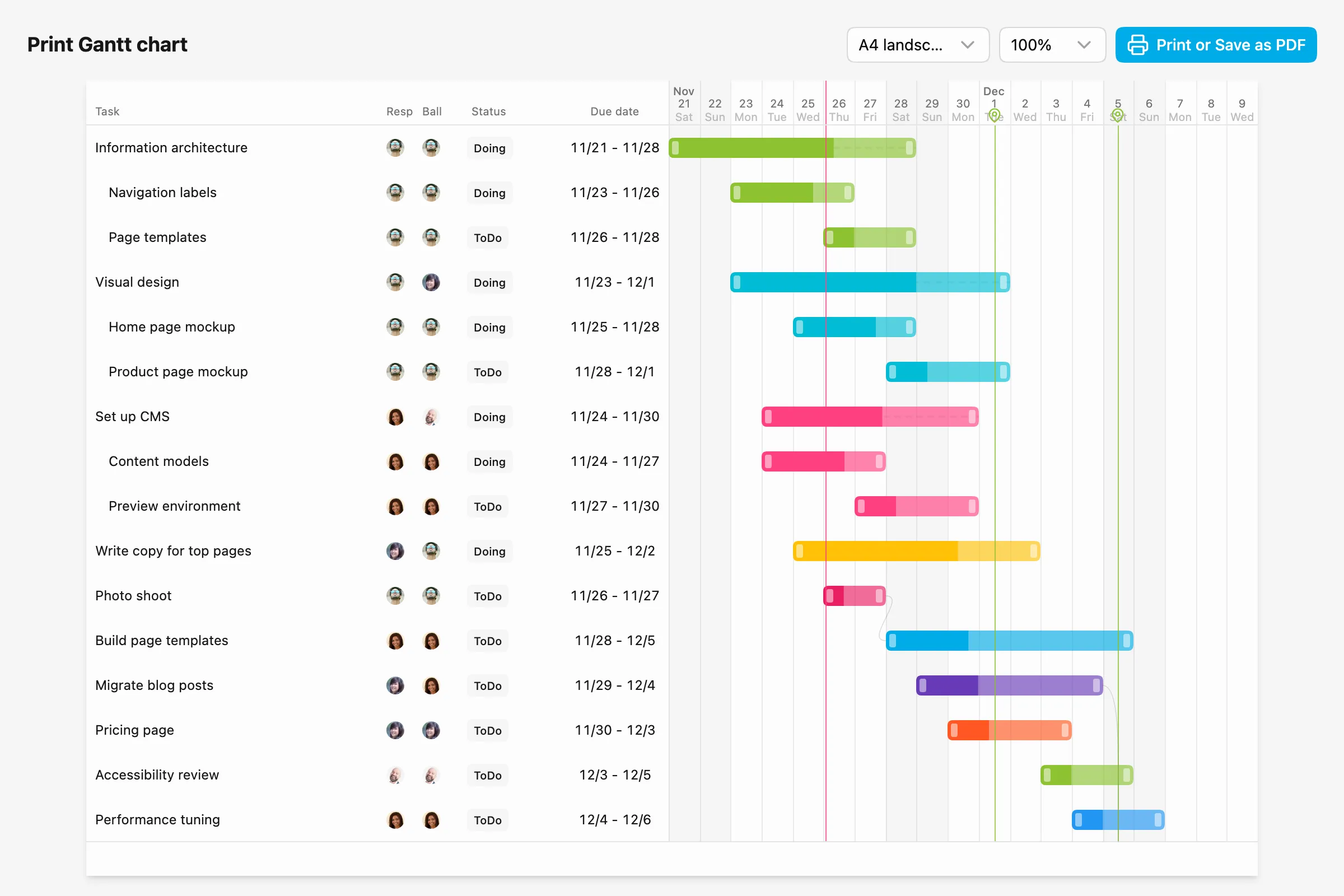
- want to export the Gantt chart to Excel (XLSX) from a menu, or print it and save a PDF from a print view
- want to track the ball (who acts next) separately from the assignee
You can also use both: docs and knowledge in Notion, and dated project plans in Repsona.
Features side by side
What Repsona doesn't have is shown as it is.
Notion lets you add your own properties and views. Where its help lists no dedicated feature but you can add a property of your own, the row says "Partial" and the note explains.
 Notion
's Gantt chart is the timeline view of a database
In Notion, you get a Gantt chart by adding a timeline view to a database that has a date property holding a date range. Bars can be dragged to move them, or dragged by an edge to make them longer or shorter. The scale runs from hours to years, and a table can sit to the left of the bars.
Notion's launch announcement for the timeline view says it is available on all plans, free and paid, and the current help and plan table list no plan restriction for it. The limit to watch on the Free plan is blocks: a Free workspace with two or more people can add up to 1,000 blocks (5,000 for one person), and deleting blocks does not reduce the count. If you would rather not start from an empty database, Notion's Marketplace has a Gantt chart template category, and the app has built-in project management templates.
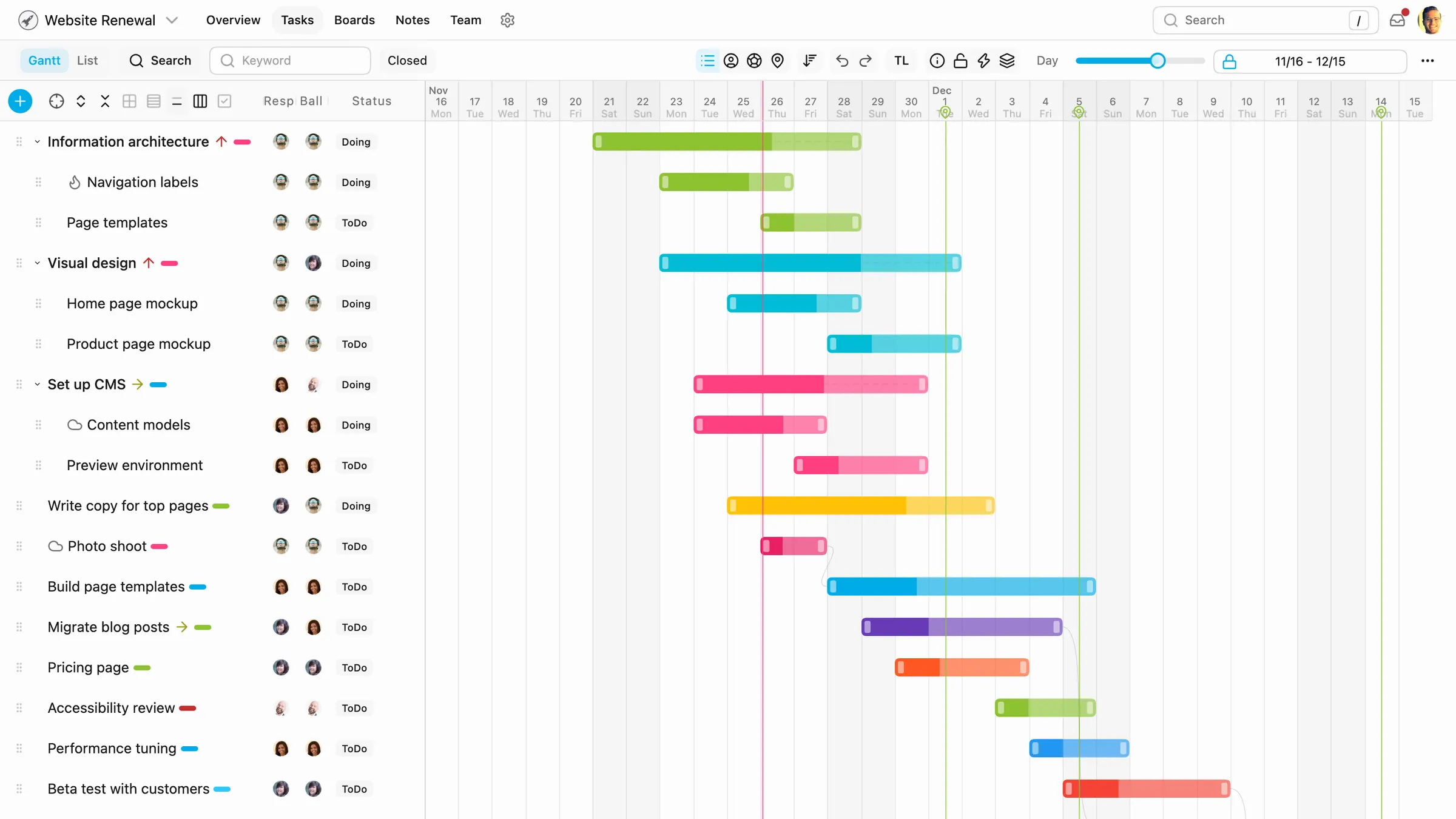
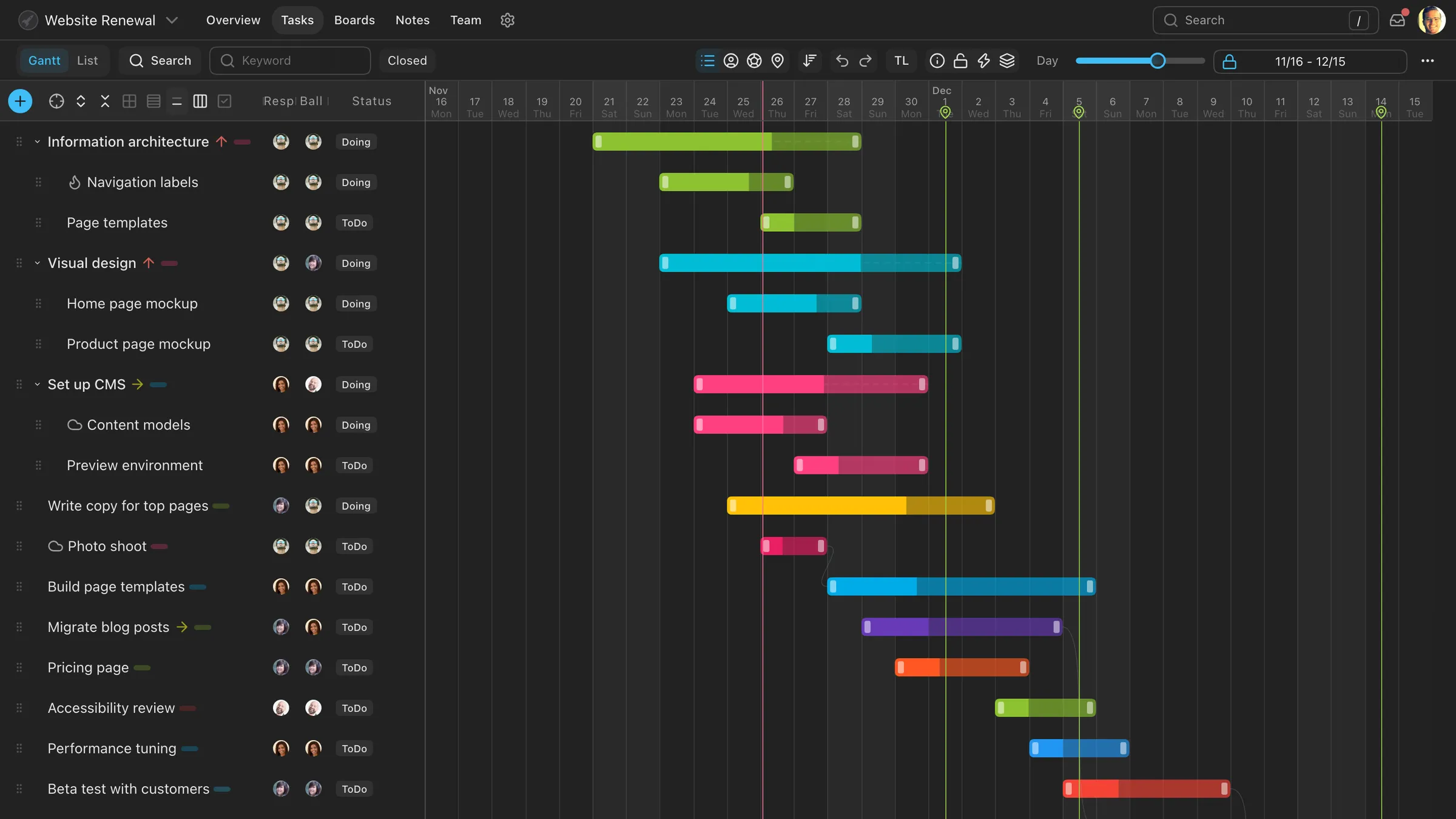
In Repsona, every project has a Gantt chart from the moment you create it. Drawing bars, moving them and linking dependencies work the same on the Free plan. Its limits on members and projects are on the pricing page.
Both have dependencies, set up in different ways
In Notion, you turn dependencies on in the database settings. Notion's plan table includes them on every plan. You choose how dates shift when a blocking task moves: only when dates overlap, keeping the time between items, or not at all. A separate setting keeps shifted tasks off weekends.
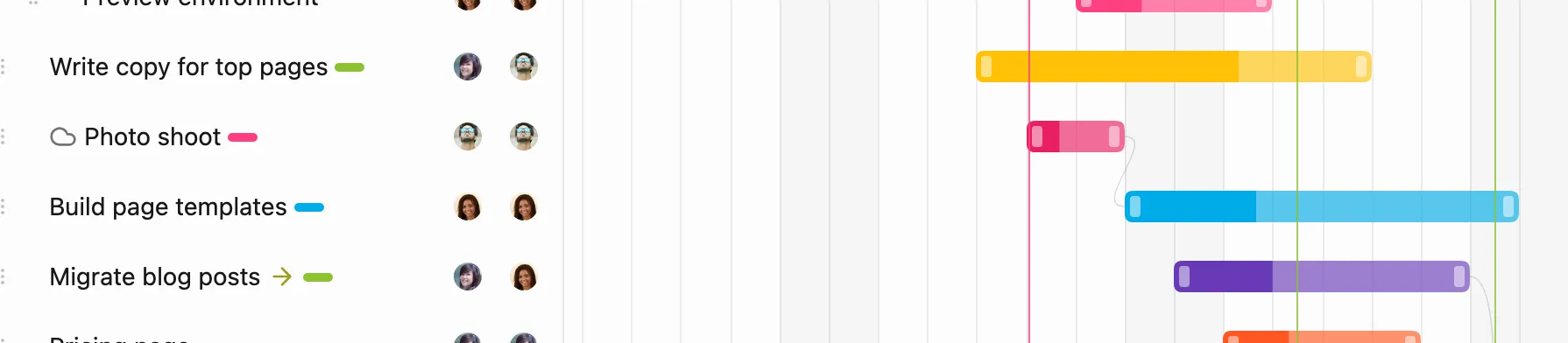
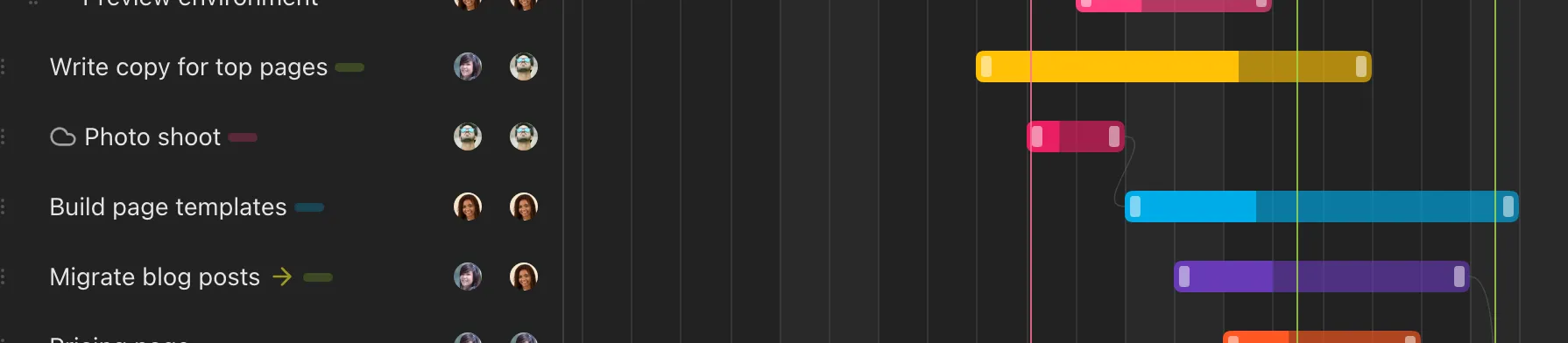
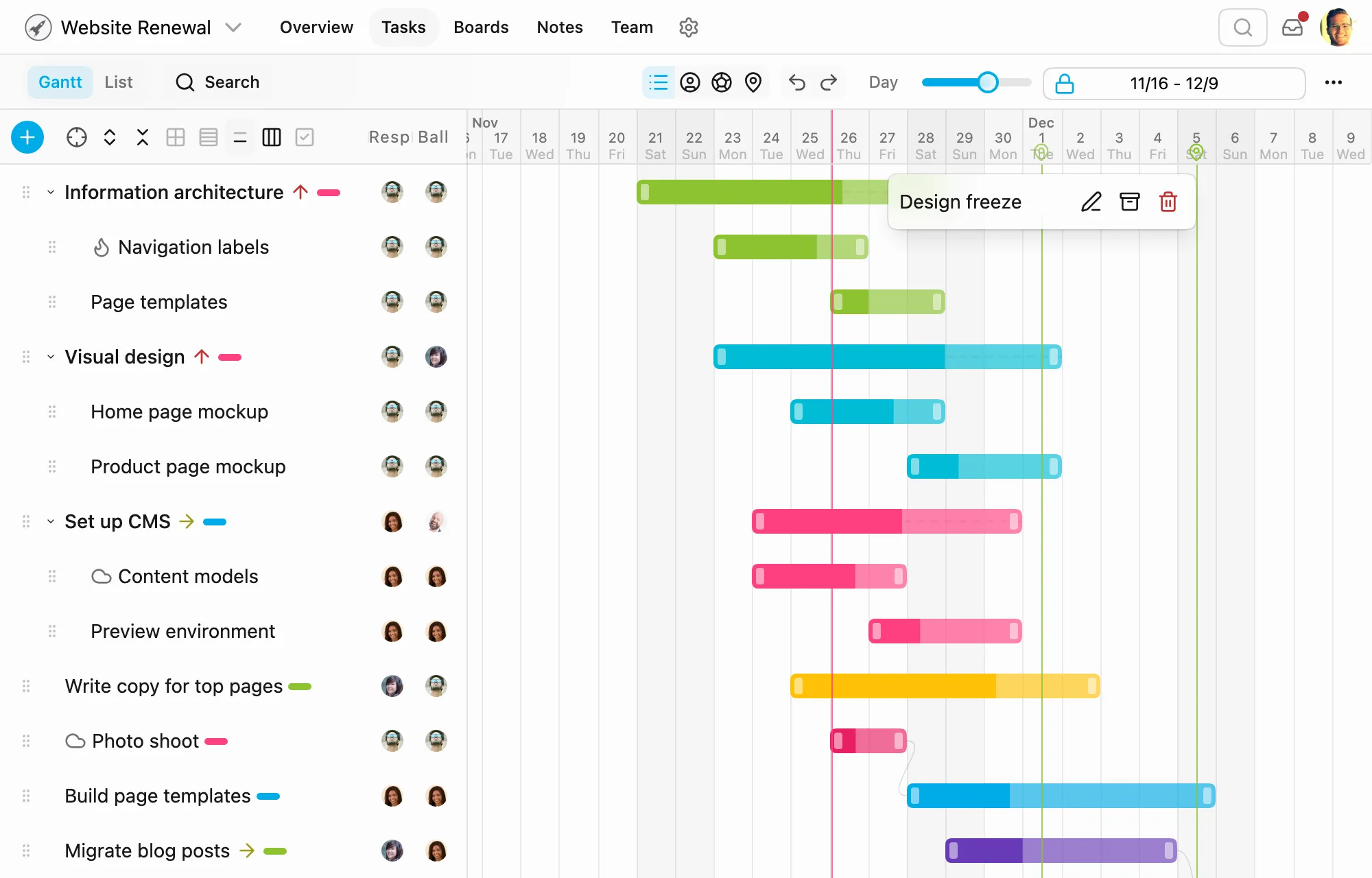
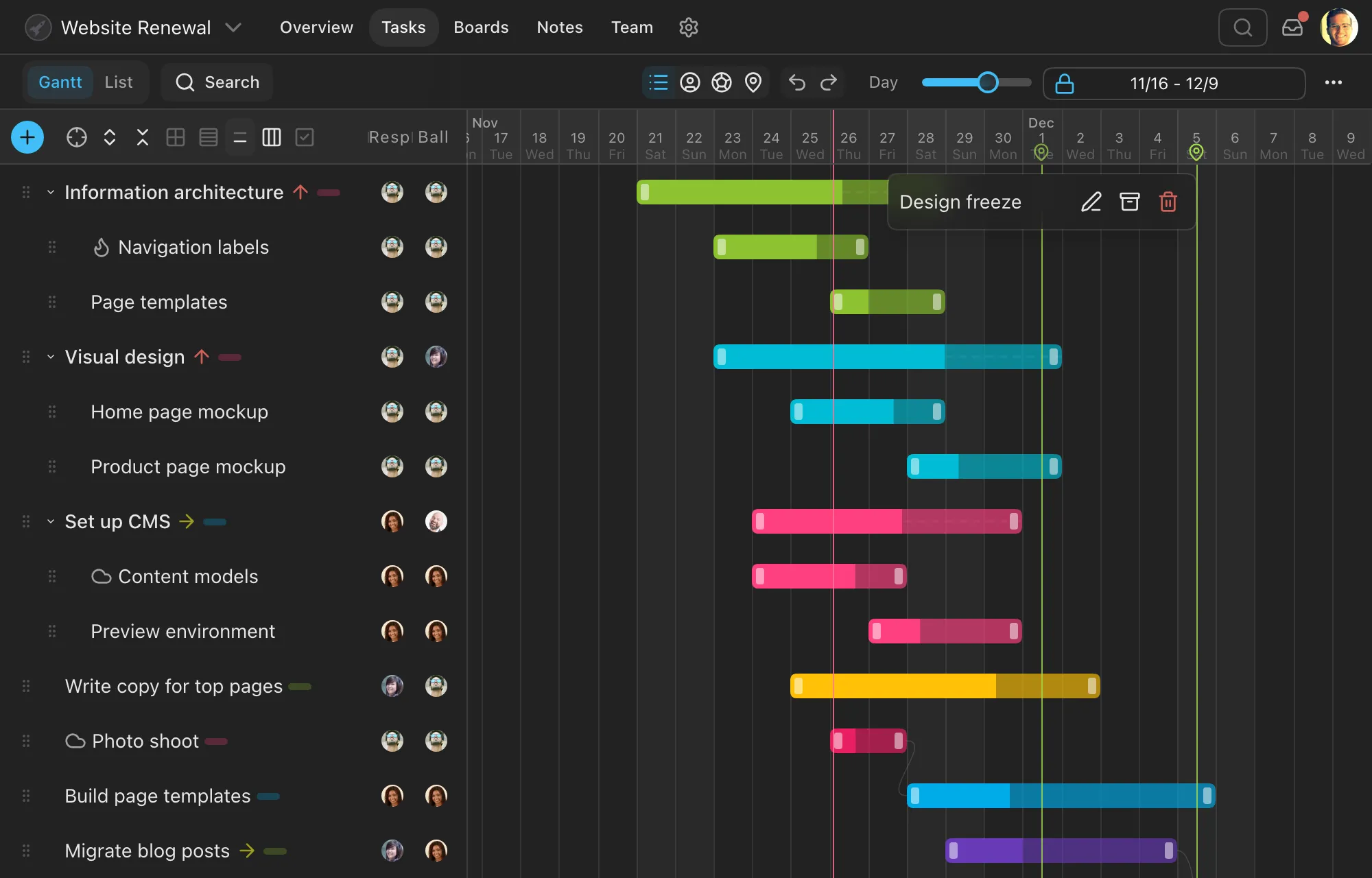
In Repsona there is nothing to turn on. You draw a line from one bar to another to link a predecessor and a successor. The line turns red when the successor starts on or before the predecessor's due date, and with Move together on, moving a task also moves its successors and its subtasks.
If you want to choose between several date-shifting rules, Notion gives you that choice.
Subtasks are sub-items in Notion, nested tasks in Repsona
Notion's subtasks are called sub-items. You turn them on per database, and they are included on every plan. In table, list and timeline views they can be nested in a toggle under their parent, or shown as a flat list.
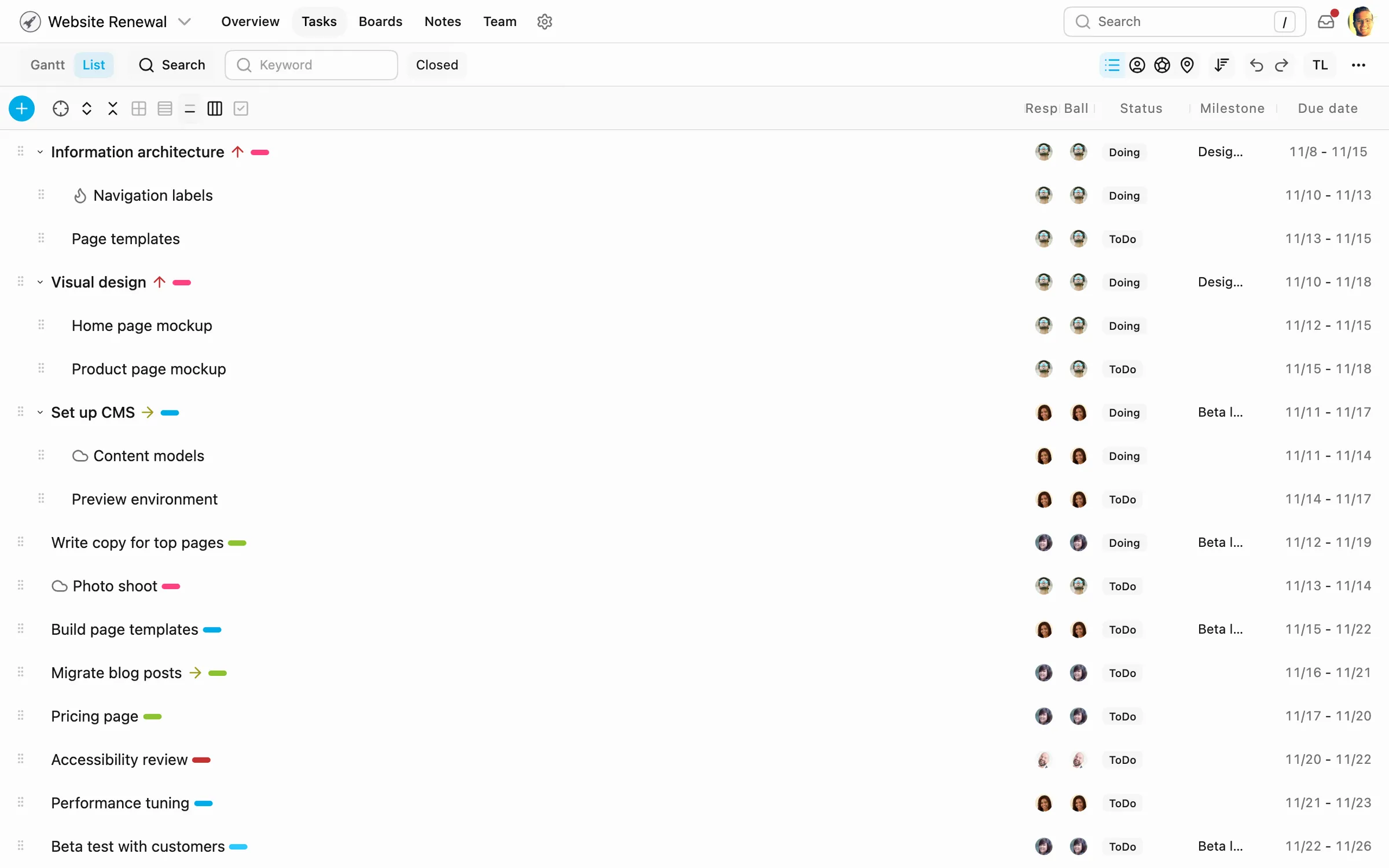
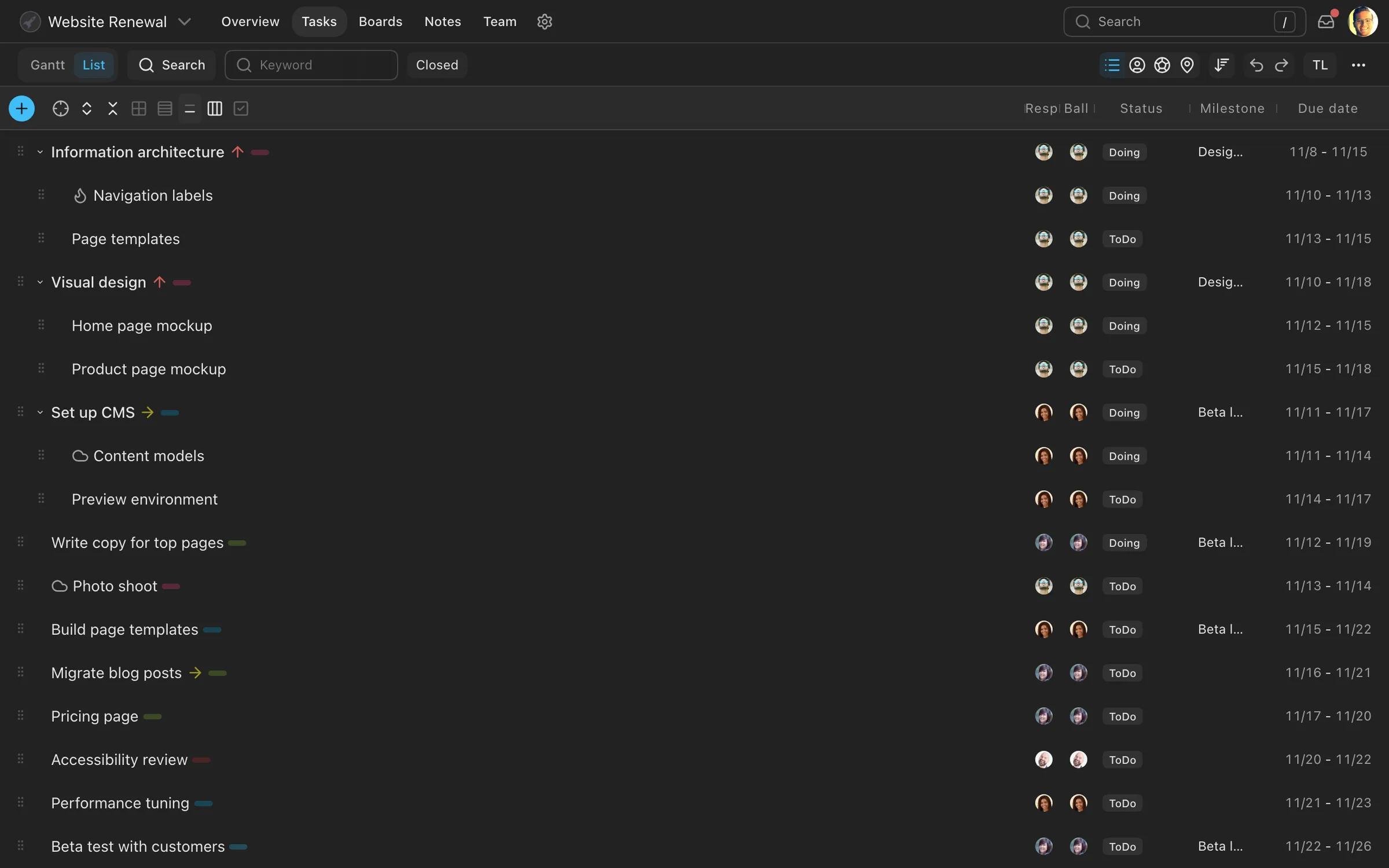
Repsona's tasks nest to any depth. You drag a task in the list to reorder it or to move it under another parent, and the Gantt chart follows the same hierarchy.
Milestones and custom fields: build them in Notion, or use what Repsona has
Notion's strength is that you design the database yourself. You can add properties of many kinds, including formulas, relations and rollups, and group or color a timeline by them. Notion's help describes plotting project milestones on a timeline as pages in the database; it does not list a dedicated milestone feature or a burndown chart, though chart views (bar, line, donut and number) are available.
Repsona has no custom fields. What it has is fixed: a milestone is its own item, shown as a pin in the date header of the Gantt chart with a line running down the chart, and each milestone with a due date gets a burndown chart. Tasks can be grouped by assignee, by ball or by milestone with one click.
Exporting: PDF and CSV from Notion, Excel and PDF from Repsona
A Notion database exports as PDF, HTML, or Markdown & CSV. The CSV opens in Excel and similar apps. Notion's help does not list Excel (XLSX) as an export format, though Notion Agent (Notion AI) can create an Excel file from a database. An export covers either the current view or the default view. A full-page database can't be printed from the browser's print dialog, so you export it as a PDF first and print that file.
Repsona exports the Gantt chart to Excel (XLSX) and CSV. Its print view lets you pick the paper size and scale, then print or save a PDF. All of these are available on every plan, including Free.
An interface anyone can pick up
Buttons, settings and customization are kept to a minimum. Anyone can tell what to do just by looking at the screen, and get started right away. It feels natural to use, and screens open and save quickly, so a heavy tool never slows you down.

Small touches that make work more fun
Repsona is full of small touches, built around people, that make work more fun. It isn't only about getting the pile of tasks in front of you done faster. It's about building a team where people connect and smile.
What Notion has that Repsona doesn't
Beyond the rows in the table, Notion offers the following. Repsona has none of them.
- Relations that connect databases, with formulas and rollups to calculate across them
- Calendar, gallery, and other views of the same database
- Conditional color: color pages on a timeline or board by rules on their property values
- Forms connected to a database, for collecting requests and responses
- Sprints: add time-boxed sprints and a sprint board to a task database
- Notion AI (Notion Agent, AI Meeting Notes, and more). Credits are included from the Business plan; Free and Plus get a limited trial
- Offline use (pages downloaded ahead of time)
- SCIM user provisioning and an audit log (Enterprise plan)
Pricing
Both Repsona and Notion price their paid plans per person. Notion calls this a seat, and guests are free. Notion lets you pay yearly or monthly, and yearly billing costs less. For Notion's prices, see its official site.
NotionMoving from Notion to Repsona
Repsona has no automatic migration tool for Notion. You can move tasks with a CSV file:
- In Notion, export your task database with the Markdown & CSV format
- Rearrange the columns into the order Repsona's import reads. The first row is a header, followed by 14 columns in this order: ID, task name, description, assignee, ball holder, start date, due date, status, milestone, parent task ID, tags, planned, actual, sort order. Make sure the dates are in
YYYY-MM-DDformat - In Repsona, open the menu on the Gantt chart or the list and choose "Import from CSV"
The assignee and the status must already exist in Repsona under the same names. For a subtask, put the value from its parent's ID column into the parent task ID column. An ID can be any string; if the project you import into already has a task with the same ID, that task is overwritten. Save the file as UTF-8. The column descriptions and a sample file are in the help article Exporting and Importing Tasks.
Repsona's CSV import has no column for dependencies, so link the tasks again on the Gantt chart after importing. Repsona's CSV import does not bring in custom properties that fit none of the 14 columns. In Notion's export, the content of each page is a separate Markdown file, not part of the CSV.
You don't have to move everything. Keep docs and knowledge in Notion, and try one dated project on Repsona's Free plan to see how the Gantt chart works for your team.
FAQ
- Does Notion have a Gantt chart?
- Notion's Gantt-style view is the timeline view of a database. Any database with a date property that holds a date range can be shown as a timeline, with bars you drag to move or resize and a scale from hours to years.
- Is the Notion Gantt chart free?
- Yes, with a limit. Notion's launch announcement for the timeline view says it is available on all plans, free and paid, and the current help and plan table list no plan restriction for it. The plan table includes subtasks and dependencies on every plan. A Free workspace with two or more people can add up to 1,000 blocks (5,000 for one person), and deleting blocks does not reduce the count. Repsona includes the Gantt chart on its Free plan; see the pricing page for its limits on members and projects.
- Can I set dependencies in a Notion Gantt chart?
- Yes. You turn dependencies on in the database settings and choose how dates shift when a blocking task moves (only when dates overlap, keep the time between items, or never), with an option to avoid weekends. In Repsona you draw a line from one bar to another.
- Does the Notion timeline show subtasks?
- Yes. Notion calls them sub-items. Once you turn them on for a database, the timeline can nest them in a toggle under their parent or show everything as a flat list. Repsona's tasks nest to any depth without a setting.
- Can I export a Notion Gantt chart to Excel or PDF?
- A Notion database exports as PDF, HTML, or Markdown & CSV, and the CSV opens in Excel. Notion's help does not list Excel (XLSX) as an export format, though Notion Agent (Notion AI) can create an Excel file from a database. Repsona exports the Gantt chart to Excel (XLSX) and CSV from its menu and saves a PDF from its print view.
- Are there Gantt chart templates for Notion?
- Yes. Notion's Marketplace has a Gantt chart template category with free and paid templates, and the app has built-in project management templates. Repsona's site also has Gantt chart templates with the dates filled in; they open in Gantt-san, a separate free tool that needs no account.
- Can I mark milestones on a Notion timeline?
- Notion's help describes plotting project milestones on a timeline as pages in the database, and does not list a dedicated milestone feature. In Repsona a milestone is its own item, shown as a pin in the date header of the Gantt chart.
- Can I add my own fields in Repsona, as in Notion?
- No. Repsona has no custom fields. A task has a fixed set of fields such as assignee, ball, status, priority, milestone and tags. If you want to design your own properties and views, Notion is the better fit.
- Can I move my tasks from Notion to Repsona?
- Repsona has no automatic migration tool for Notion. Notion exports a database as a CSV file, and Repsona can import CSV. Repsona's import reads columns by position and expects dates in YYYY-MM-DD format, so rearrange the columns into Repsona's order before importing.
What this page says about Notion was checked against its official pages. Features and prices may change.