monday.com vs Repsona
Both run a team's projects and tasks, but they are built for different jobs. Repsona gives a small team a Gantt chart with dependencies on its Free plan. monday.com is the stronger pick when you want automations, dashboards and integrations across departments.
Which one fits your team
Repsona fits teams that
- want a free plan for a small team, not just one or two people
- want a Gantt chart without paying for it
- link tasks with dependencies, and move the linked tasks together when a date slips
- would rather pay per member than pick a seat bucket
- want to track who acts next on each task (the ball), separately from the assignee
monday.com fits teams that
- want to automate routine steps such as notifications, date reminders and auto-assigning tasks
- need dashboards that pull numbers from many boards into widgets
- connect their work to Gmail, Outlook, Microsoft Teams and other tools
- run several departments on one platform and want ready-made templates (monday.com lists use cases for marketing, operations, IT, HR, sales and legal, and more than 200 templates)
- need custom columns, formulas, a time-tracking timer or SAML single sign-on
Features side by side
Rows where Repsona has nothing to offer are listed as they are. The monday.com column covers monday work management, which the Help Center calls the monday AI work platform.
 monday.com
A free plan sized for a team
monday.com's Free plan is free forever for up to 2 seats. It allows 3 boards and starts at 200 items, and referrals can raise the item limit to 1,000. Guests, viewers, automations and integrations are not part of it. monday.com's pricing FAQ calls the plan "ideal for freelancers and individual professionals".
Repsona's Free plan also has no time limit, and it is meant for a small team. The Gantt chart, boards, notes and the ball all work on it. The member and project limits are in the table above and on the pricing page.
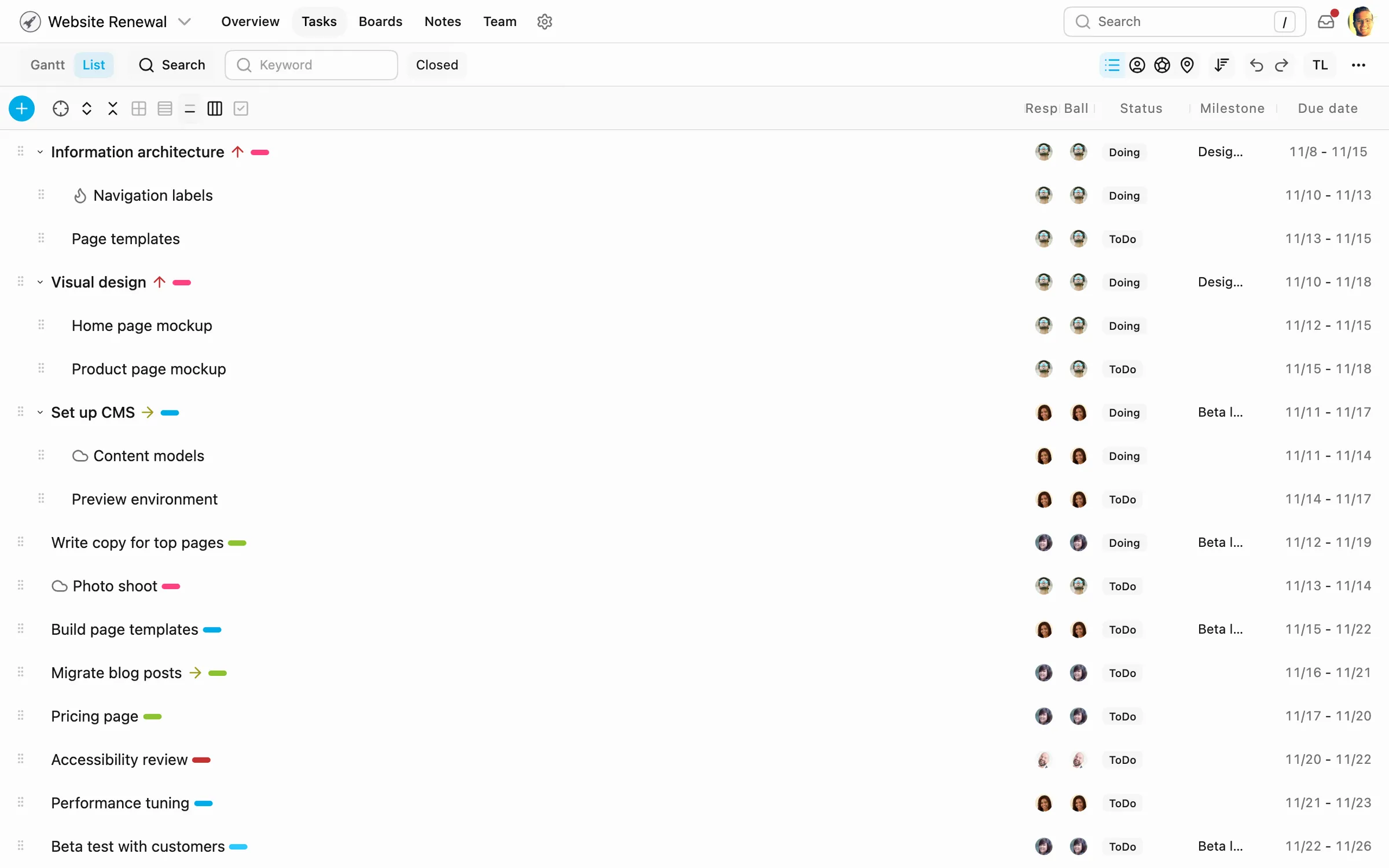
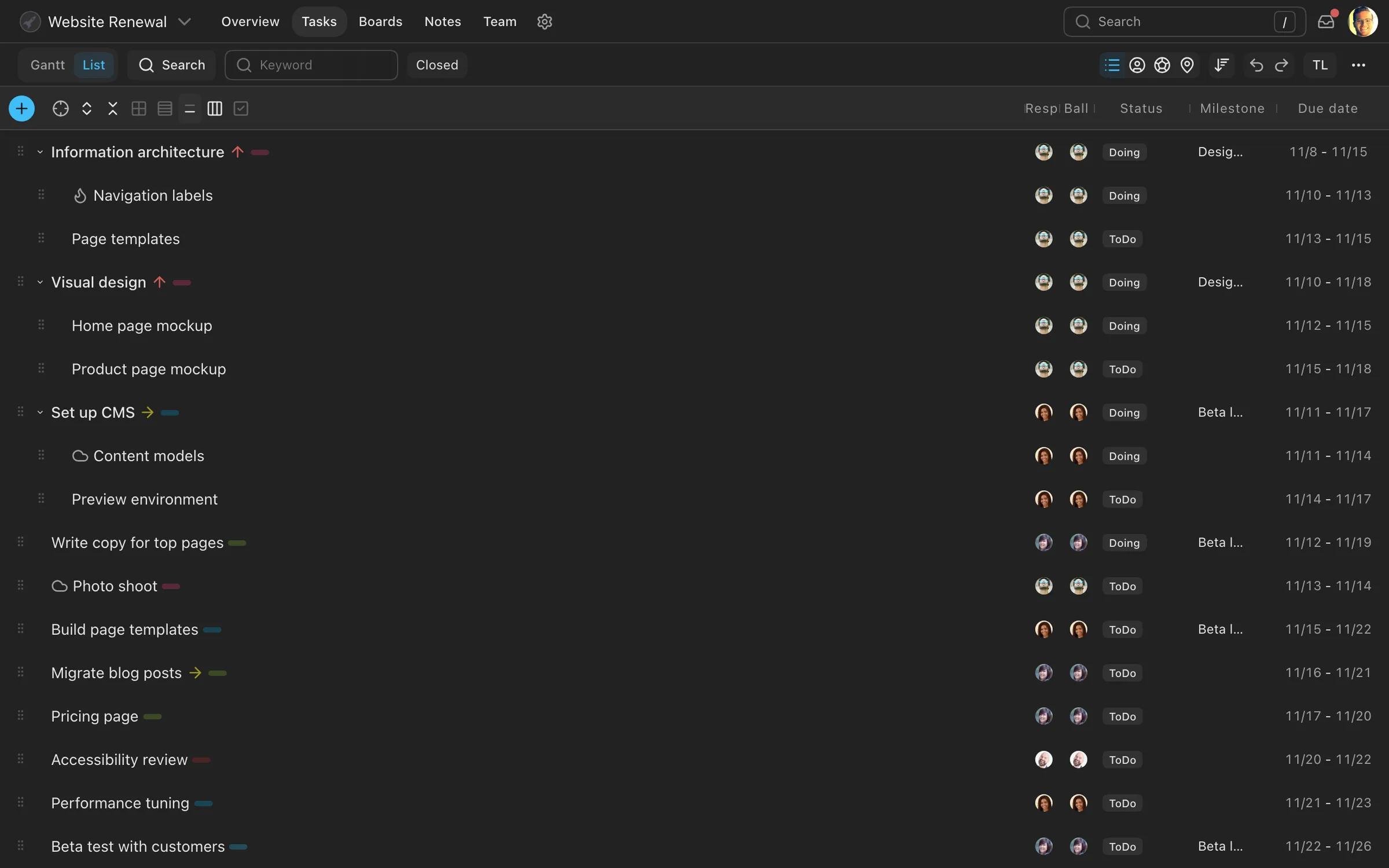
The Gantt chart is on the Free plan
On monday.com, the Gantt chart starts on the Standard plan. The Help Center says "The Gantt chart view and widget is available on the Standard plan and up." The Free and Basic plans don't include the Timeline, Gantt or Calendar views. Because paid plans start from 3 users, the smallest setup with a Gantt chart is three Standard seats.
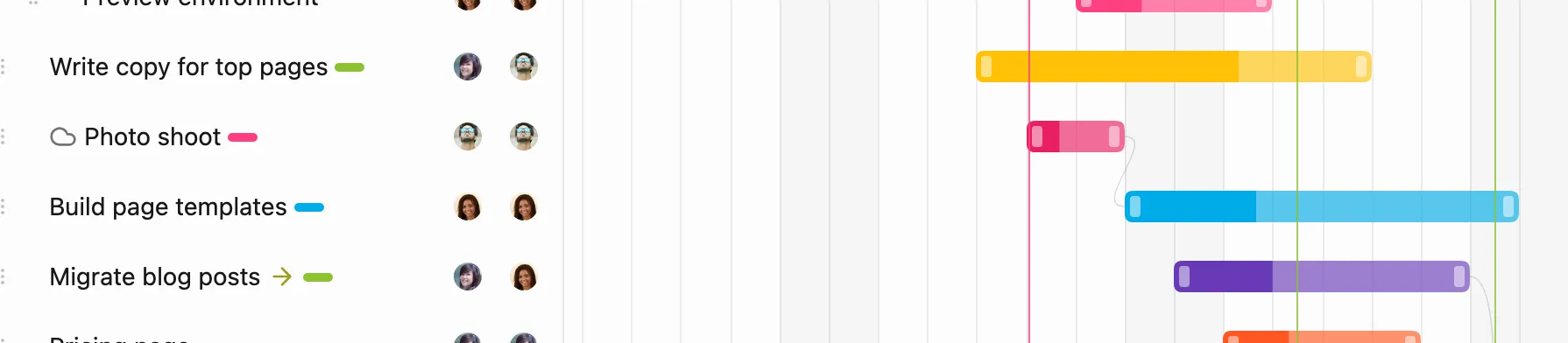
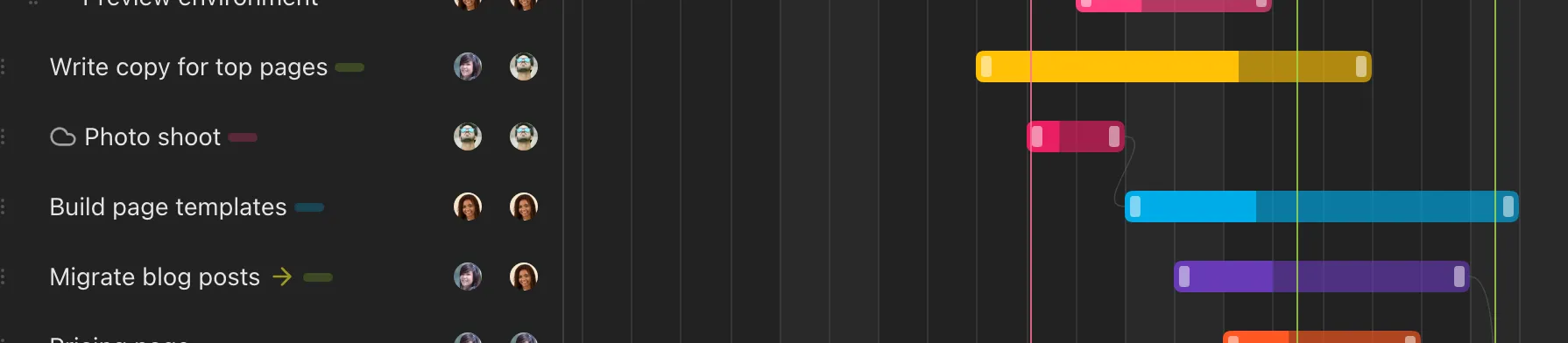
In Repsona, the Gantt chart is part of the Free plan. Draw a bar to set the dates, drag it to move them, drag an edge to make it longer or shorter. None of that depends on the plan. Only the cross-project view, which puts several projects on one chart, needs the Standard plan.
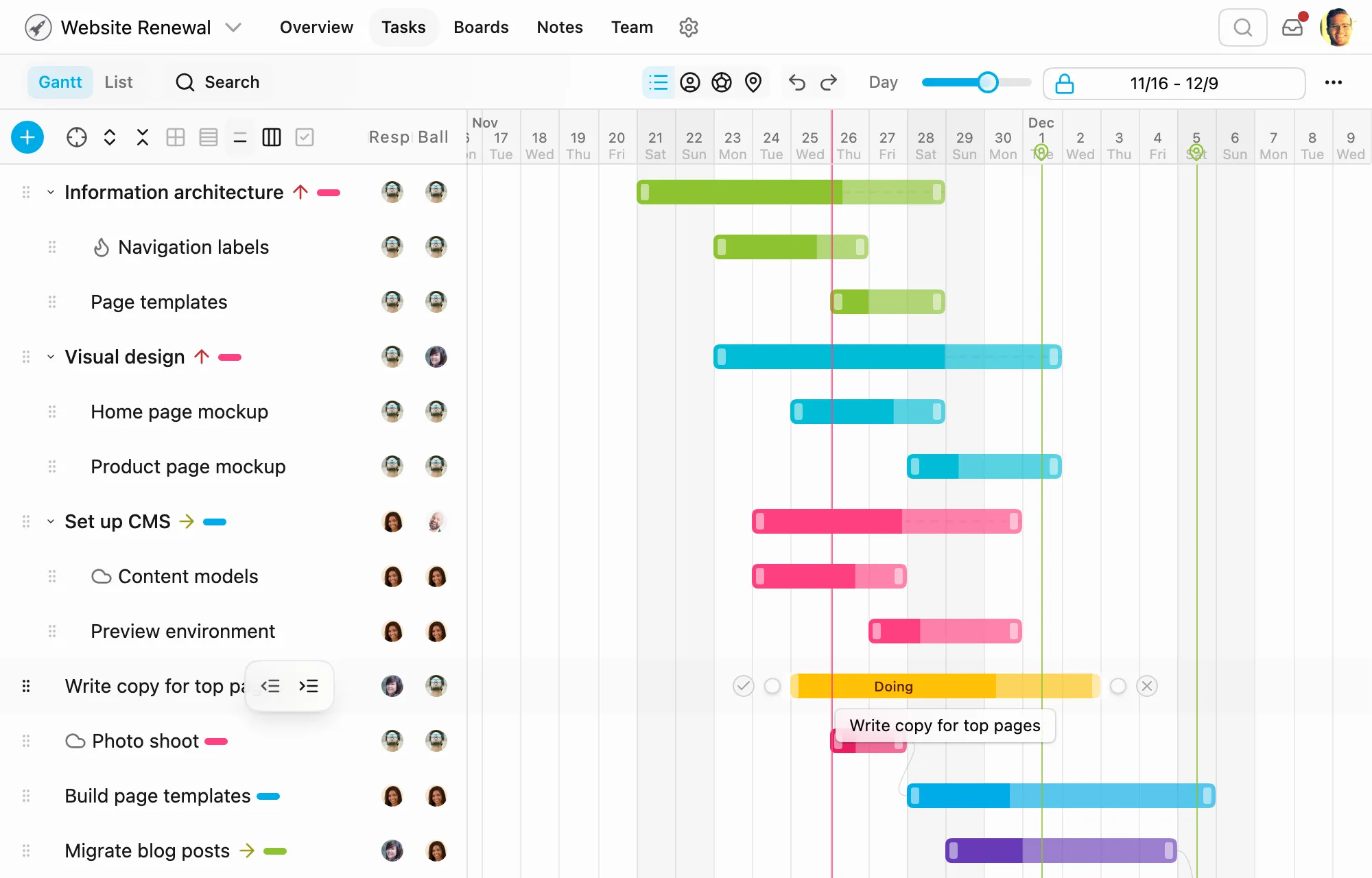
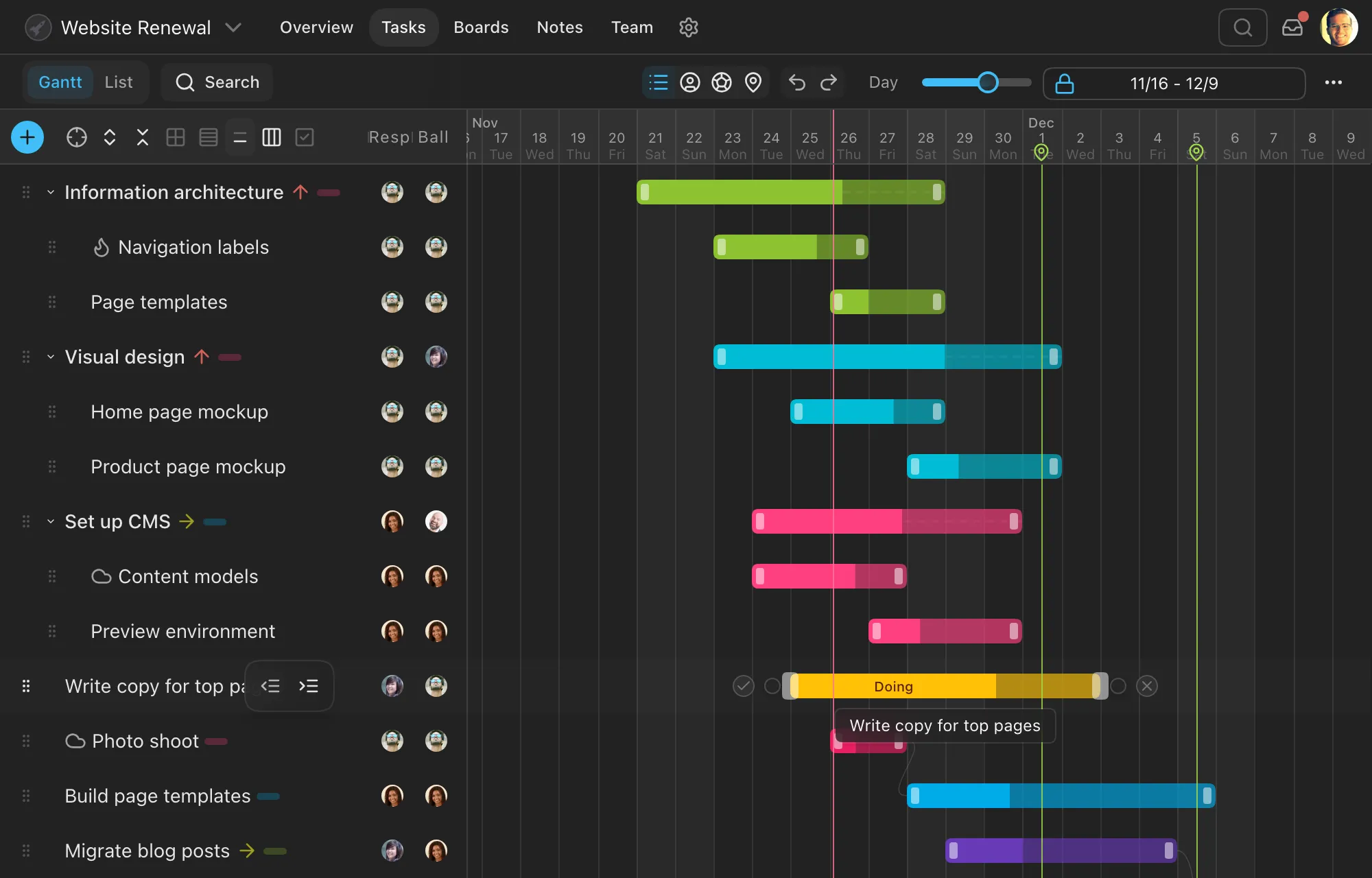
Dependencies on every plan
monday.com sets dependencies through its Dependency column, which is available on the Pro and Enterprise plans. Milestones and the critical path on the Gantt chart are Pro and Enterprise features too. What those plans give you goes further than Repsona: four dependency types, lead and lag, and modes that shift the dates of dependent items automatically.
Repsona has one dependency type: the successor starts after the predecessor finishes. Hover a bar and drag one of the small circles beside it onto another bar to link them. The line turns red when the successor starts on or before the day its predecessor is due. With Move together turned on, dragging a predecessor moves its successors with it. All of this works on every plan, including Free.
If your schedule needs start-to-start links or lag days, monday.com's Pro plan is the better fit. If finish-to-start links are enough, you can have them without a paid plan.
See who acts next
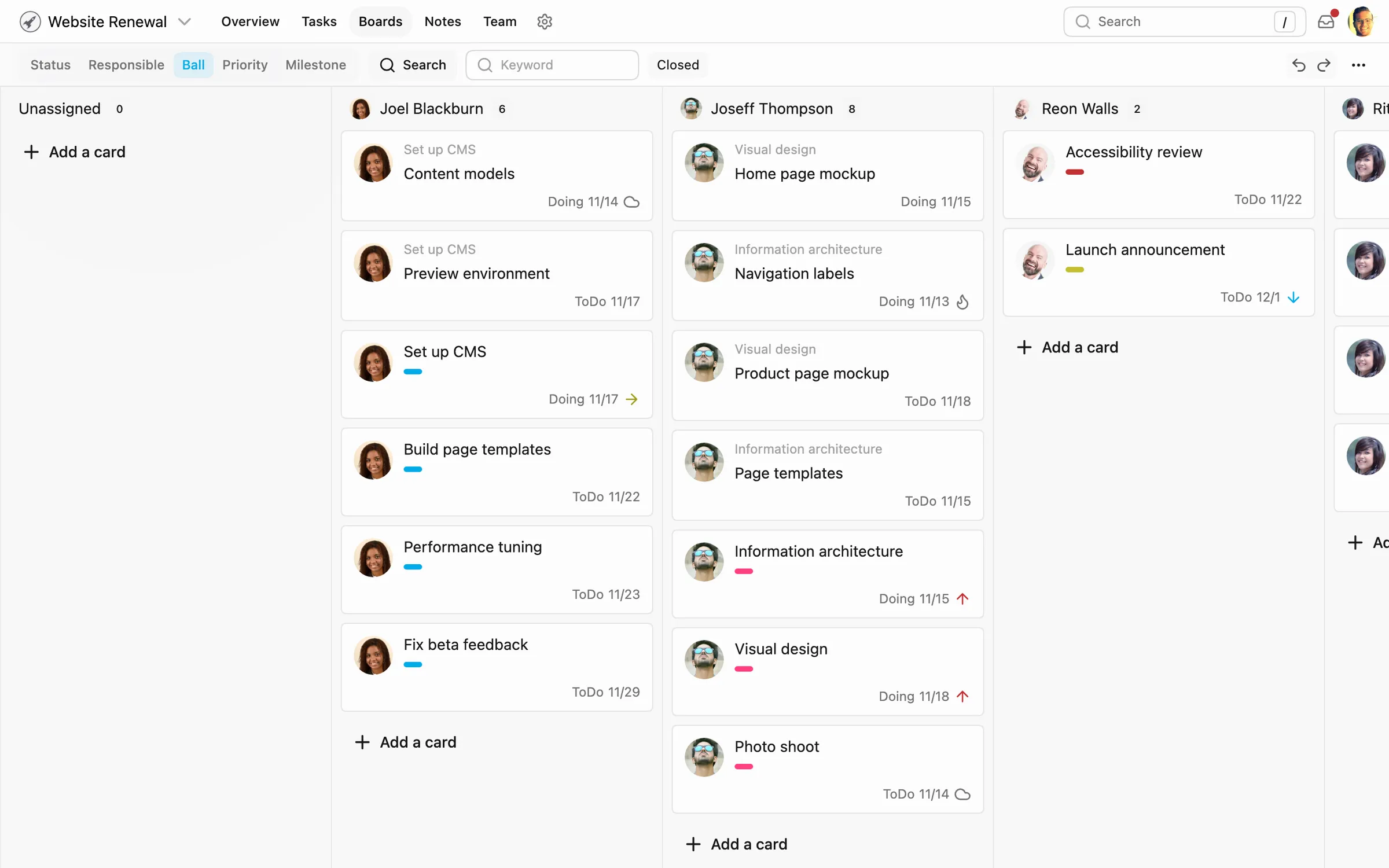
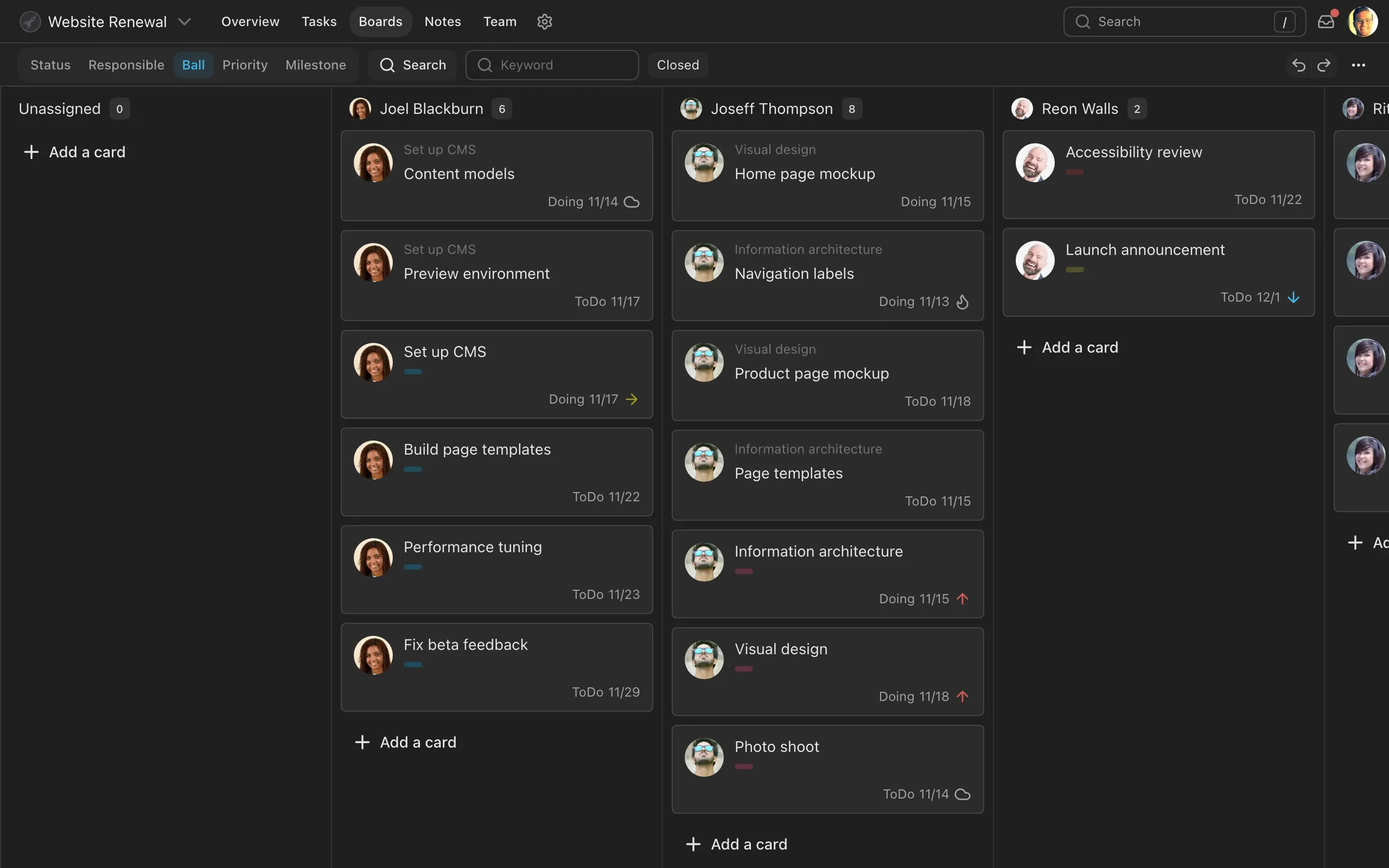
A Repsona task has an assignee (labeled Responsible) and, separately, a ball: the person who has to act next. The assignee stays the same while the ball moves to whoever is reviewing, replying or approving. The board grouped by ball holder shows where work is waiting.
On monday.com, you assign people with the People column, and one item can have several assignees. Its help and plan pages don't list a built-in field for who acts next. A board can hold more than one People column, so a team can add a second one for this and keep it up to date by hand.
An interface anyone can pick up
Buttons, settings and customization are kept to a minimum. Anyone can tell what to do just by looking at the screen, and get started right away. It feels natural to use, and screens open and save quickly, so a heavy tool never slows you down.

Small touches that make work more fun
Repsona is full of small touches, built around people, that make work more fun. It isn't only about getting the pile of tasks in front of you done faster. It's about building a team where people connect and smile.
What monday.com has that Repsona doesn't
Beyond the rows in the table, monday.com offers the following. Repsona doesn't have these.
- Dashboards built from over 30 widgets that pull data from several boards (5 boards per dashboard on Standard, 20 on Pro)
- Integrations with tools such as Gmail, Outlook, Google Calendar and Microsoft Teams (Standard plan and up)
- Forms (WorkForms) whose responses become items on a board
- Four dependency types (finish-to-start, start-to-start, finish-to-finish, start-to-finish) with lead and lag (Pro and Enterprise plans)
- Critical path on the Gantt chart (Pro and Enterprise plans)
- Baseline snapshots that compare the current schedule with the original plan (Pro and Enterprise plans)
- A Formula column for calculations across columns (Pro and Enterprise plans)
- A built-in AI assistant (Sidekick) on paid plans, running on AI credits
- Separate products on the same platform: monday CRM, monday dev and monday service
Pricing, and how seats are counted
monday.com prices each plan per seat, and its pricing FAQ says "Plans start from 3 users." Seats are sold in buckets, not one at a time: plans start at 3 seats and then go up in multiples of 5, so a team of 6 picks the 10-seat plan. In the Help Center's example, adding an 11th user to a 10-seat Standard plan starts a 5-day countdown, and if nobody is removed, the account moves to the next bucket of 15 seats. The upgrade can be reverted and refunded within 30 days once the extra user is removed.
New accounts also buy AI credits together with their seats.
Repsona's Standard plan is priced per active member. Check monday.com's prices on its official website.
monday.comMoving from monday.com to Repsona
There is no automatic migration tool. You can move tasks one board at a time through a spreadsheet.
- In monday.com, open the board's three-dot menu, click More actions, then Export board to Excel. You can include subitems in the export
- In the spreadsheet, rearrange the columns into the order Repsona's import reads. The first row is a header, followed by 14 columns in this order: ID, task name, description, responsible (the assignee), ball holder, start date, due date, status, milestone, parent ID, tags, planned, actual and sort order. Leave a column empty if you have nothing for it, then save the sheet as a UTF-8 CSV file
- In Repsona, open the menu on the Gantt or List screen and choose "Import from CSV"
Assignees and statuses have to exist in Repsona first. The assignee must be a member of the space with the same username, and the status must exist in the project. Dates use the YYYY-MM-DD format. To keep parent and child tasks together, give each row an ID and put the parent's ID in the parent ID column. The column descriptions and a sample file are in the help article Exporting and Importing Tasks.
Repsona's CSV import doesn't bring in updates or files. Automations, dashboards and custom columns have no matching place in Repsona.
To try it with a few people first, move one board into a project on the Free plan and see how the Gantt chart feels.
FAQ
- Is there a free alternative to monday.com with a Gantt chart?
- Repsona's Free plan includes the Gantt chart, with dependencies, and it is free with no time limit. monday.com's Free plan covers up to 2 seats and does not include the Gantt chart, which starts on the Standard plan. Repsona's member and project limits are on the pricing page.
- How many people can use monday.com's free plan?
- Up to 2 seats. The Free plan also allows 3 boards and starts at 200 items, and it has no guests, viewers, automations or integrations. Paid plans start from 3 users.
- Which monday.com plan has the Gantt chart and dependencies?
- The Gantt chart view is available on the Standard plan and up. The Dependency column is on the Pro and Enterprise plans, and so are milestones and the critical path on the Gantt chart.
- What is the minimum number of seats on monday.com?
- monday.com's pricing FAQ says "Plans start from 3 users." Seats are sold in buckets that start at 3 and then go up in multiples of 5. In the Help Center's example, an 11th user on a 10-seat plan moves the account to 15 seats unless the extra user is removed within 5 days.
- Can I self-host Repsona or monday.com?
- No. Repsona is a hosted service with no self-hosted version. monday.com's security FAQ says it is a fully cloud-based service and does not offer an on-premises version. If you have to run the software on your own servers, neither one fits.
- What does monday.com do that Repsona doesn't?
- Automation rules, dashboards built from widgets across many boards, integrations with tools such as Gmail and Outlook, forms, custom columns with formulas, a time-tracking timer and SAML single sign-on. If your team depends on those, monday.com is the better fit.
- Can I move my boards from monday.com to Repsona?
- There is no automatic migration tool. monday.com exports a board to Excel, and Repsona imports a CSV file with 14 columns in a fixed order, so you rearrange the columns and save the sheet as CSV before importing. Repsona's CSV import doesn't bring in updates or files.
What this page says about monday.com was checked against its official pages. Features and prices may change.