Repsona vs Microsoft Project
If you need critical path, resource leveling and baselines, Microsoft Project is built for that. If you want a Gantt chart your whole team can open in a browser, on a Mac or a PC, starting on a free plan, look at Repsona.
Which Microsoft Project this page compares
This page compares the products sold under the Project name today:
- Planner and Project Plan 3: the cloud subscription. It includes the Project desktop client, which you install on a PC, and premium plans in Planner, which you use in a browser
- Project Standard 2024 and Project Professional 2024: desktop apps you buy once and install on a PC
The comparison table reflects Planner and Project Plan 3, and the notes say where the one-time purchase versions differ. Project for the web and Project Online have been retired, and Project for the web was folded into Planner.
Which one fits your team
Microsoft Project fits when
- You build schedules with critical path, resource leveling and baselines
- You track work and cost, planned against actual
- You use start-to-start or finish-to-finish dependencies, or lead and lag
- Your company runs on Microsoft 365 and you want Microsoft Teams and Microsoft Entra ID accounts to line up
- You exchange plans as .mpp files
Repsona fits when
- You want a Gantt chart for a team, starting on a free plan
- People on Macs and PCs need to open the same plan in a browser
- Drawing bars, linking them, and moving the later ones when something slips is all the scheduling you need
- You want to track the ball (who acts next) separately from the assignee
- You want notes and comments to sit next to the plan
Feature-by-feature comparison
Features Repsona doesn't have are listed too. The Microsoft Project column reflects Planner and Project Plan 3.
 Microsoft Project
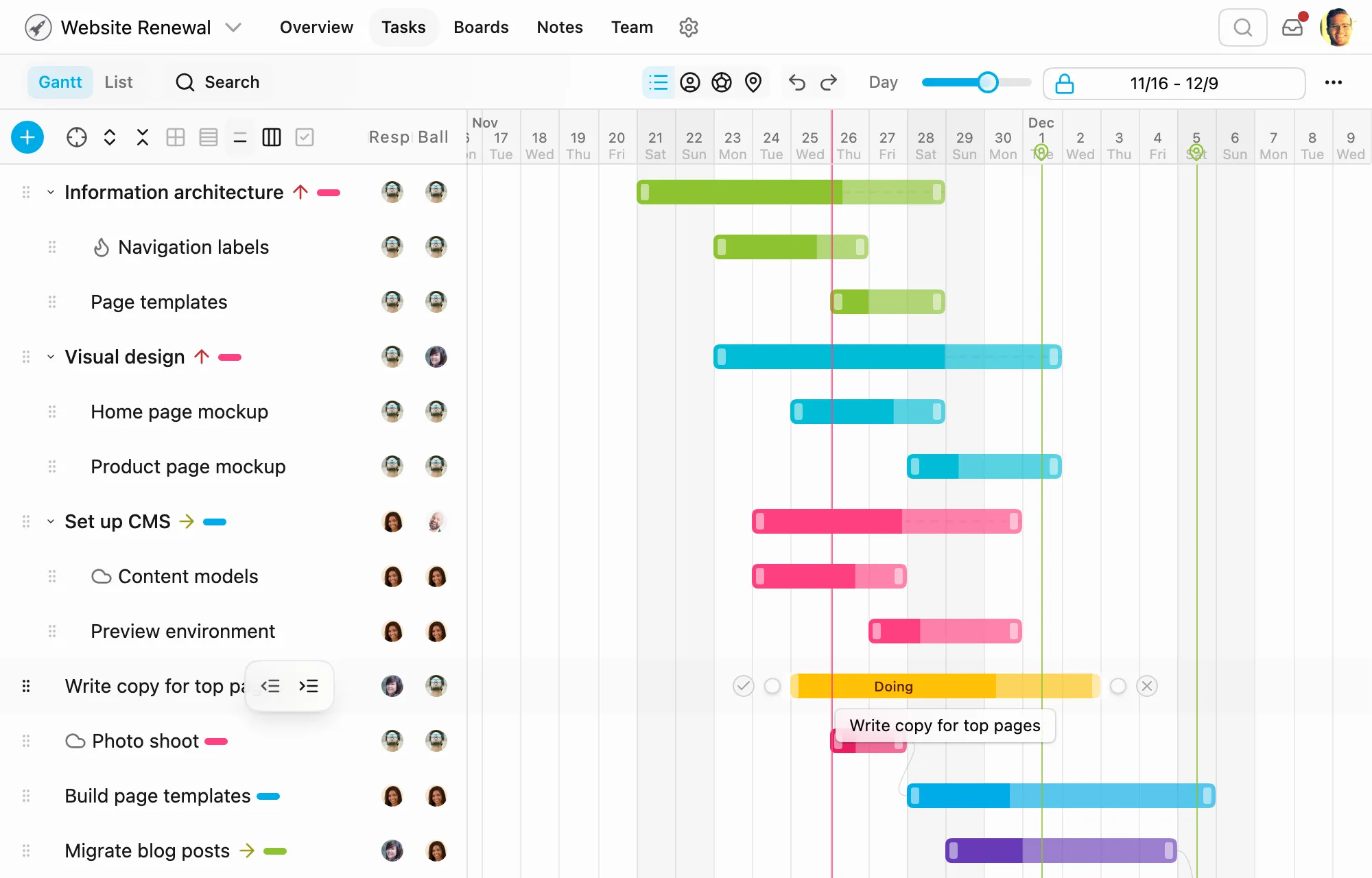
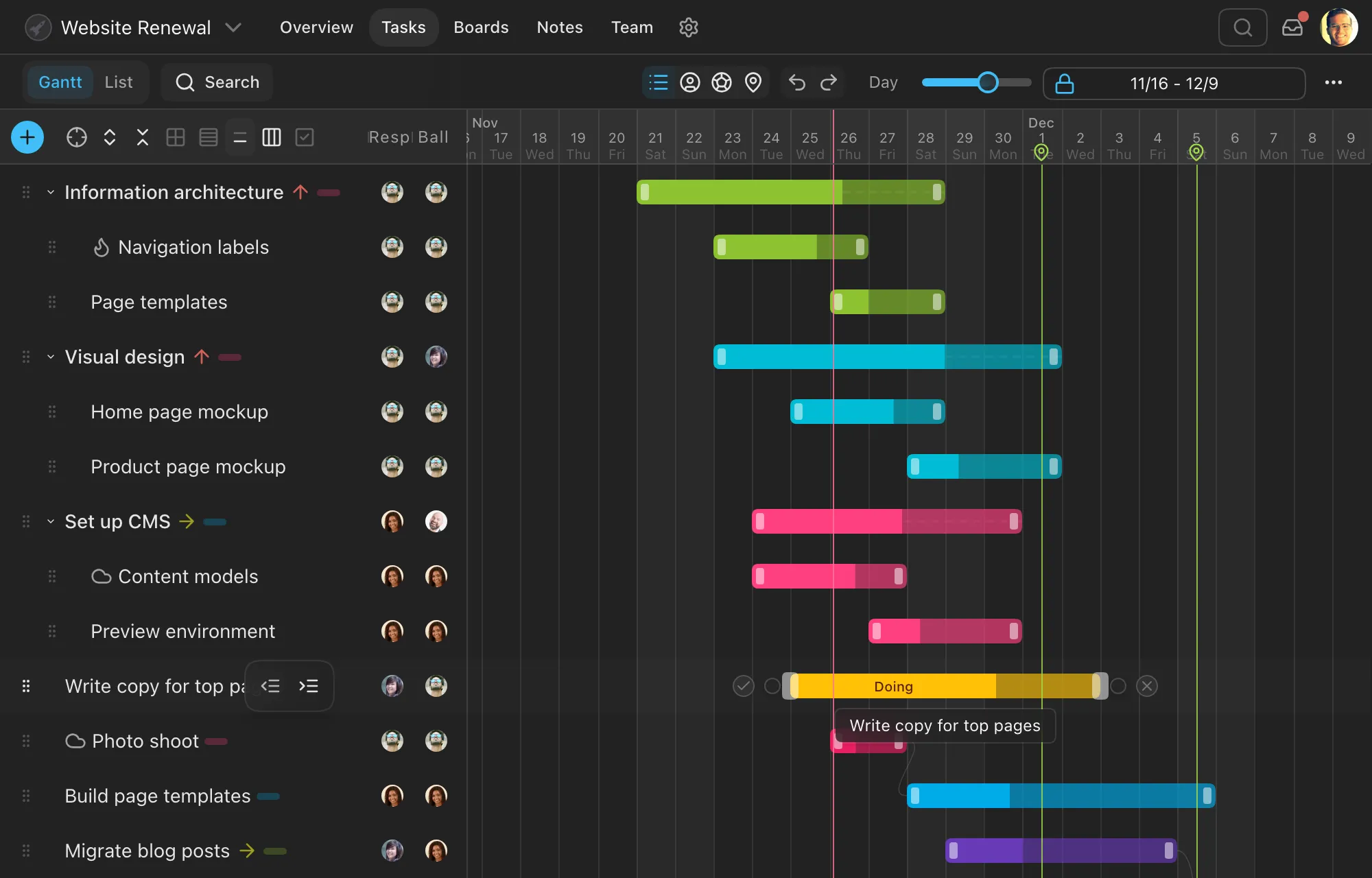
A Gantt chart on the free plan
Microsoft Project has no free plan. You need a paid license, and the premium features come with a 30-day free trial.
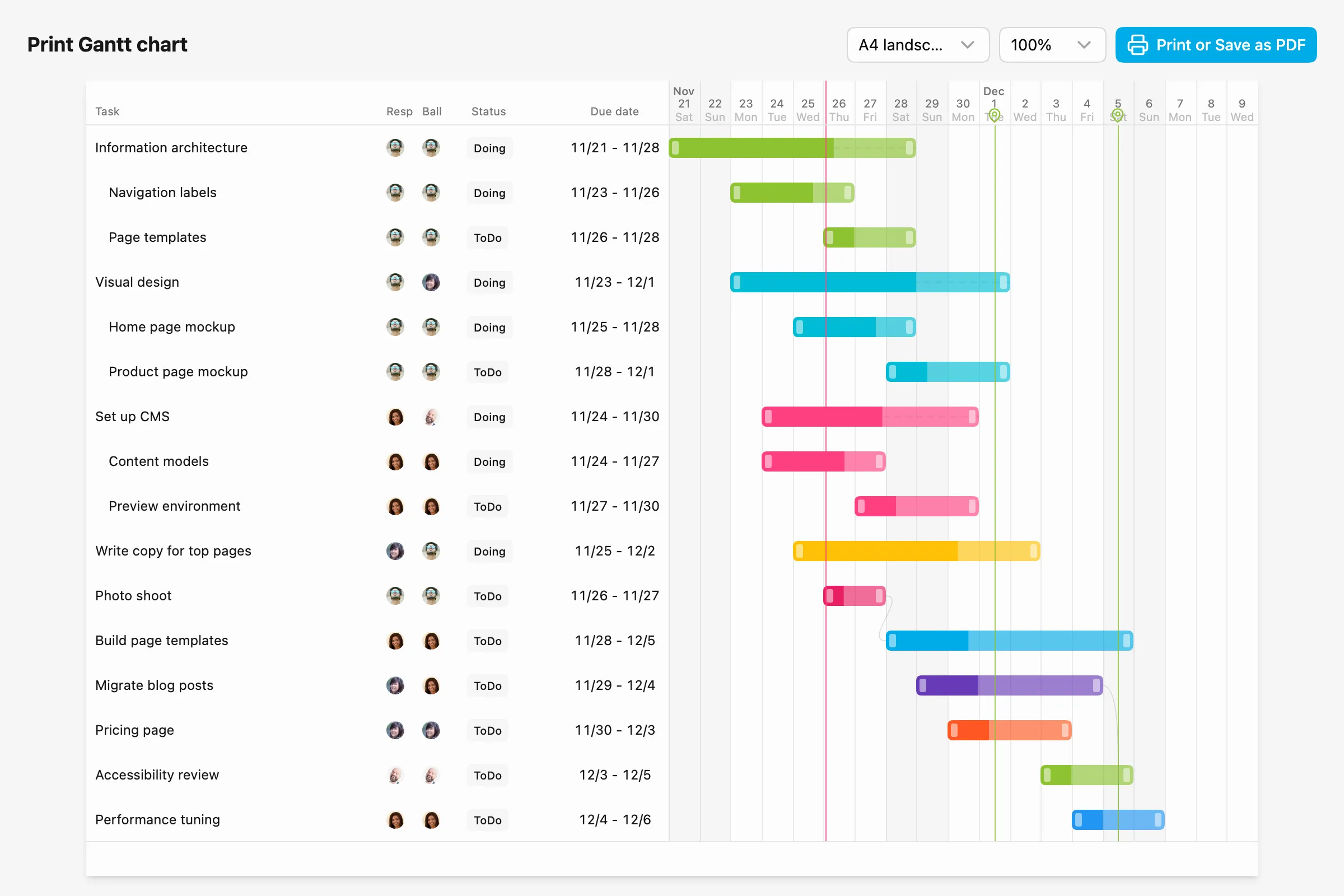
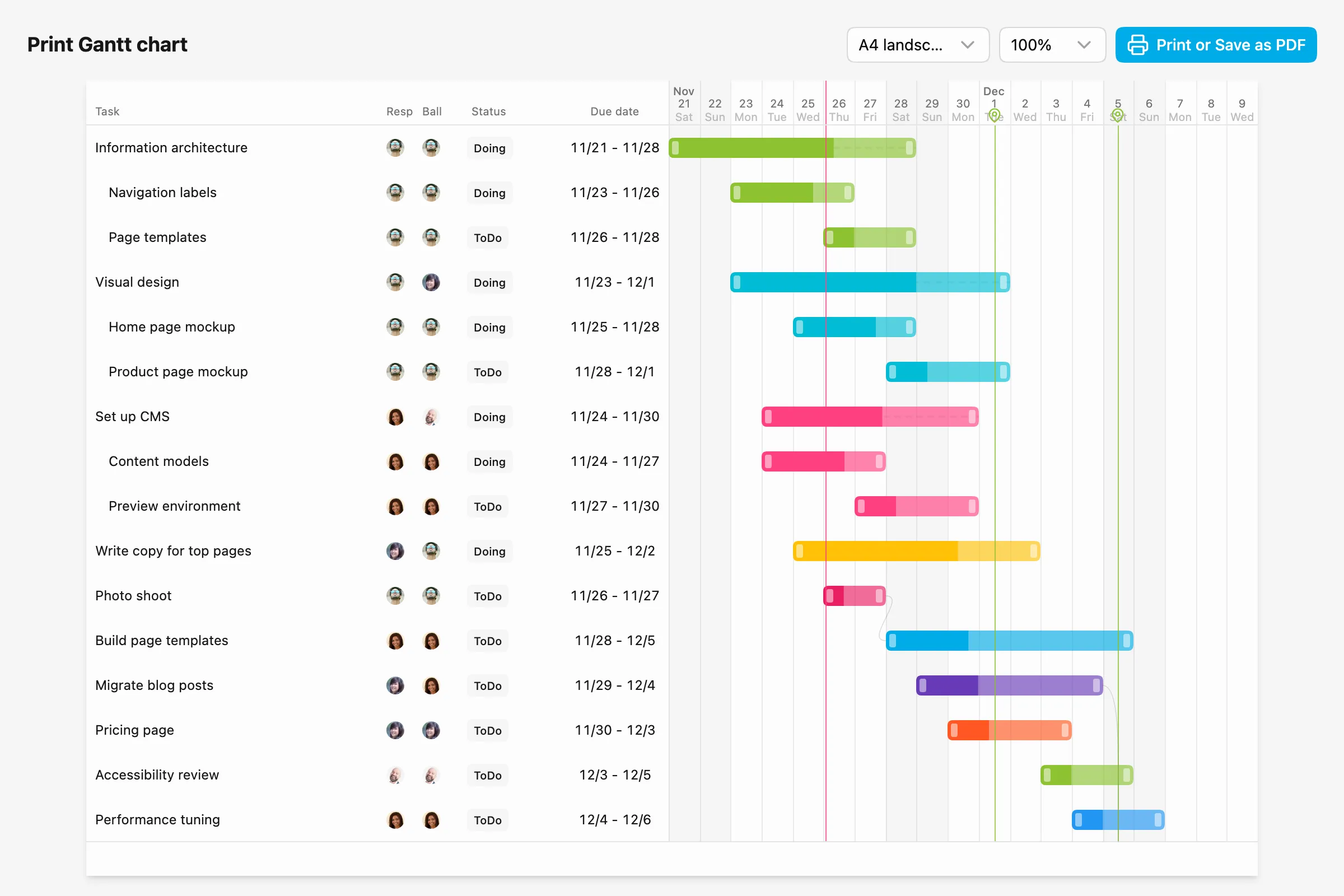
Repsona's Free plan includes the Gantt chart. Drawing bars, moving and resizing them, and linking dependencies work the same on every plan.
If you want a chart for yourself with no sign-up at all, Gantt-san is our separate free Gantt chart. It is a different tool from Repsona and needs no account.
Online, and on a Mac too
Microsoft's Office LTSC 2024 overview lists Project Professional 2024 and Project Standard 2024 among the products for devices running Windows. For macOS it lists Office LTSC Standard for Mac 2024, and Project is not mentioned. The subscription Project desktop client is the subscription version of Project Professional.
Planner, which comes with Planner and Project Plan 3, is web-based. Its Timeline (Gantt) view, dependencies, critical path and baselines work in a browser. The one-time purchase versions, Project Standard 2024 and Professional 2024, are not among the licenses that include Planner capabilities.
Repsona runs in the browser on macOS and Windows, with nothing to install. The iOS and Android apps open the Gantt chart as well. Supported systems and browsers are in the system requirements.
Link tasks with a line. For calculated schedules, Microsoft Project
Microsoft Project offers four dependency types (finish-to-start, start-to-start, finish-to-finish and start-to-finish) with lead and lag. It also shows the critical path, levels overallocated resources, and compares the schedule with a baseline.
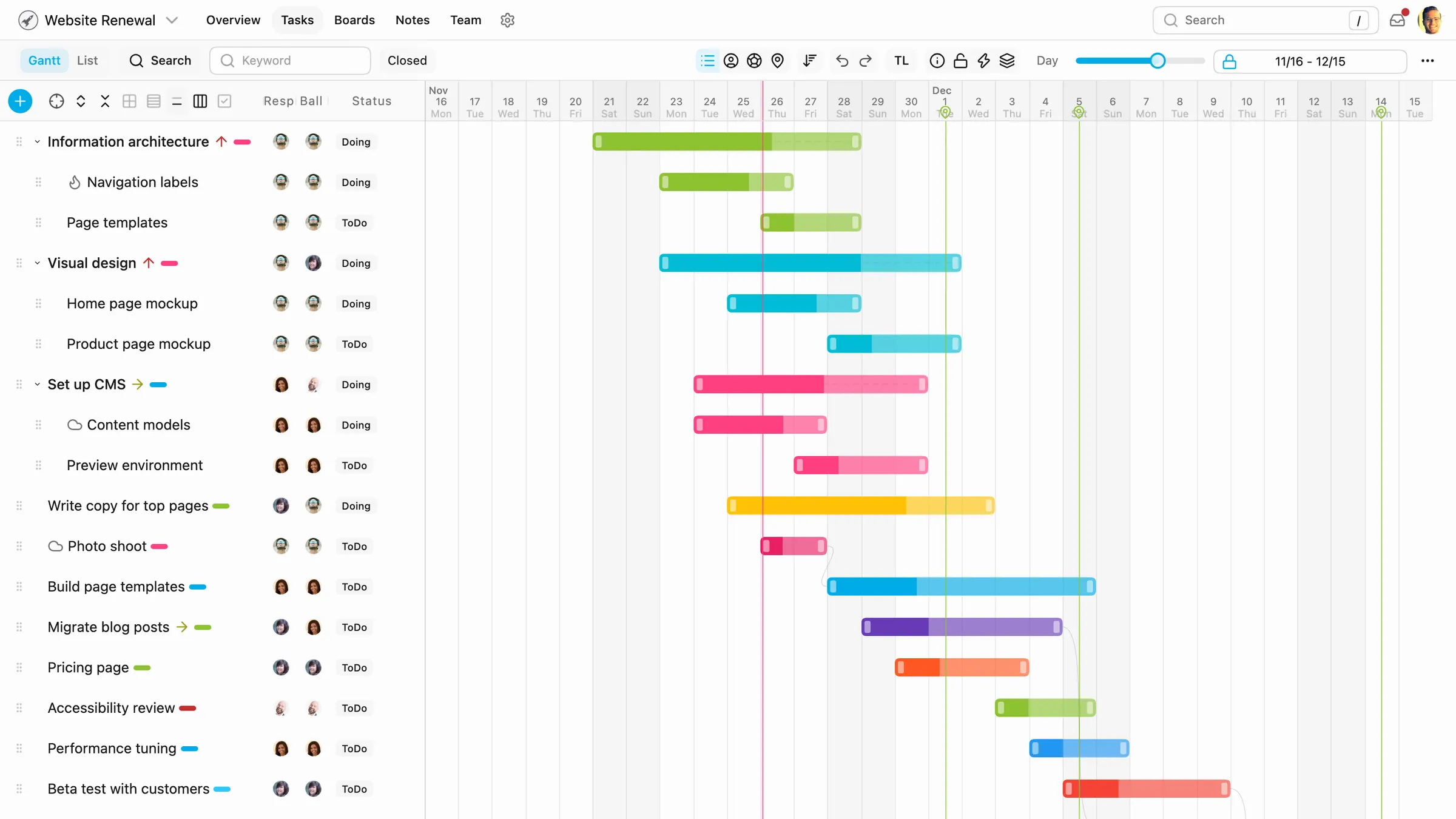
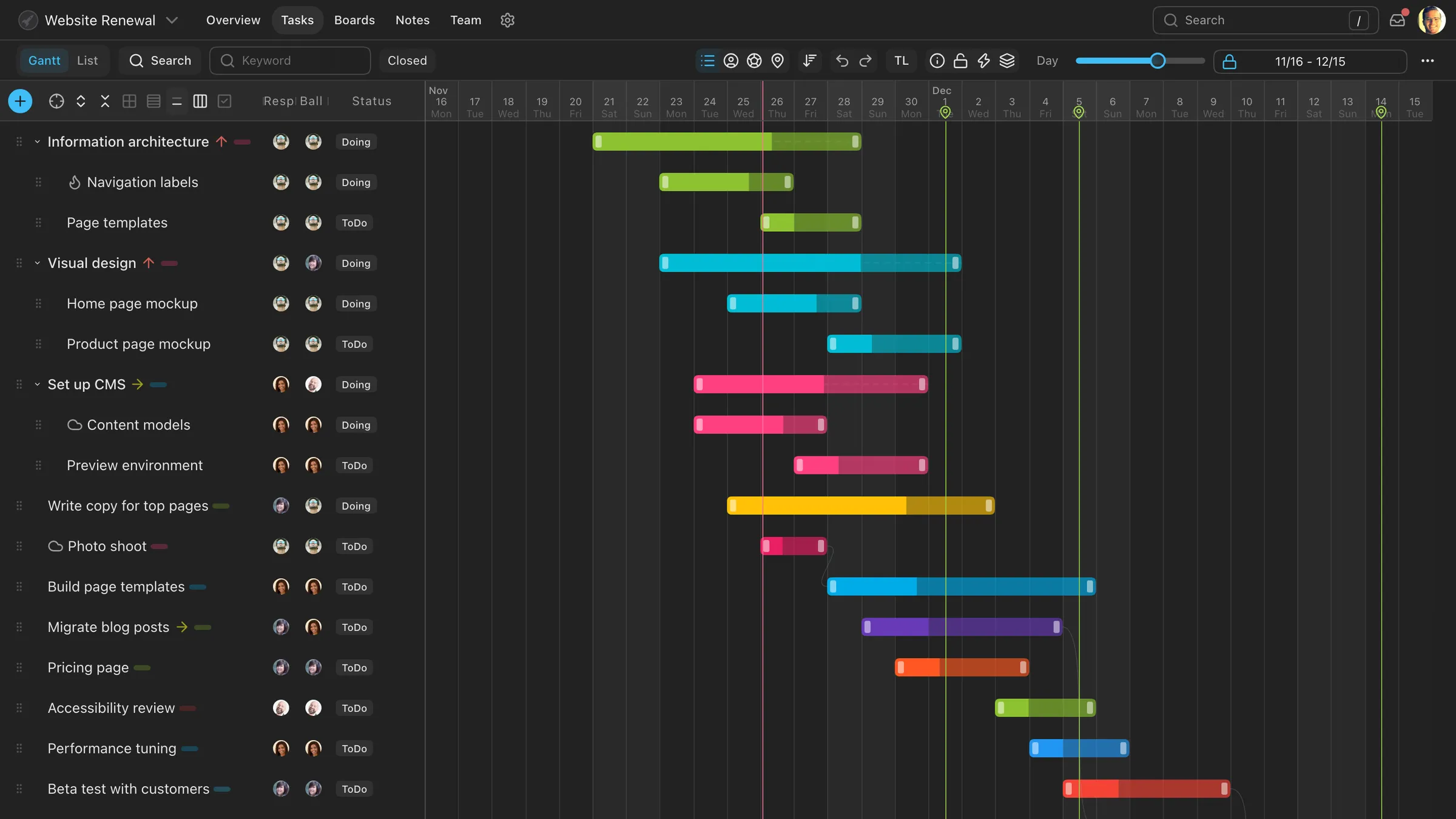
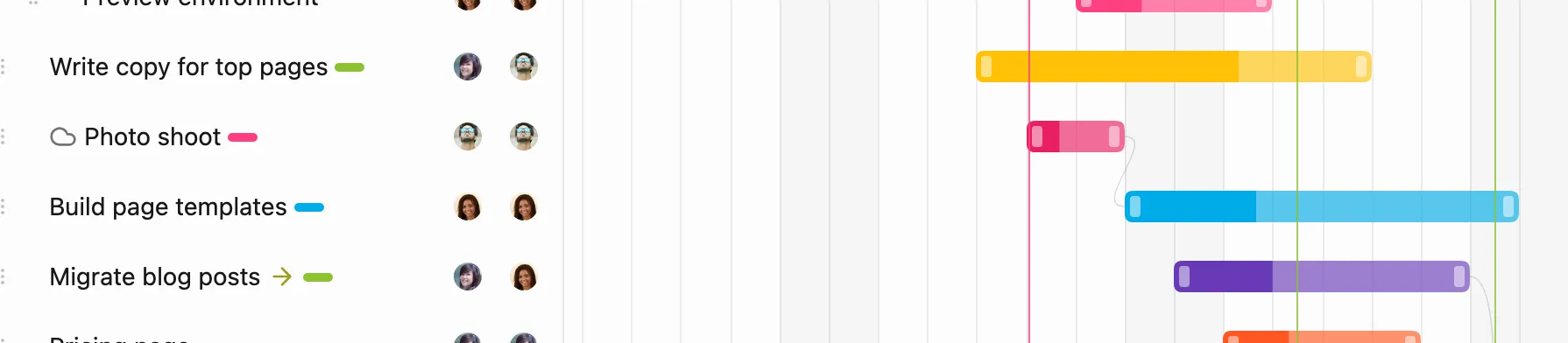
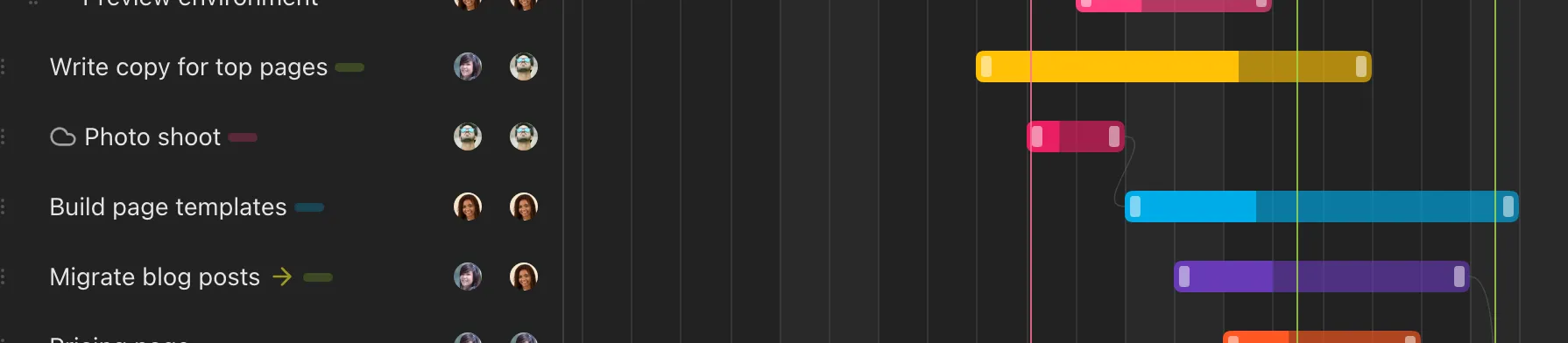
Repsona has one dependency type: the successor starts after the predecessor finishes. You draw a line from one bar to another. If the successor starts on or before the day its predecessor is due, the line turns red. Turn on Move together and the successors move along when you drag a predecessor. Repsona has no critical path, resource leveling or baselines.
Track whose turn it is
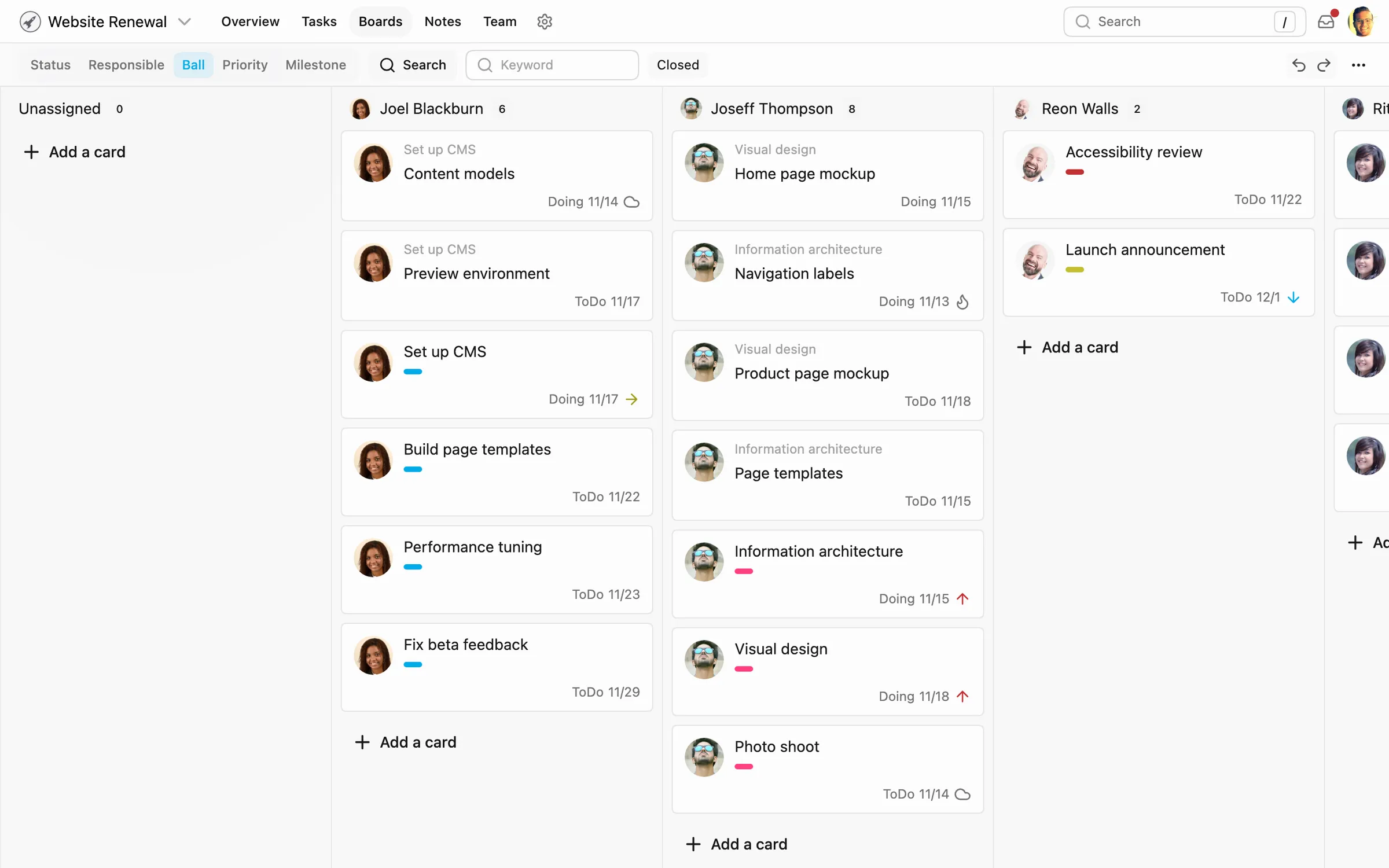
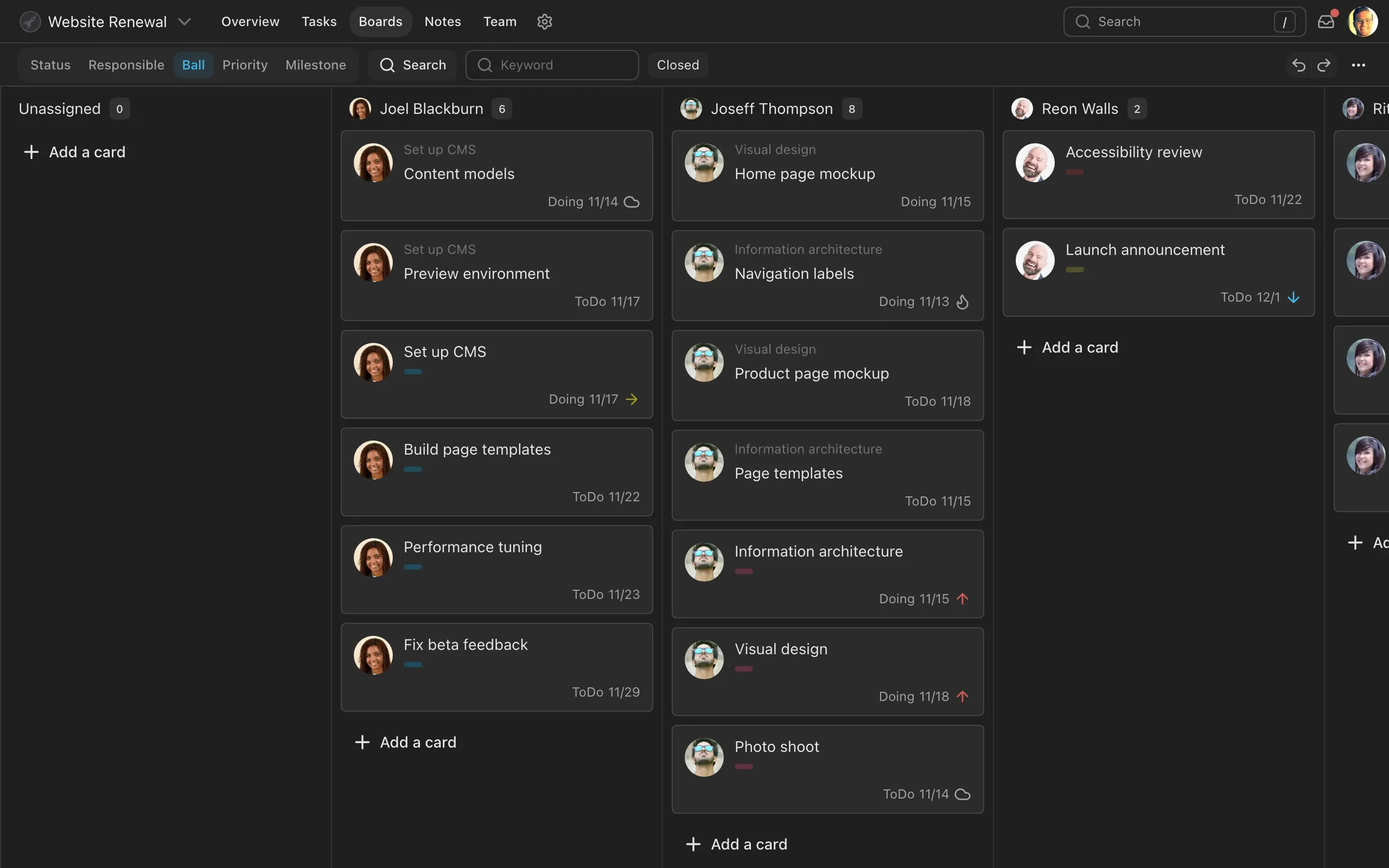
A Repsona task has a ball (who acts next) in addition to an assignee. The person responsible stays the same while the ball passes to whoever has to review, reply or approve. The board grouped by ball holder shows where work is waiting.
Microsoft's help pages and feature tables for Project don't list a field for who acts next that is separate from the assignee.
Export to Excel and PDF
The Project desktop app saves a plan as PDF or XPS, and exports field data to Excel (.xlsx) and CSV.
Repsona exports to Excel (XLSX) and CSV, and saves a PDF from its print screen. All three are on the Free plan.
An interface anyone can pick up
Buttons, settings and customization are kept to a minimum. Anyone can tell what to do just by looking at the screen, and get started right away. It feels natural to use, and screens open and save quickly, so a heavy tool never slows you down.

Small touches that make work more fun
Repsona is full of small touches, built around people, that make work more fun. It isn't only about getting the pile of tasks in front of you done faster. It's about building a team where people connect and smile.
What Microsoft Project has that Repsona doesn't
Beyond the rows in the table, Microsoft Project has these. Repsona does not.
- Critical path: see the chain of tasks that sets the length of the project
- Resource leveling that resolves overallocations automatically, with work, generic and material resources
- Baselines (up to 11) to compare the current schedule with the original plan
- Cost and budget tracking (resource costs, planned vs. actual cost)
- Four dependency types (finish-to-start, start-to-start, finish-to-finish, start-to-finish) with lead and lag
- Automatic scheduling from work, effort and dependencies
- Network diagram, Team Planner, built-in and custom reports
- Custom fields and formulas at the task, resource and project level
- Opens and saves .mpp files natively
- Ties into Microsoft 365 (Planner as an app or tab in Microsoft Teams, Power Automate flows)
- Portfolios for managing multiple plans together (Planner and Project Plan 3)
- Project Server Subscription Edition, a separate product, runs on your own servers
Pricing
Microsoft Project is either a per-user subscription or a one-time purchase installed on a PC. For Microsoft Project's prices, see Microsoft's official site. Repsona has a Free plan and a per-member Standard plan.
Microsoft ProjectMoving from Microsoft Project
Repsona can't open or import .mpp files. It imports CSV and Gantt-san JSON only, and there is no automatic migration tool. You can move tasks over as CSV:
- In the Project desktop app, save the task table as CSV (a CSV export holds field data from a single table)
- Rearrange the columns into Repsona's import order. Row 1 is a header, followed by 14 columns in this order: ID, task name, description, assignee, ball holder, start date, due date, status, milestone, parent task ID, tags, planned, actual and sort order. Write dates as YYYY-MM-DD
- In Repsona, open the menu on the Gantt chart or the list and choose "Import from CSV"
Assignees and statuses must already exist in Repsona under the same names. Parent tasks are set by putting the parent's ID in the parent task ID column. Save the file as UTF-8. The column descriptions and a sample file are in the help article Exporting and Importing Tasks.
Repsona's CSV has no columns for dependencies, baselines or costs. Link the dependencies again on Repsona's Gantt chart after the import.
A good first step is to move one project onto the Free plan with a few people and see how the Gantt chart feels.
FAQ
- Is there a free version of Microsoft Project?
- No. Microsoft Project needs a paid license, and the premium features come with a 30-day free trial. Repsona has a Free plan that doesn't expire, and it includes the Gantt chart. Member and project limits are on the pricing page.
- Does Microsoft Project work on a Mac?
- Microsoft's documentation lists Project Professional 2024 and Project Standard 2024 among the products for devices running Windows. Project is not mentioned among the products for macOS. Planner, which comes with Planner and Project Plan 3, is web-based, so it opens in a browser. Repsona runs in the browser on macOS and Windows.
- Can Repsona open .mpp files?
- No. Repsona can't open or import .mpp files. It imports CSV and Gantt-san JSON only. To move a plan over, save the task table as CSV from the Project desktop app, rearrange the columns into Repsona's import order, and import it.
- Does Repsona have critical path, resource leveling or baselines?
- No. It doesn't have cost tracking either. If your schedule depends on those, Microsoft Project is the better fit. Repsona has finish-to-start dependencies drawn as lines between bars, and an option to move successors along when a task slips.
- Is Repsona an open-source alternative to MS Project?
- No. Repsona is a hosted service. It is not open source and has no self-hosted option. If you need to run the software on your own servers, Microsoft offers Project Server Subscription Edition, a separate product, for that.
- What happened to Project for the web and Project Online?
- Both have been retired. Project for the web's plans moved into Planner. The Project desktop app and Project Server are still available.
- Which one costs less?
- It depends on your team size and how you buy. Microsoft Project is either a per-user subscription (Planner and Project Plan 3) or a one-time purchase installed on a PC. Repsona has a Free plan and a per-member Standard plan, with prices in the pricing section. For Microsoft Project's prices, see Microsoft's official site.
What this page says about Microsoft Project was checked against its official pages. Features and prices may change.