Repsona vs Jira
Both tools track a team's work, but they are built around different things. Jira fits teams that run Scrum, design their own workflows and connect their development tools. Repsona fits small teams and non-software work that needs tasks, a Gantt chart and notes in one tool.
Which one fits your team
Repsona fits teams that
- do work other than software development (creative, sales, back office), or are small, and want to plan with nothing but tasks and subtasks
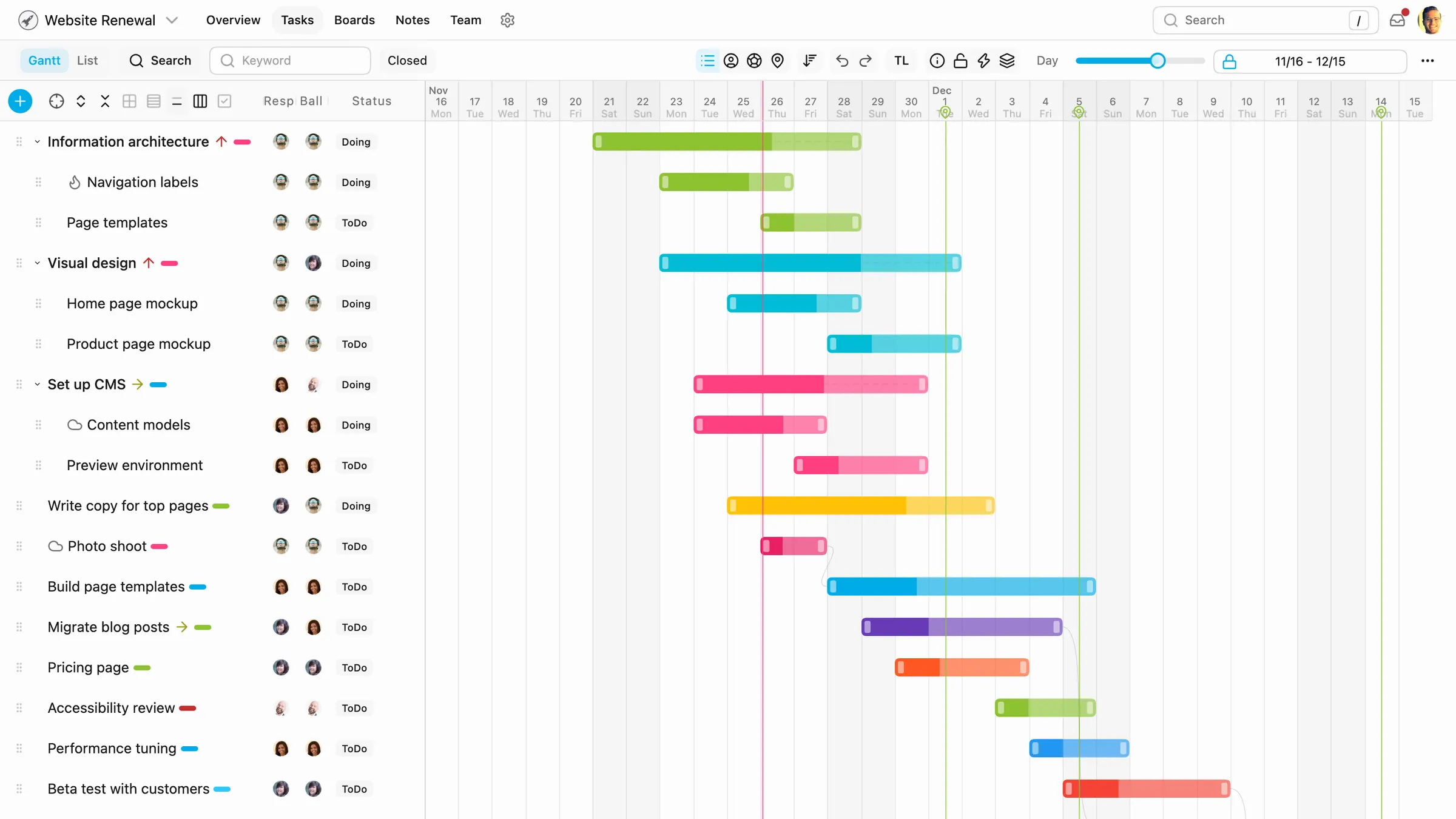
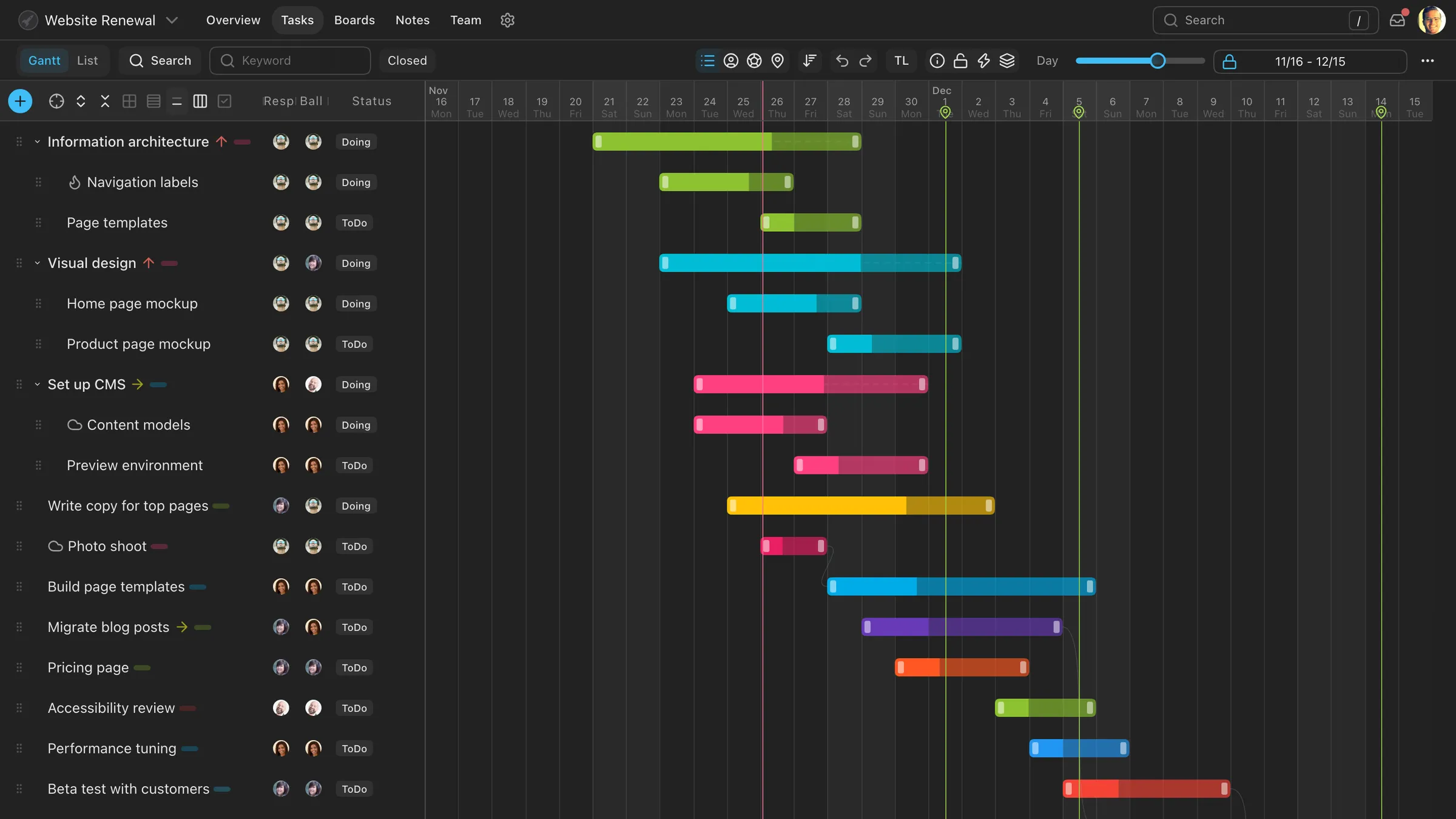
- break tasks down several levels deep and want to see that hierarchy on the Gantt chart
- want to track the ball (who acts next) separately from the assignee
- want tasks and documents (notes) in one tool, on one bill
Jira fits teams that
- develop with Scrum or Kanban and use a backlog, sprints and reports such as velocity
- want to design their own workflows, with rules on status transitions and approval steps
- connect GitHub or Bitbucket and follow branches, commits and pull requests from each work item
- need custom fields, automation rules, SAML single sign-on or Marketplace apps
Feature comparison
Features Repsona doesn't have are listed as they are. Jira here means Jira Cloud, the single product that Jira Software and Jira Work Management were combined into.
 Jira
Plan any kind of work with just tasks and subtasks
Jira is offered to design, marketing and HR teams as well as engineering. Its spaces come in two types. Development tool integration and Scrum boards belong to software spaces, and templates for HR, legal and other business teams belong to business spaces. Work is described with work items in a set hierarchy: epic, story or task, and subtask. Adding levels above epic needs Premium or Enterprise.
Repsona has only tasks and subtasks, with no work types or hierarchy levels to define first. Subtasks nest as many levels deep as you need, and you drag to change their order or their parent. Every new project comes with a list, a Gantt chart, a board and notes.
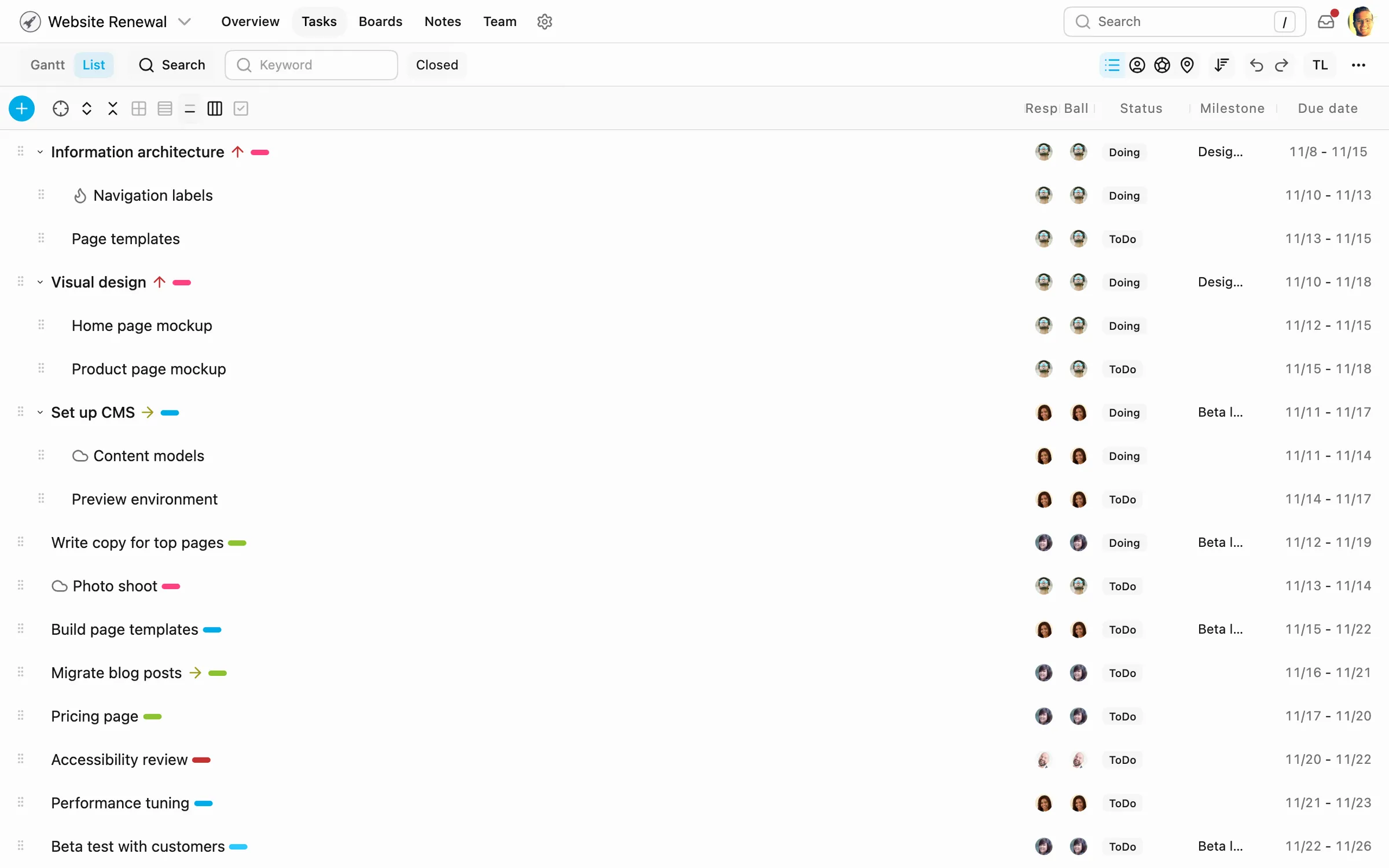
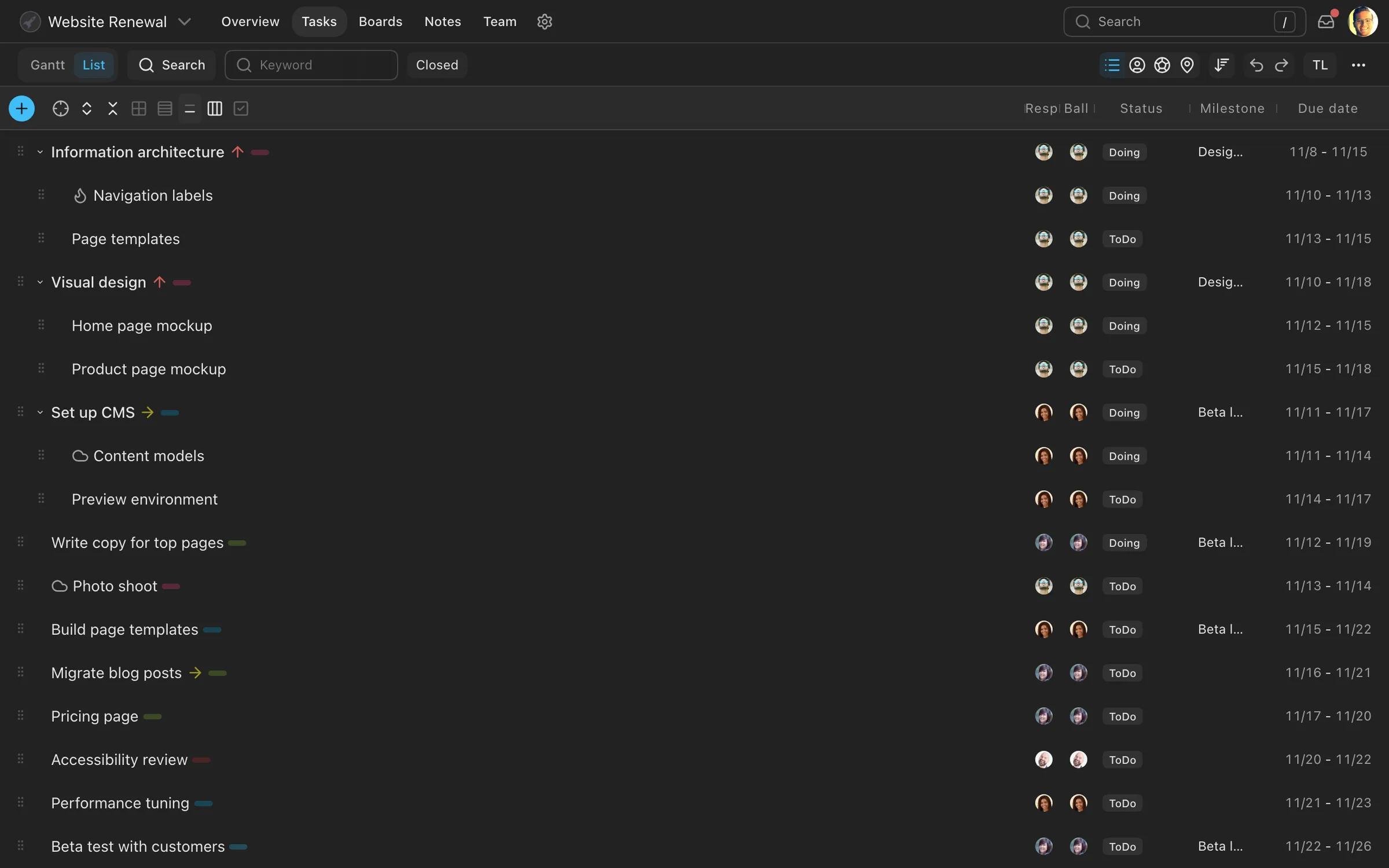
See the whole hierarchy on the Gantt chart
Jira's timeline view is included in the Free plan. The official help describes it as "a Gantt chart view". You drag bars to change dates and link work items to show dependencies. The software space timeline also shows every work item, including subtasks.
The differences are in how deep the hierarchy goes and in export. Jira's hierarchy has three levels: epic, story or task, and subtask (levels above epic need Premium or Enterprise). How much of it the timeline shows depends on the view settings. The timeline exports as an image (PNG). Exporting it to Excel or PDF is not described in the official help.
Repsona's Gantt chart shows subtasks nested at every level. You can export it to Excel (XLSX), or save it as a PDF from the print screen.
Seeing several projects in one view is a paid feature in both. In Jira it is plans, on Premium and Enterprise. In Repsona it is the Cross-project view, on the Standard plan.
Track who acts next, not only who owns the task
A Jira work item has one assignee. To record someone else, such as a reviewer, you can add a custom field that picks a user.
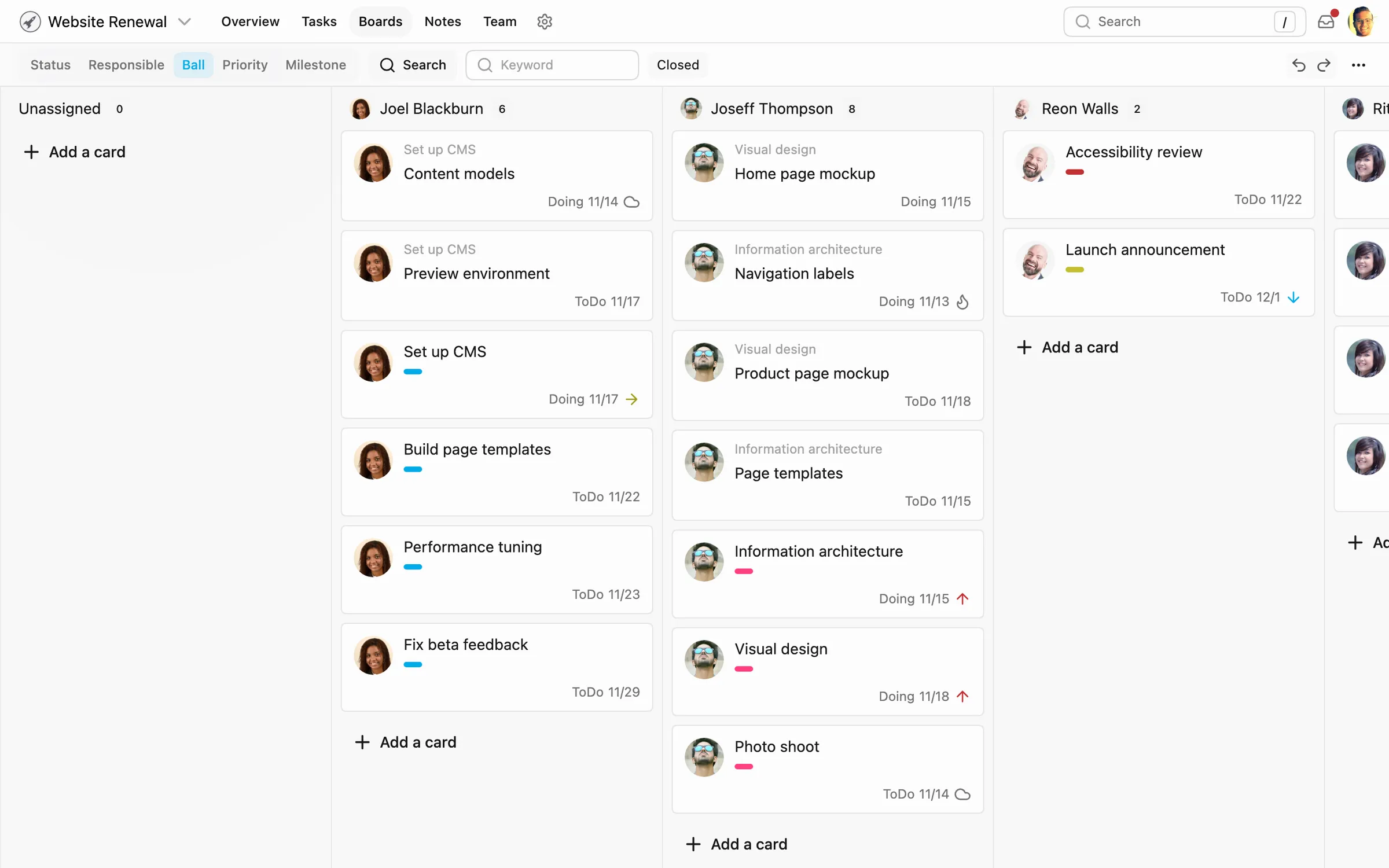
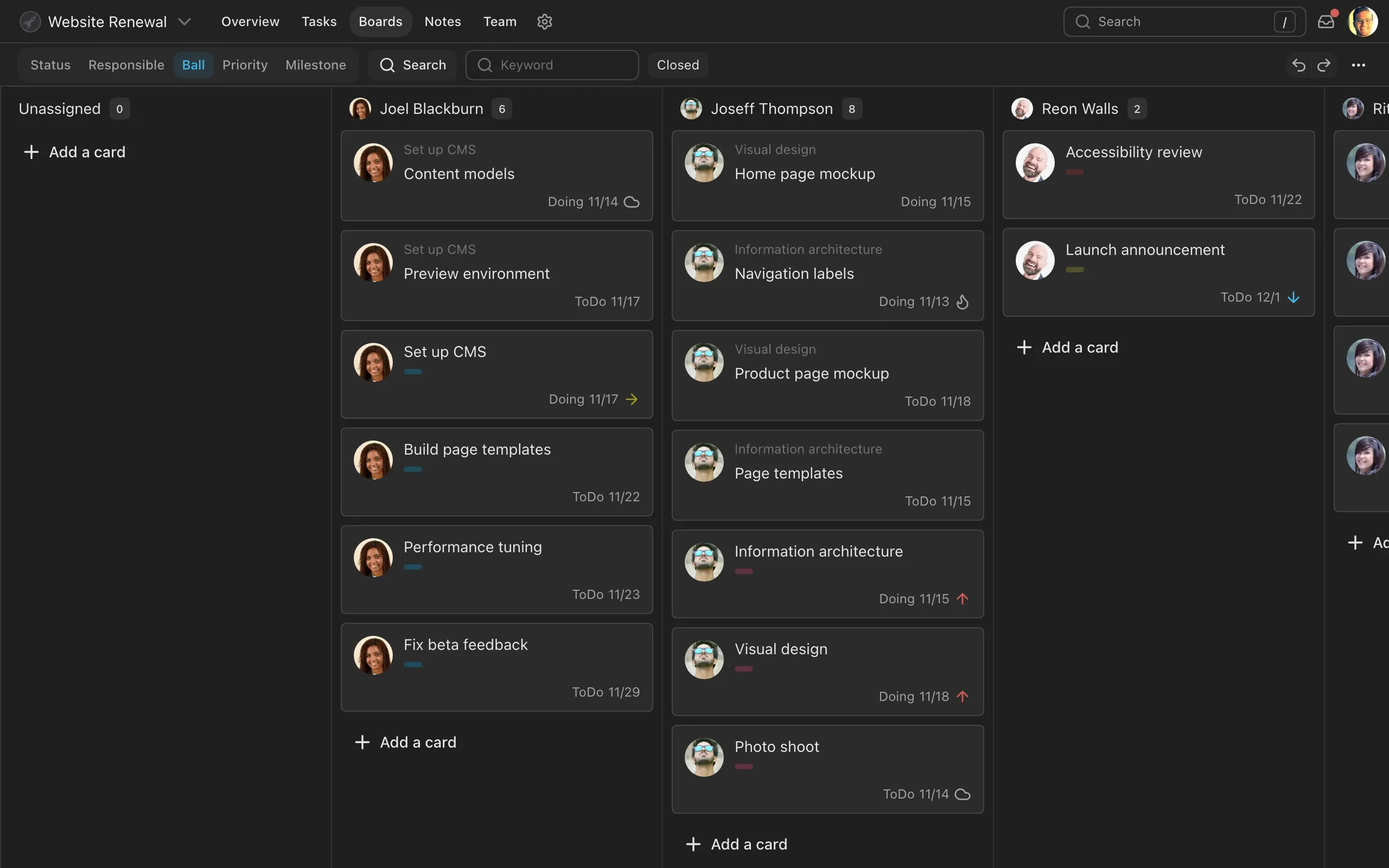
Every Repsona task has a second field next to the assignee: the ball, which marks who acts next. The assignee stays responsible for the task while the ball passes to whoever needs to review it, answer a question or approve it. A board grouped by ball holder shows where work is waiting.
Keep documents in the same tool
In Jira, documents live in Confluence, a separate product. The Docs feature links a Confluence space or page to a Jira space so you can view and edit it from Jira. Confluence has its own pricing plans: a Free plan for up to 10 users, and paid plans.
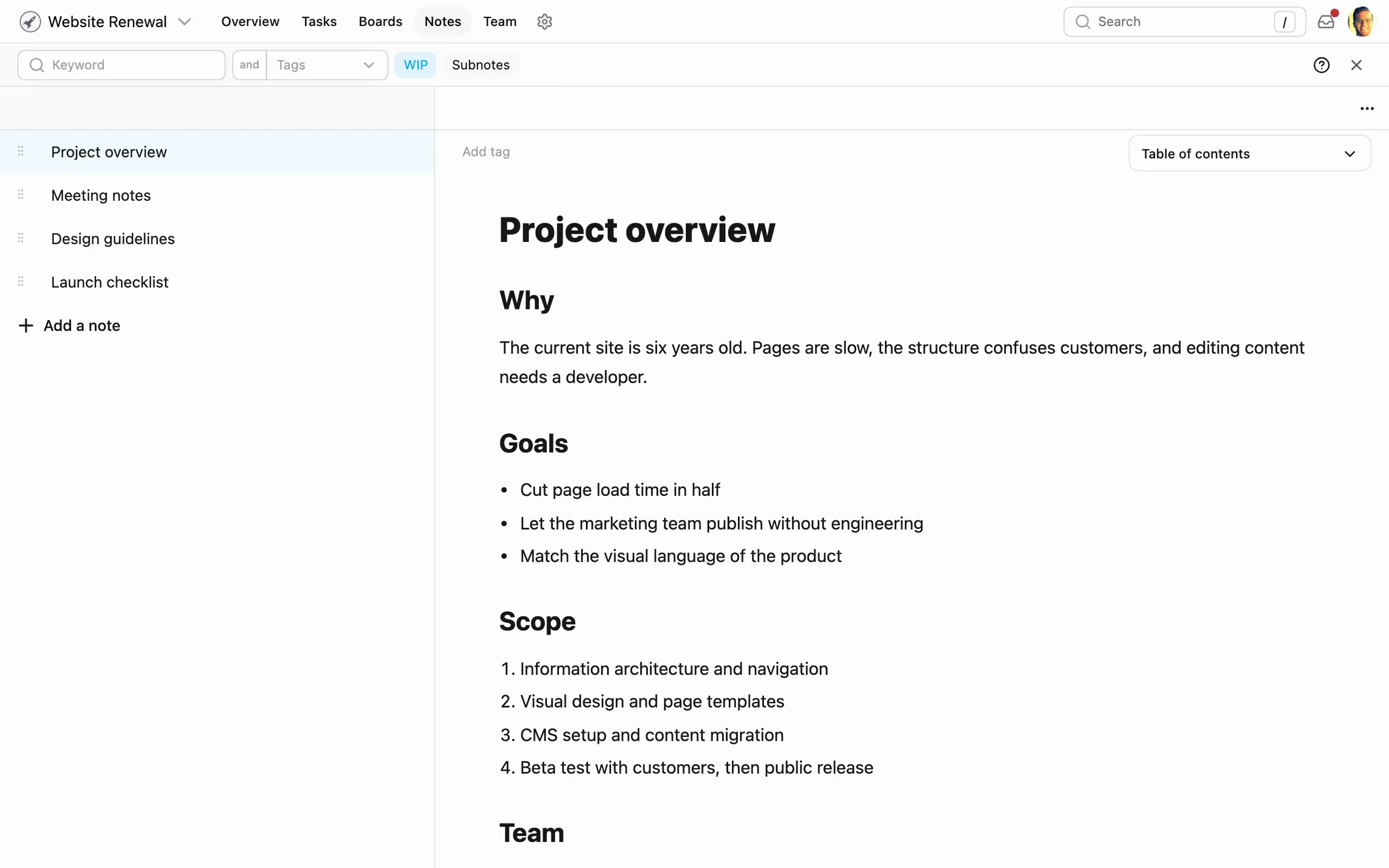
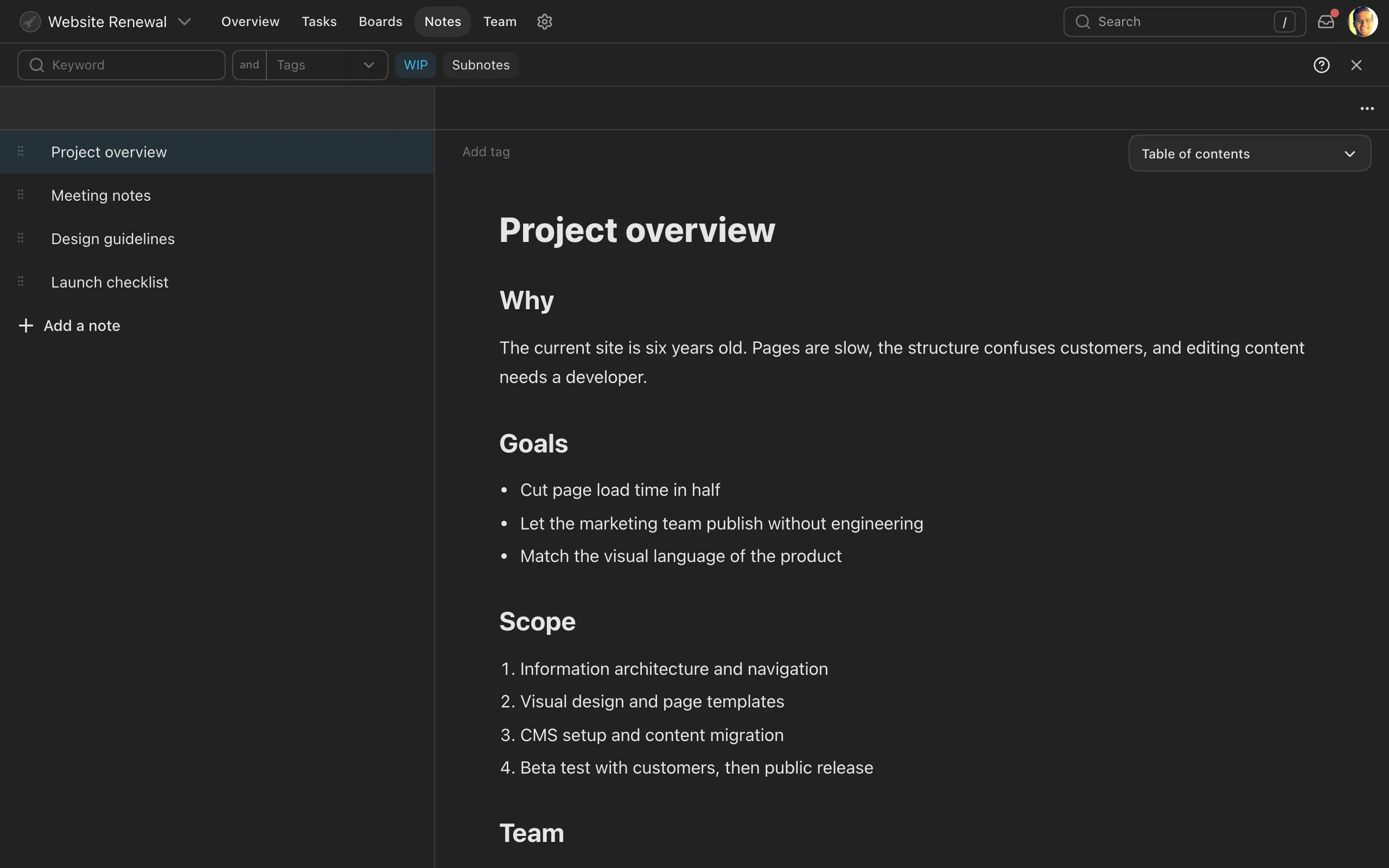
Repsona has notes (a wiki) in every project, and several people can edit a note at the same time. Notes are included in the Free plan, with no second product to subscribe to.
An interface anyone can pick up
Buttons, settings and customization are kept to a minimum. Anyone can tell what to do just by looking at the screen, and get started right away. It feels natural to use, and screens open and save quickly, so a heavy tool never slows you down.

Small touches that make work more fun
Repsona is full of small touches, built around people, that make work more fun. It isn't only about getting the pile of tasks in front of you done faster. It's about building a team where people connect and smile.
What Jira has that Repsona doesn't
Beyond the rows in the table, Jira has these. Repsona does not.
- A Scrum backlog and sprints, with reports such as velocity
- Workflows you design yourself: statuses, transitions and the rules on them
- Branches, commits and pull requests from GitHub and other tools shown on work items and boards
- Plans across teams and spaces, capacity management, scenarios and approval steps (Premium and Enterprise)
- Apps and integrations from the Atlassian Marketplace to extend it
- Forms, a calendar view and goals (every plan)
- Space and work item permissions, work item-level security and data residency (Standard and above)
- Rovo AI (Search, Chat and Agents) included in Standard and above
- Direct importers from Asana, Trello, ClickUp, monday and other tools
Pricing
Repsona's paid plan is priced per member. Jira's monthly billing is per user, with a lower rate per user as the number of users grows. Its annual billing is a flat price for a user tier (10, 15, 25, 50, 100 users and up). Check Jira's official site for its prices.
SAML single sign-on needs a separate Atlassian Guard Standard subscription (it is included in Enterprise), and documents need Confluence, a separate product.
JiraMoving from Jira
Repsona has no tool that migrates from Jira automatically. You can move work items by CSV in three steps.
- In Jira, search for the work items and export the search results as CSV
- Rearrange the columns into the order Repsona's import reads. Row 1 is a header, followed by these 14 columns in this order: ID, task name, description, assignee, ball holder, start date, due date, status, milestone, parent task ID, tags, planned, actual, sort order
- In Repsona, open the menu on the Gantt chart or the list and choose "Import from CSV"
Dates need to be in YYYY-MM-DD format, and the file needs to be UTF-8. Assignees and statuses must already exist in Repsona under the same names. The column descriptions and a sample file are in the help article Exporting and Importing Tasks. Repsona's CSV import does not bring in comments, attachments or dependencies (work item links). Repsona has no sprint feature, so create a milestone for each sprint instead.
To try it with a small group first, move one project on the Free plan and see how the Gantt chart works for you.
FAQ
- Is Repsona a free Jira alternative?
- Repsona has a Free plan that includes the Gantt chart, board, task list and notes. Jira also has a Free plan, for up to 10 users. Member and project limits for Repsona's Free plan are on the pricing page.
- Does Jira have a Gantt chart on the free plan?
- Yes. Jira's timeline view is included in every plan, including Free. Planning across several spaces in one view uses plans, which are part of Jira Premium and Enterprise. Repsona's Gantt chart is also included in its Free plan.
- Does the Jira timeline show subtasks?
- Yes. According to Jira's release announcement, both software space and business space timelines show every work item, including subtasks. How much of the hierarchy you see depends on the timeline's view settings. Jira's hierarchy has three levels (epic, story or task, subtask), while Repsona's subtasks nest as deep as you need and the Gantt chart shows them nested at every level.
- How is Jira pricing counted compared with Repsona?
- Jira's monthly billing is per user, and the rate per user goes down as the number of users grows. Annual billing is a flat price for a user tier (10, 15, 25, 50, 100 users and up). Repsona's paid plan is priced per member. Which costs less depends on your headcount and on which plan has the features you need. Check Jira's official site for its prices.
- Is Repsona open source, or can I self-host it?
- No. Repsona is a cloud service. It is not open source and there is no self-hosted edition. For reference, Jira's self-managed edition (Data Center) isn't sold to new customers.
- Is Repsona a Jira alternative for software development?
- It depends on how your team works. If you run sprints, rely on backlog and velocity reports, and want pull requests from GitHub or Bitbucket on your work items, Jira is the better fit. Repsona has no sprint feature and no source code integration. It suits teams that plan with tasks, subtasks and a Gantt chart.
- Can I move work items from Jira to Repsona?
- Repsona has no tool that migrates from Jira automatically. Jira can export search results as CSV, and Repsona can import CSV. Repsona's import reads columns in a fixed order, so rearrange the columns into that order before you import.
What this page says about Jira was checked against its official pages. Features and prices may change.