---
title: Set up notifications
categoryId: settings
subCategoryId: User settings
---
This page explains notification settings for your Repsona account.
| Who can use it | Available on |
|---|---|
| All | All |
## Set up notifications
1. Open the settings menu from the icon in the upper-right corner of the screen.
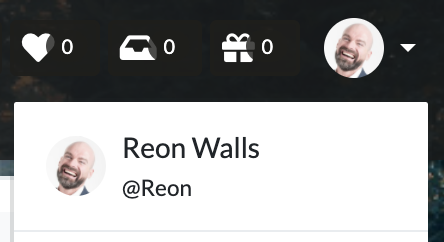 2. Click "User settings".
3. Open the "Notifications" tab.
### Notifications
Choose one of: "All", "Mentions and involvement", or "None". Notifications are sent when a task is commented on or its status changes. "Mentions and involvement" is recommended.
### Delivery
Choose whether to receive email, browser, and mobile notifications. You can also choose whether to be notified of your own actions.
### News
#### Product updates
Receive occasional emails about Repsona updates.
#### Task reminders
Receive a daily task reminder from Repsona each morning. It lists approaching due dates by priority for tasks you’re responsible for and tasks where you hold the ball.
2. Click "User settings".
3. Open the "Notifications" tab.
### Notifications
Choose one of: "All", "Mentions and involvement", or "None". Notifications are sent when a task is commented on or its status changes. "Mentions and involvement" is recommended.
### Delivery
Choose whether to receive email, browser, and mobile notifications. You can also choose whether to be notified of your own actions.
### News
#### Product updates
Receive occasional emails about Repsona updates.
#### Task reminders
Receive a daily task reminder from Repsona each morning. It lists approaching due dates by priority for tasks you’re responsible for and tasks where you hold the ball.